 Published June 18, 2026
  read
read
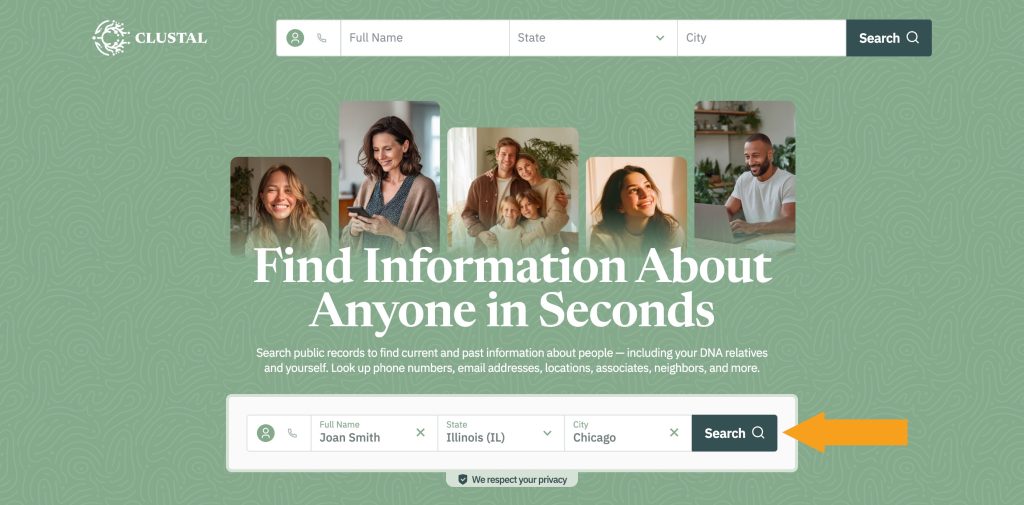
Step 1: Open Clustal.org. Enter your information into the search fields and click “Search.”
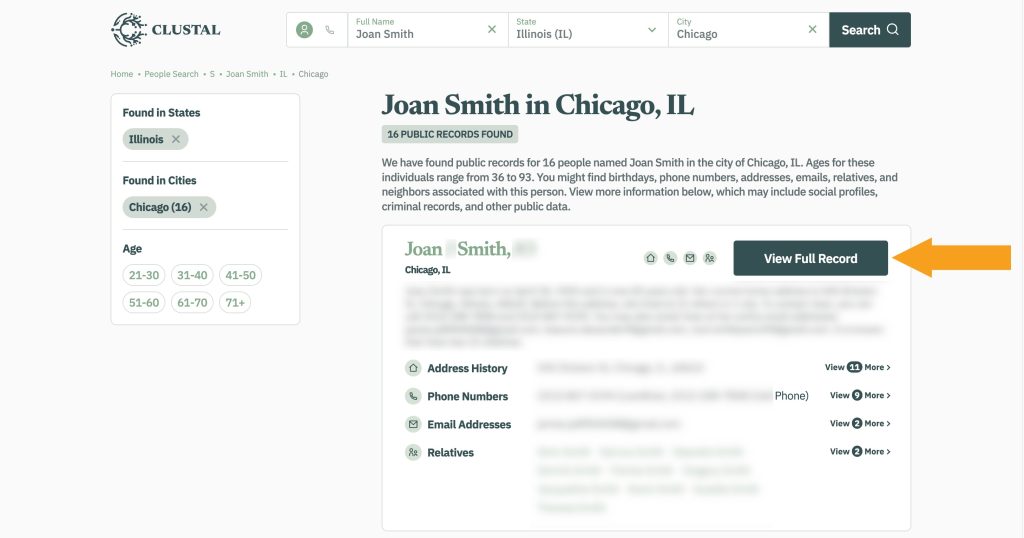
Step 2: Find a matching profile among the search results and click “View Full Record.”
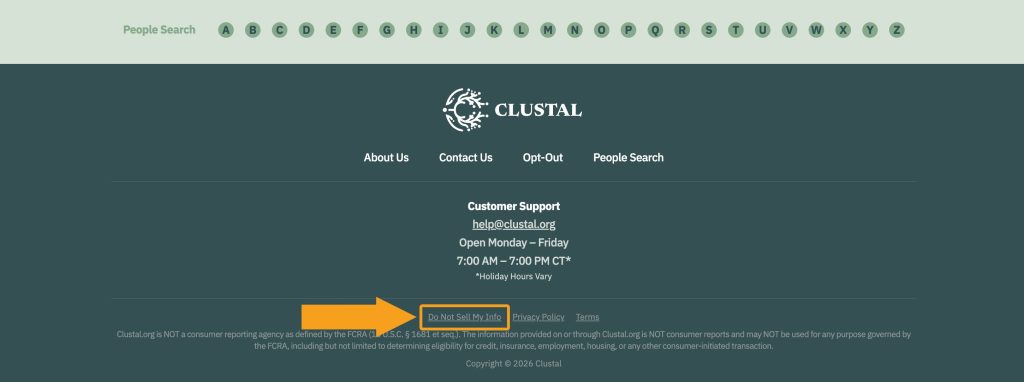
Step 3: Once on the profile page, scroll to the footer and follow the “Do Not Sell My Info” link.
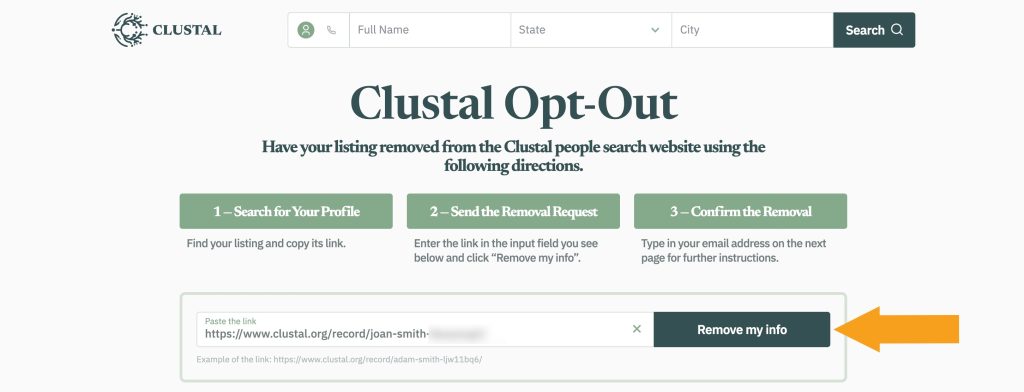
Step 4: Click the “Remove my info” button if your profile URL is autopasted. If it isn’t, go to the previous page and copy it.
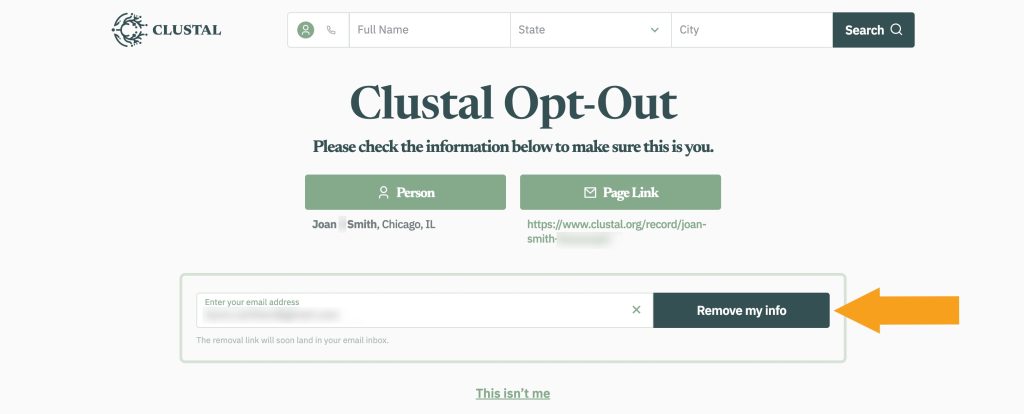
Step 5: Submit your email address.
Step 6: Open an email from Clustal and click the opt-out request verification button.
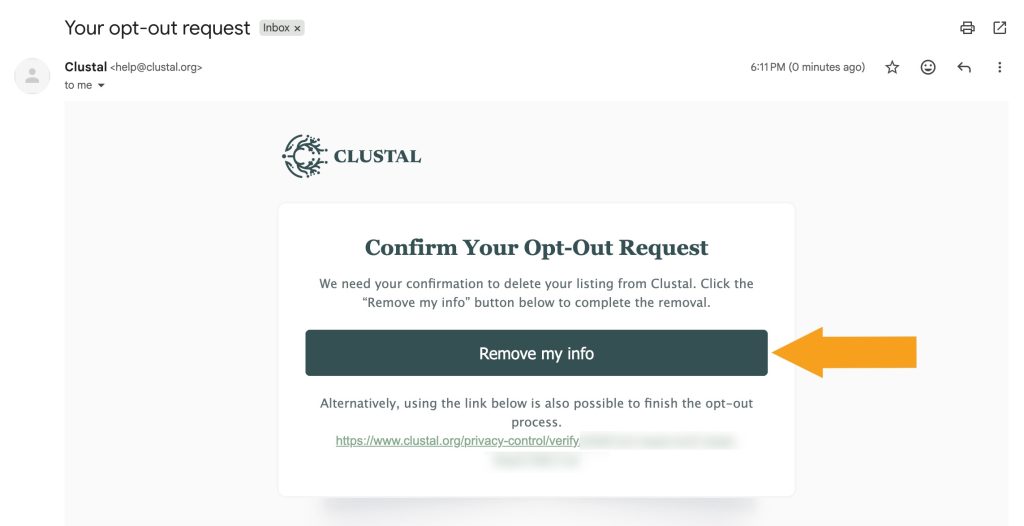
Your Clustal opt-out request is submitted. Once you receive a removal confirmation email, we recommend running another search on the website to make sure your information is really gone.


Dimitri is a tech entrepreneur and founder of Onerep, the first fully automated data removal service. Top cybersecurity CEO of 2021 by The Software Report.