Published January 8, 2026
  read
read
How to delete your Temu account: step-by-step guide (mobile & web)

To delete a Temu account, sign in to the app or website, go to “You” or “Orders & Account” on desktop → “Settings” → “Account Security” and select the “Delete Your Temu Account” option. Review the information Temu provides, submit your reason for account cancellation, and complete the identity verification step. Once completed, your account enters a deactivation period of about 7 business days, during which logging back in will cancel the request and reactivate your profile. If you don’t log in during those seven days, the account is permanently deleted.
Why might you want to delete your Temu account?
After its founding in 2022, Temu skyrocketed to popularity thanks to its extraordinarily low prices and highly addictive, gamified features (like countdown timers and spin-the-wheel). Just last year, it seemed like everyone was completely hooked on it.
2024 may have been the platform’s peak. Now, people are starting to wonder whether Temu is safe, and the Center for Strategic & International Studies (CSIS) has highlighted its privacy and security risks. Add onto this the following complaints and concerns, and it’s clear that the tide is turning:
- People often don’t get what they thought they were ordering.
- The company provides very limited transparency about compliance with the Uyghur Forced Labor Prevention Act (UFLPA).
Furthermore, with the end of the de minimis exemption in the United States, it’s unclear whether companies like Temu and Shein are going to be able to sustain the main reason for their appeal—the super low prices.
Can I delete my Temu account? Things to keep in mind
Yes, it’s possible to close a Temu account using its built-in deletion feature.
First, you’ll have to cancel it, and then avoid logging in for a total of seven business days. Then, the account will be automatically and permanently deleted.
Some things to be aware of:
- You probably won’t be able to delete your account until all your orders, returns, or disputes are fully resolved or canceled.
- If you need documentation for taxes, warranties, or returns, download it and/or screenshot your order history before deleting your account—you won’t be able to retrieve the data later.
- You won’t be able to access any unused rewards or gift cards upon deletion, so you’ll need to either go ahead and use these beforehand or just let them go.
- You might want to erase payment details from your account before cancelling it to eliminate the chance of accidental charges, unauthorized purchases, or misuse if someone gains access to your profile before deletion is finalized.
Does deleting Temu delete all my data?
Temu will delete all data associated with your order history, payment info, and any items you’ve saved to your wishlist. However, there are some pieces of information that the company is legally required to preserve, as outlined in Temu’s Privacy Policy.
How to cancel a Temu account on mobile
Temu’s account deletion feature is pretty simple, and it works the same on iPhone and Android.
Step 1: Open the app and click on the “You” tab. (It will be at the bottom of the screen.)

Step 2: Tap on “Settings” (an icon at the top).

Step 3: Go to “Account Security.”
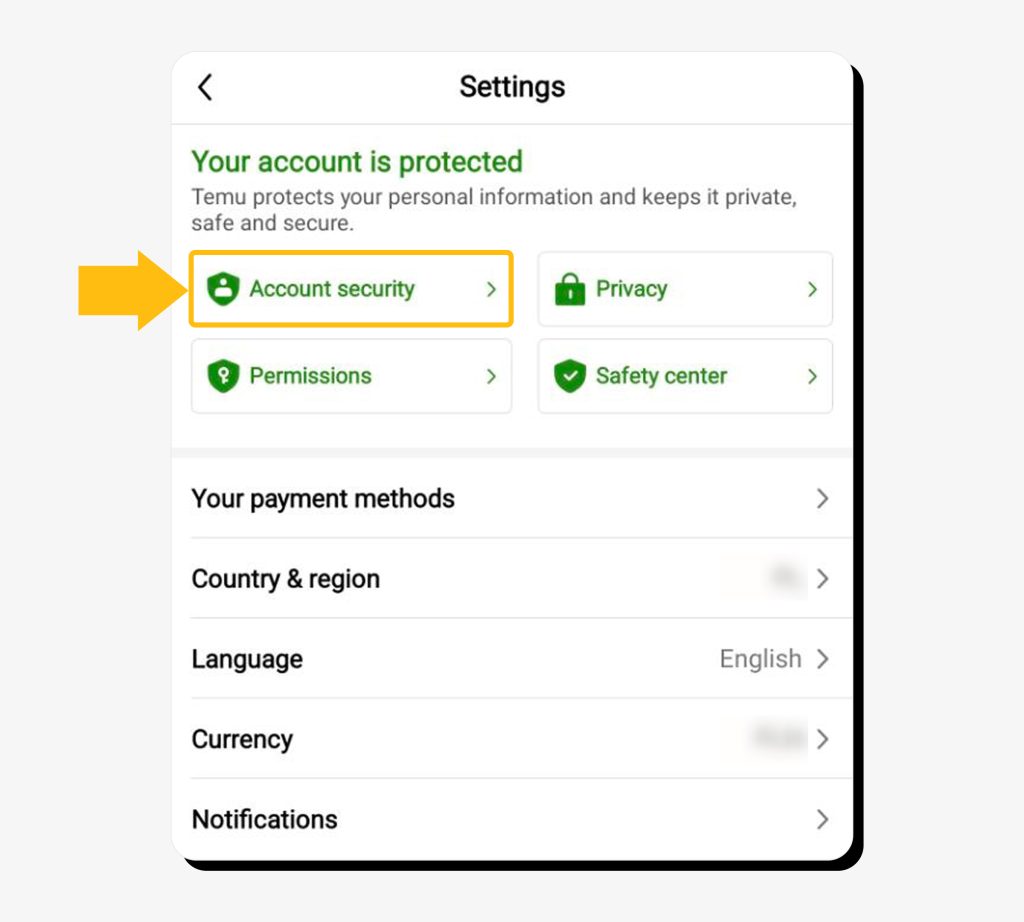
Step 4: Click on “Delete Your Temu Account.” This will be at the bottom of the screen, after you scroll past your email, password, and list of third-party accounts.
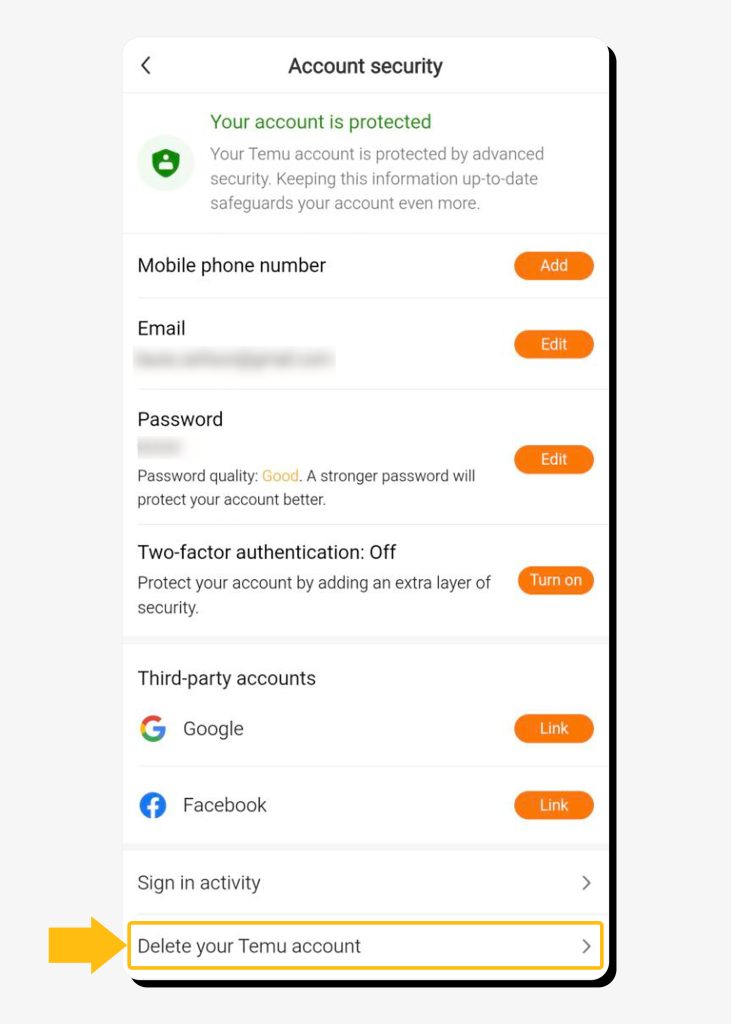
Step 5: Temu will then show you a screen informing you that you’re about to delete your account, along with some recommendations about saving information for your records and making sure there aren’t any pending orders. Check the “I want to permanently delete my Temu account” option and tap the “Continue” button.
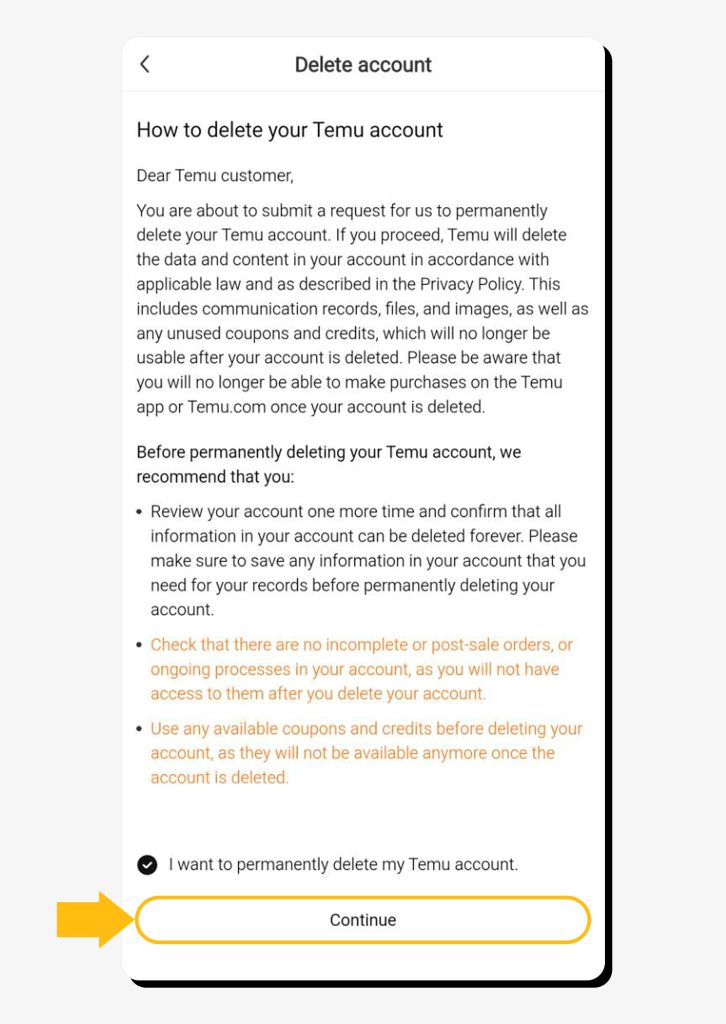
Step 6: Submit the reason for deletion.
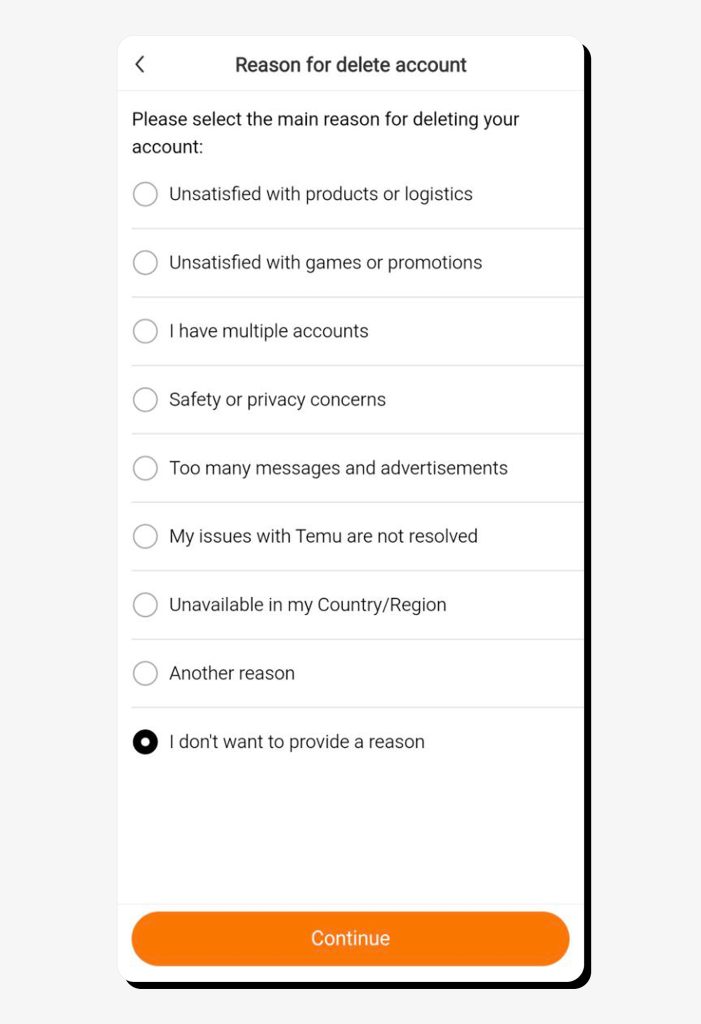
Step 7: Temu will ask you to verify your identity—choose any method.
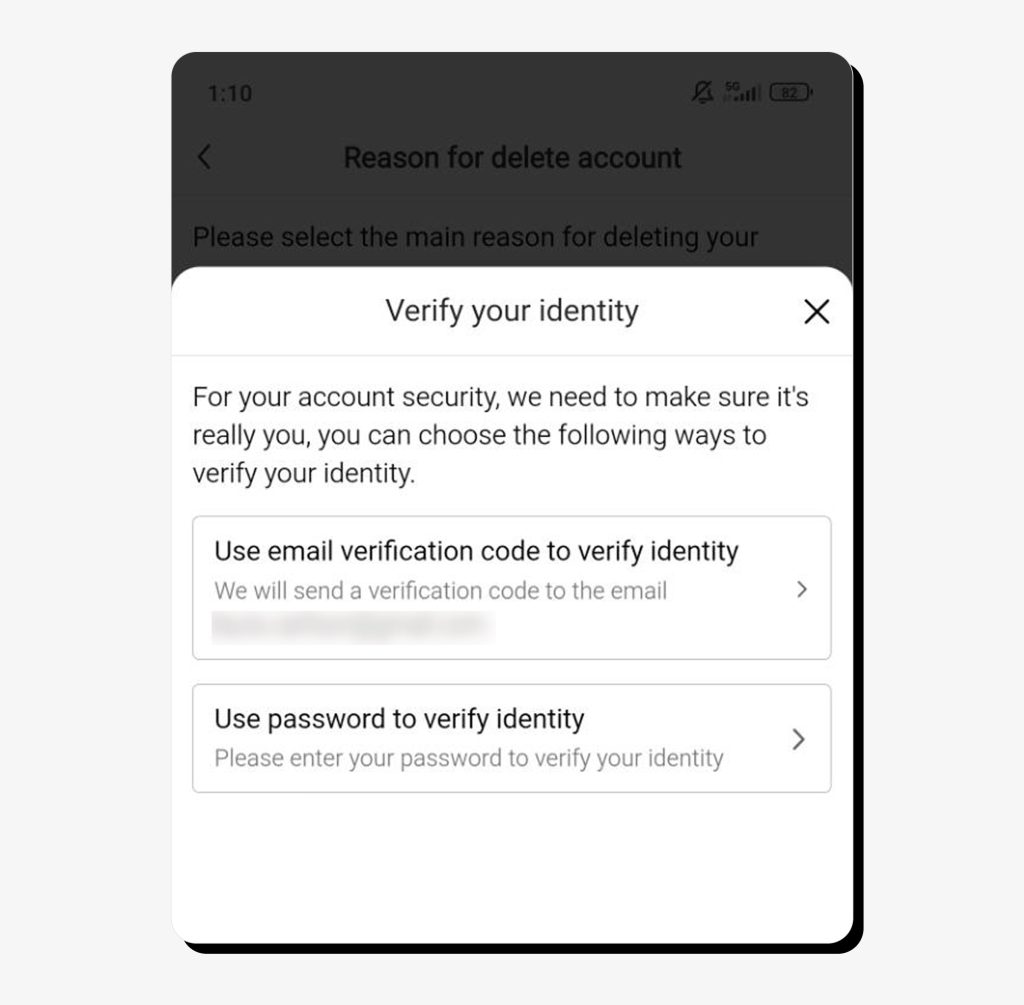
Step 8: Finally, tap “Confirm” to complete the process.
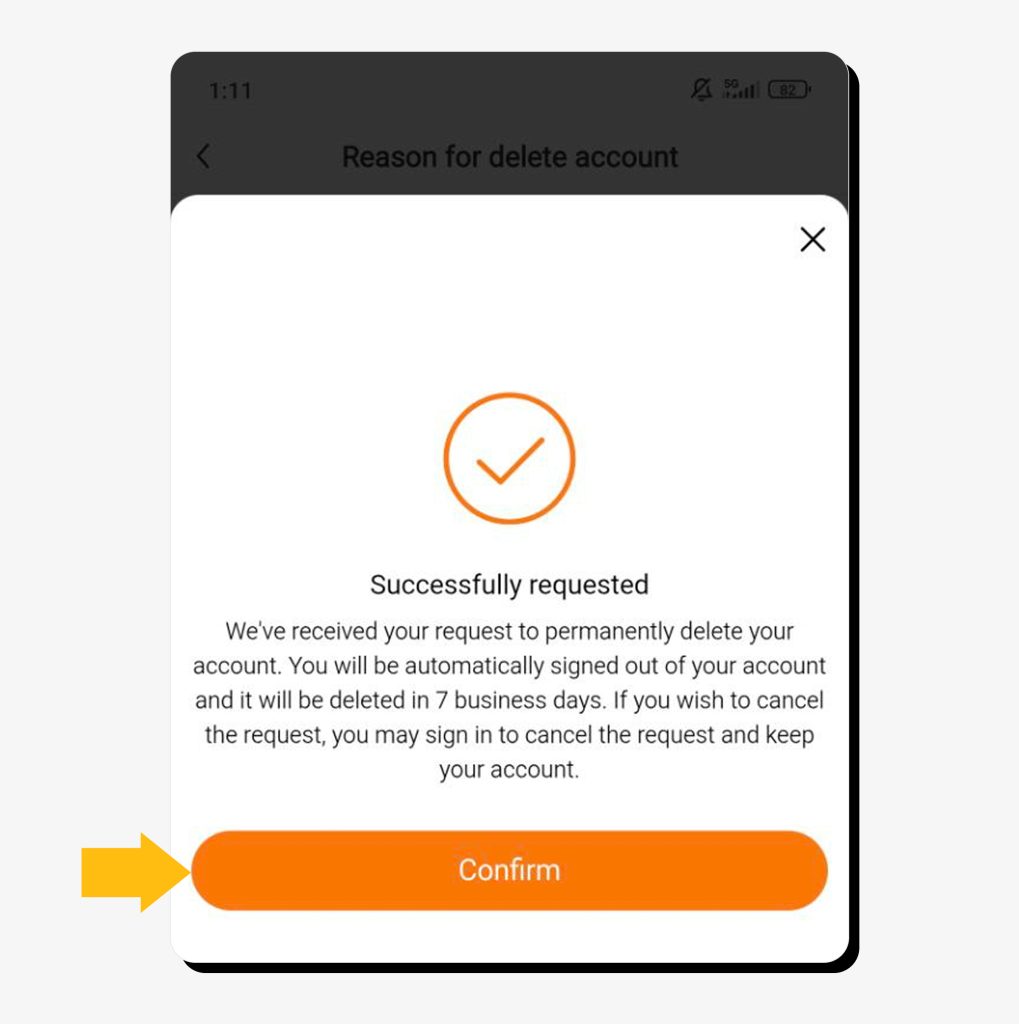
Now, you need to stay logged out for 7 business days and your account will be deleted.
How to remove the Temu app from your phone
It’s important to note that simply uninstalling the app does not delete your Temu account. Similarly, reinstalling the app won’t cancel deletion; logging in will.
If you want to take the app off your device, just press and hold down on the Temu icon until the option to “Uninstall” pops up (or the trash can symbol). Tap it and the app will disappear.
How to close a Temu account via a web browser
To delete your account through a browser, you need to go to the Temu website and log into your account. Then follow these steps:
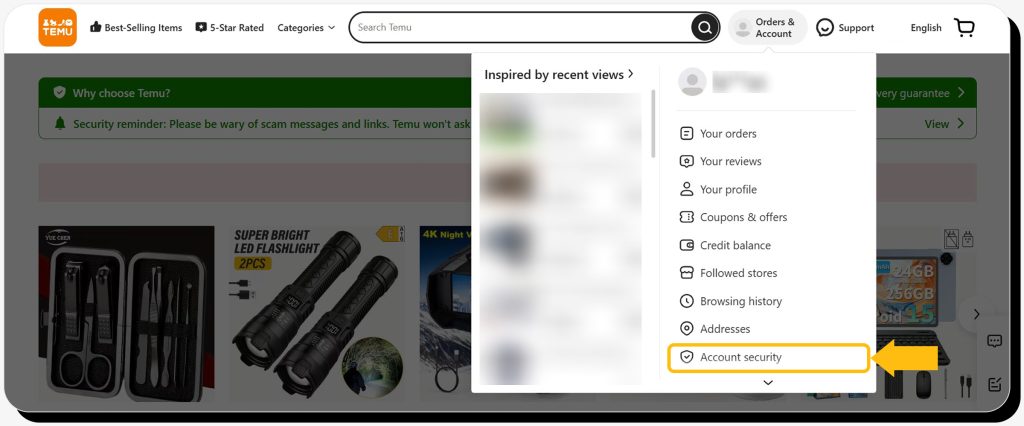
Step 1: Navigate to the “You” icon (which looks like a little gray person next to “Orders & Account”) and select “Account Security” from the dropdown menu.
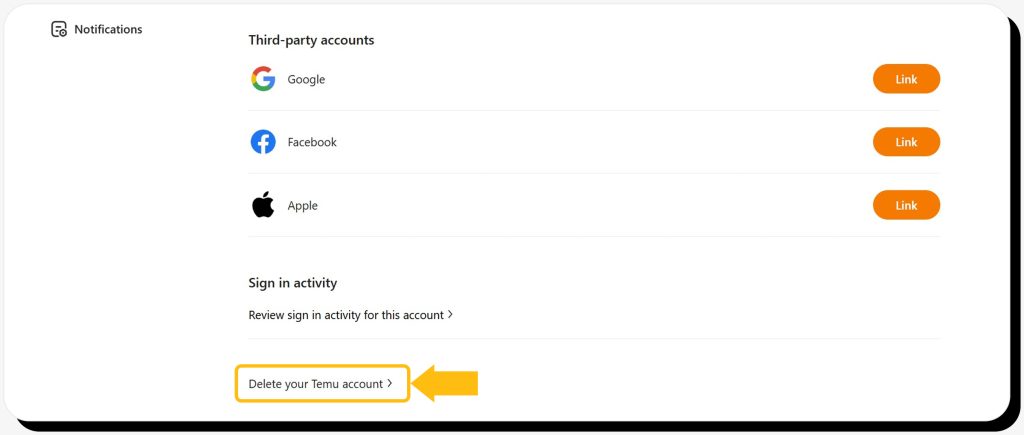
Step 2: Scroll the page down and click on “Delete Your Temu Account.”
Step 3: Temu will show you its information about account deletion and recommendations for saving order details, canceling pending orders, and so forth. Check the “I want to permanently delete my account” statement and hit “Continue.”
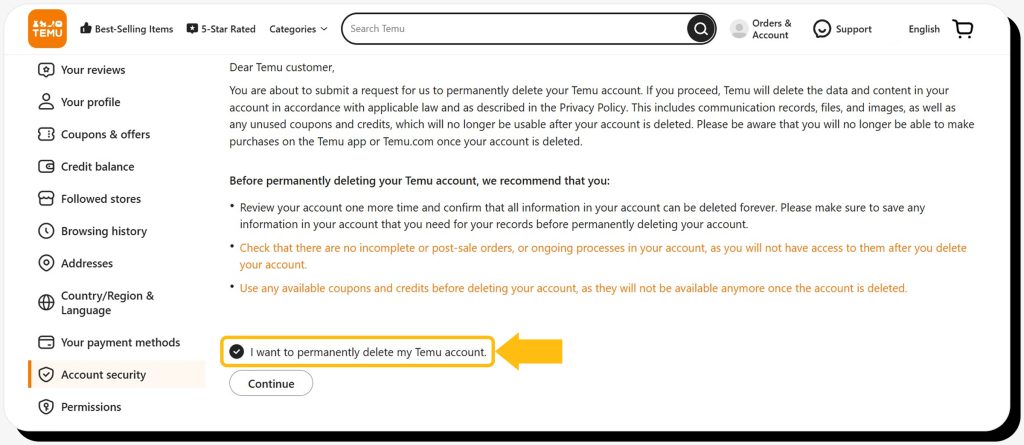
Step 4: Select the reason for deleting your account.
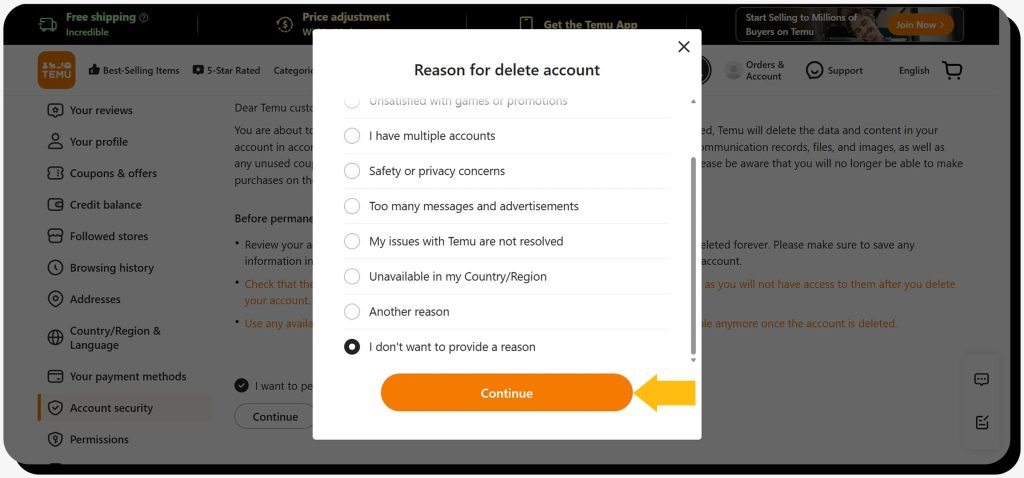
Step 5: Verify your identity via any available method.
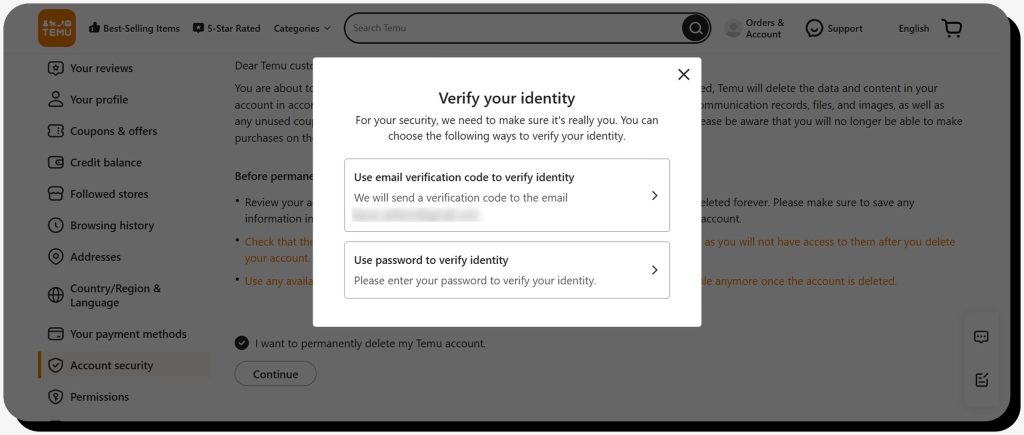
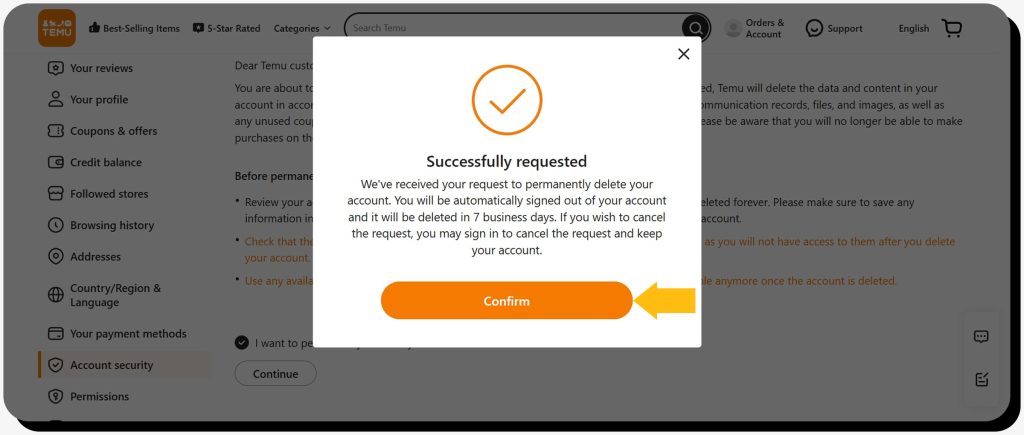
Step 6: Once your identity is verified, hit “Confirm” to complete the process.
How to delete your Temu account if you don’t have access to your phone/email
If you can’t access the phone number or email you used to sign up for Temu, then you’ll need to get help from Temu’s support team. Here’s how:
- Go to the Support page/screen. You can get there via the headphones icon near the top-right corner in the app, or via the “Support” button in the website’s navigation bar.
- Once you’re on the Support page, you’ll see a “Contact us” button near the bottom. Click on that.
- You’ll be asked to confirm your identity. You can do this by providing past order numbers, a payment method, a shipping address, or some other identifying information.
- Temu customer service will then initiate the account deletion process.
FAQs
Should I close my Temu account?
It’s up to you whether you want to continue using Temu or not. That said, some people are choosing to close their accounts over issues with product quality, concerns about consumer data handling, or ethical issues around forced labor and a lack of compliance with the Uyghur Forced Labor Prevention Act (UFLPA).
How to delete the Temu account on iPhone or Android?
You can start the process of deleting your account on your smartphone by going to “You” → “Settings” → “Account Security” → “Delete Your Temu Account.”
Does uninstalling the app delete my account?
No, uninstalling the app won’t delete your account. You need to actually log into Temu and complete their account cancellation process.
 Erin Kapczynski
SVP, B2B Marketing at Onerep
Erin Kapczynski
SVP, B2B Marketing at Onerep