 Published April 2, 2026
  read
read
Oregon Court Records opt-out guide: how to remove your information
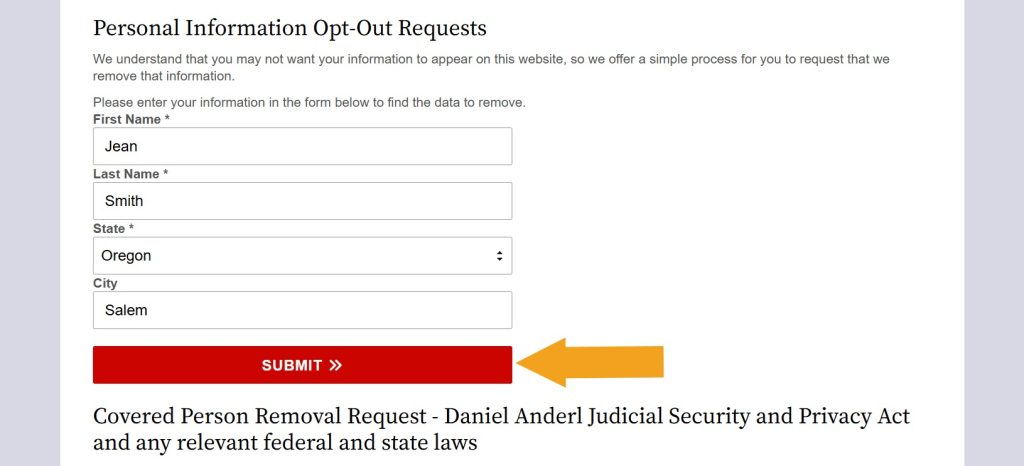
Step 1: Open OregonCourtRecords.us’ privacy choices page. Fill out and submit the “Personal Information Opt-Out Requests” form to look up your record.
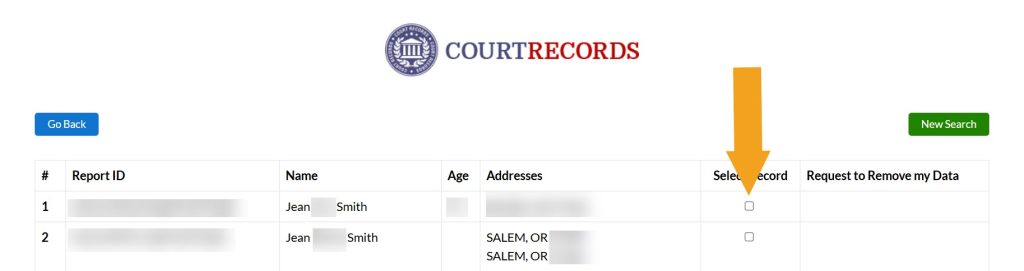
Step 2: Look through the search results and select your record when you find it. In case you find several, submit an opt-out request for each one separately.
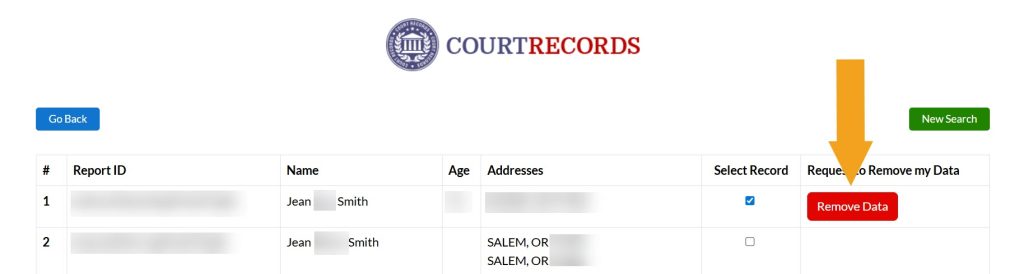
Step 3: Click the appearing removal button.
Step 4: Submit your email address. It’s better to use a separate account for opt-outs, preferably one that doesn’t expose your name and DOB.
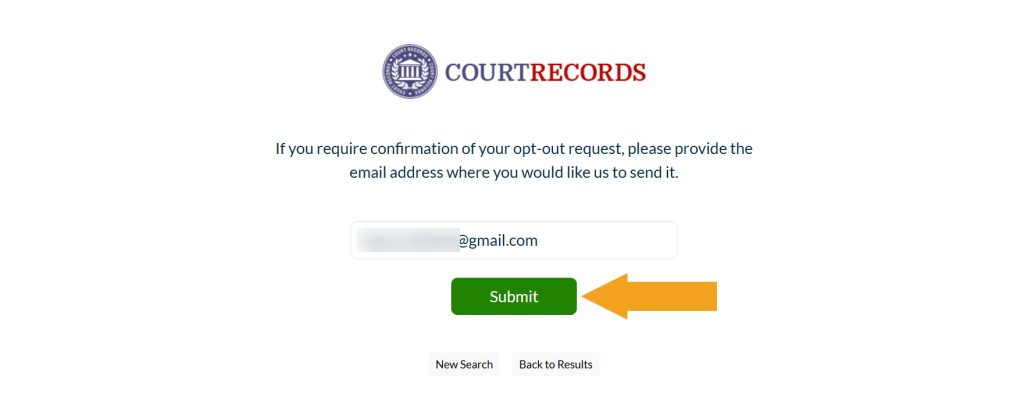
Your OregonCourtRecords.us opt-out request has been submitted. Even though the site sends a confirmation email once the removal is processed, we recommend searching for your record manually to ensure it’s gone.
How to contact OregonCourtRecords.us
OregonCourtRecords.us is available via phone at 833-963-2494 from 7 am to 12 am EST. Alternatively, use an online contact form.




Dimitri is a tech entrepreneur and founder of Onerep, the first fully automated data removal service. Top cybersecurity CEO of 2021 by The Software Report.