 Published June 17, 2024
  read
read
Cupid.com is one of the oldest online dating websites targeted at the United States, UK, Australia, and Canada markets.
Before you delete your Cupid account
Keep in mind that popular dating websites and apps collect information on users, and share it with their affiliates and other third parties. Eventually, your data finds its way to data broker sites (AKA people-search engines) like Whitpages, Mylife, and Spokeo to name a few. If you are looking to delete any of your dating or social media accounts, take time to find out which data broker sites sell your information on the web.
How to delete Cupid.com account?
1. Sign in to cupid.com.
2. Click the sign near your icon.
3. Click “My settings.”
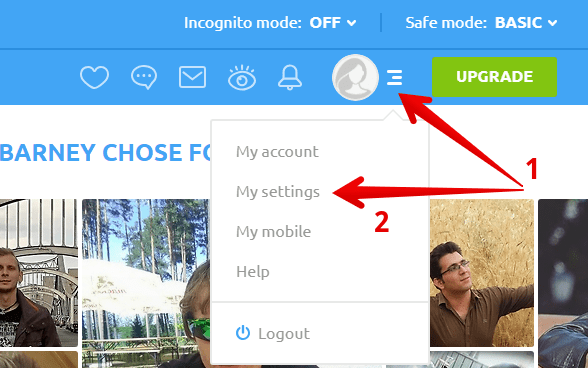
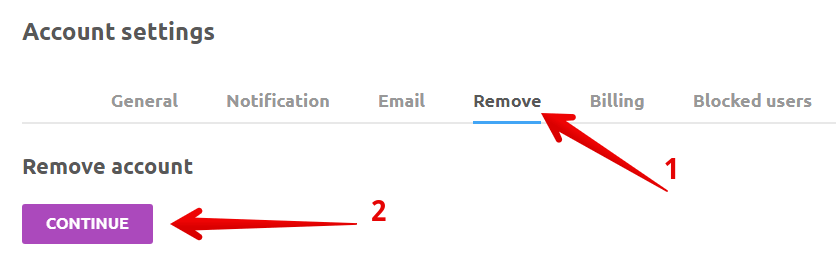
4. In account settings choose the “Remove” section and click “Continue.”
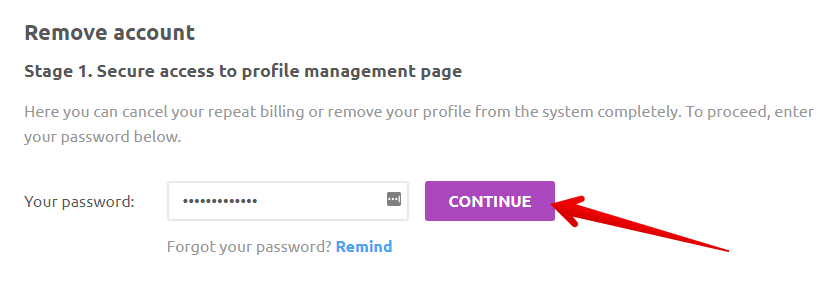
5. Enter your password. Click “Continue”.
6. Choose the option that meets your wishes best. Click “Continue.”
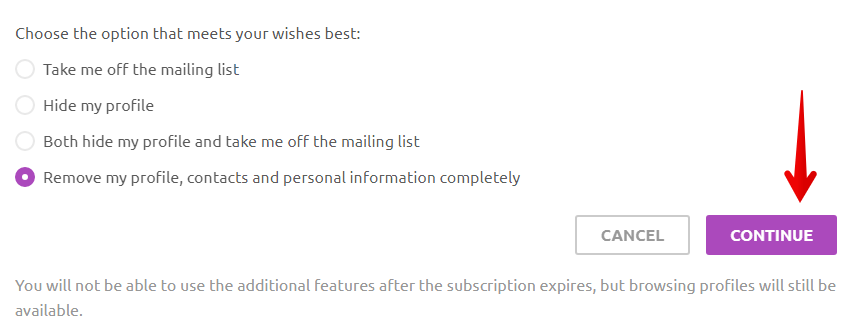
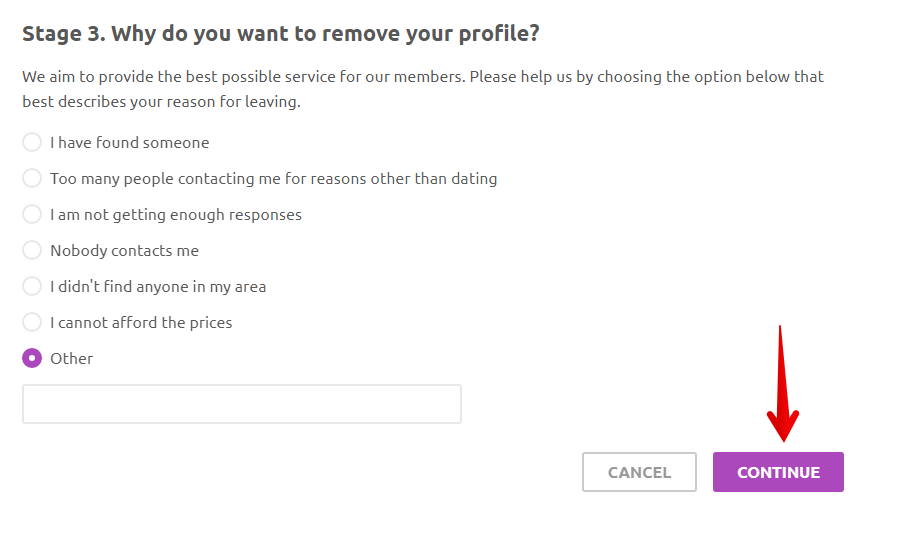
7. Choose the option that best describes your reason for leaving. Click “Continue.”
8. Click “Remove your account.”
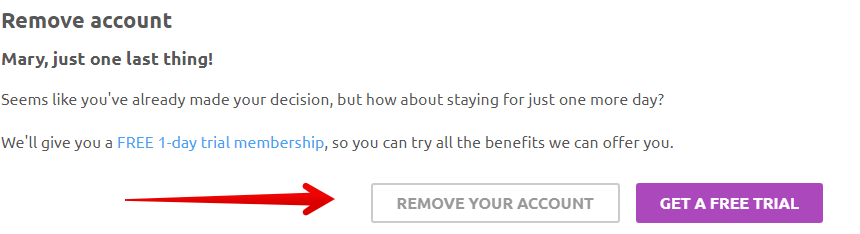
You have requested that cupid.com remove your account. Please allow a few minutes for this change to take effect.
View Terms of use and Privacy policy.

With over 8 years of experience in the field, the Onerep editorial team has deep expertise in data brokers, privacy violations, and fraud prevention. Through extensive research and conversations with customers, we’ve gained key insights into prevalent scams, data protection challenges, and common concerns around data exposure.