 Published June 18, 2026
  read
read

EveryJoe.com is a people-search website that shares phone numbers, addresses, dates of birth, email addresses, property details, and more.
EveryJoe opt-out steps
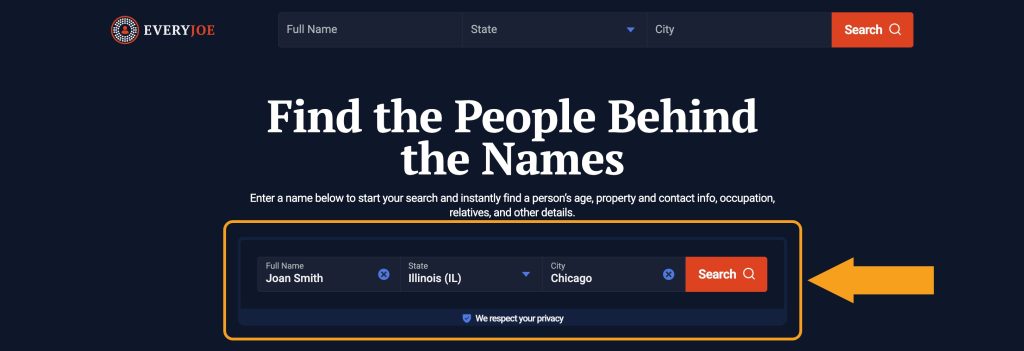
Step 1: Open EveryJoe.com and look yourself up.
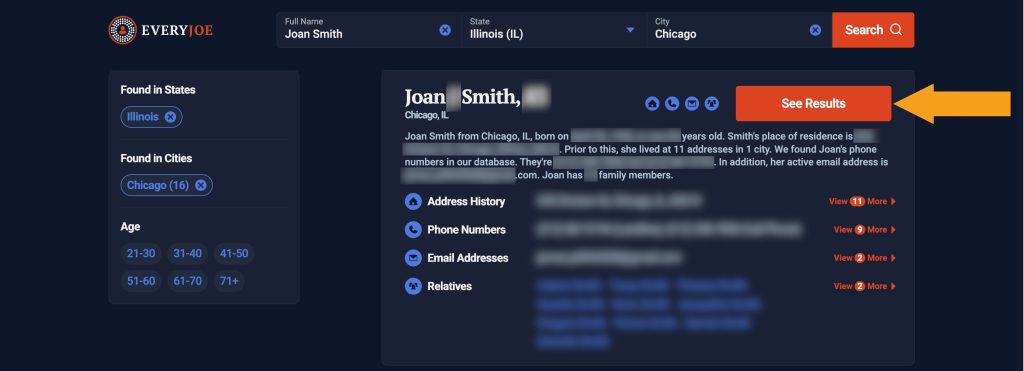
Step 2: Find a matching record and click either on your name or on the “See Results” button.
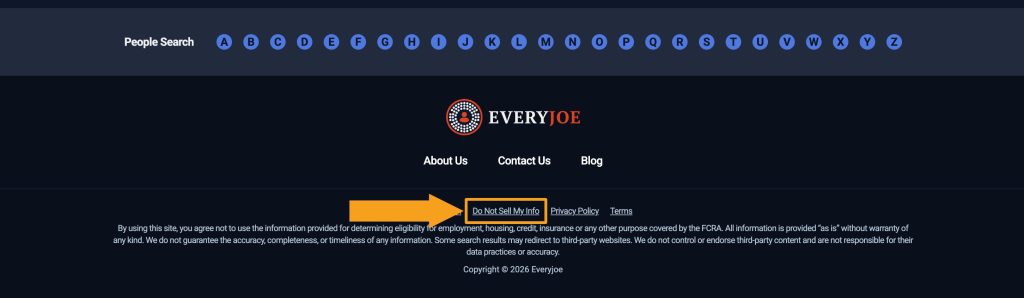
Step 3: Scroll the profile page all the way down to the footer and click on “Do Not Sell My Info.”
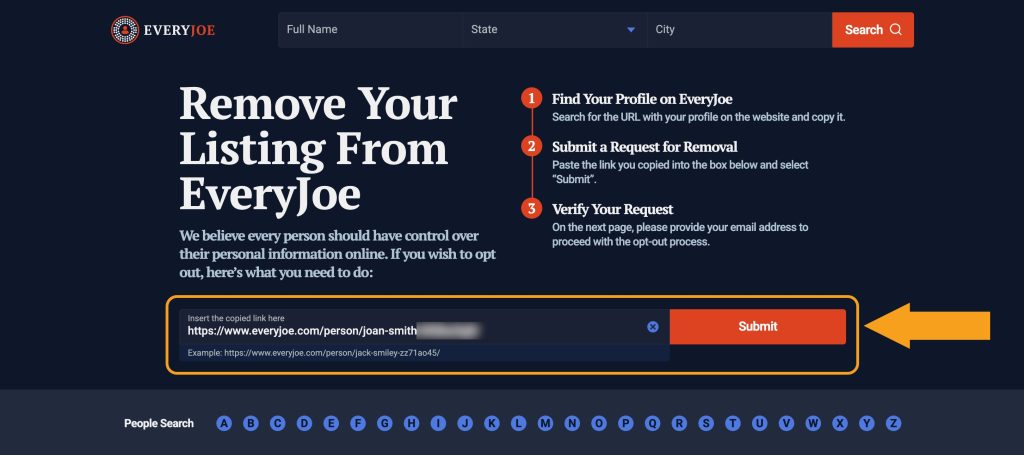
Step 4: Your profile URL should be autopasted. If it isn’t, go one step back and copy it. Then click the “Submit” button.
Step 5: Submit the email address you use for opt-outs.
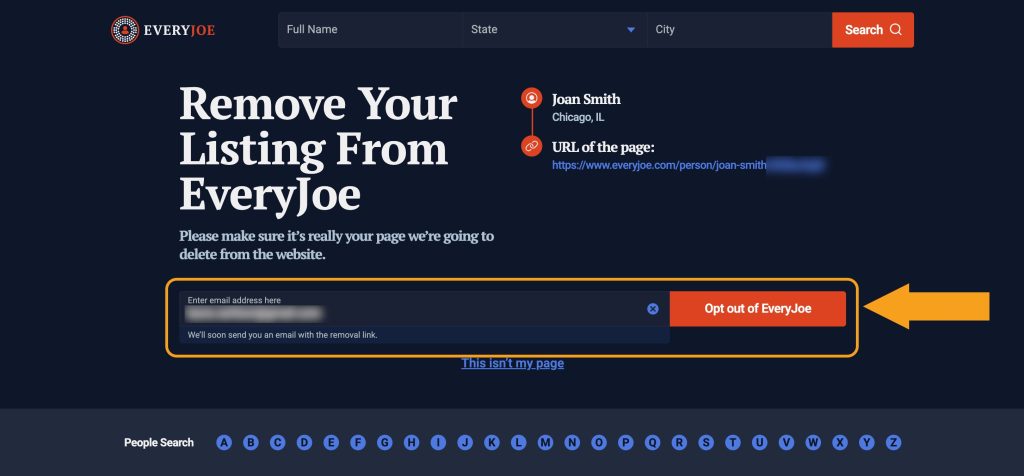
Step 6: Open an email from EveryJoe and click the “Delete my info” button.
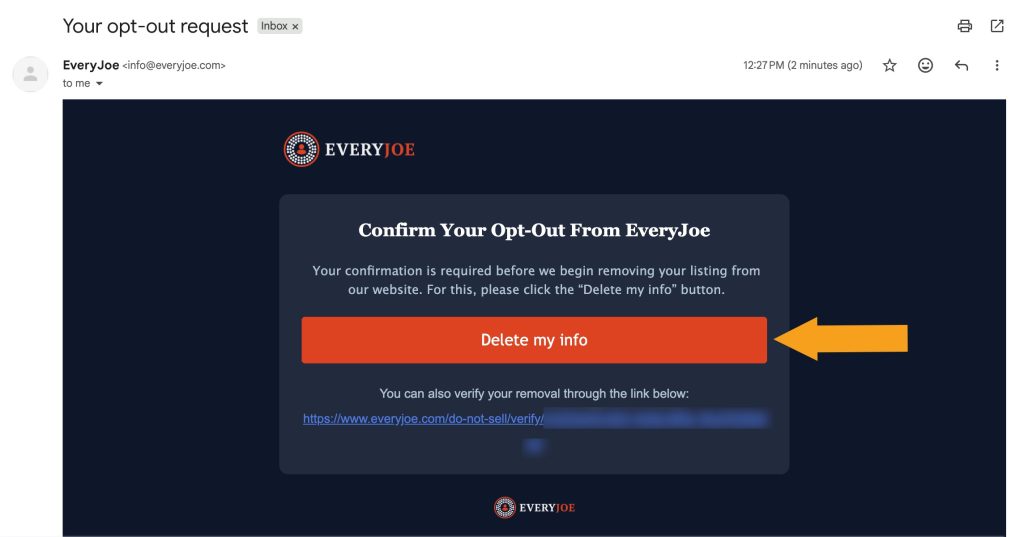
You’re all done!
EveryJoe opt-out via email
In case you have issues with EveryJoe’s opt-out form, you can send a request via email at [email protected]. Make sure to include your profile URL or provide the necessary details so that EveryJoe’s support team can locate it.




Dimitri is a tech entrepreneur and founder of Onerep, the first fully automated data removal service. Top cybersecurity CEO of 2021 by The Software Report.