Last updated Last updated April 9, 2026
Read time
 read

New York Court Records data removal guide

Ready to stop your information exposure?

Remove your Name, DOB, Address, Phone Number, Property and Legal Records from 316 Sites.

Step 1: Open NewYorkCourtRecords.us, scroll down to the footer, and follow the “Do Not Sell / Share My Personal Information” link.
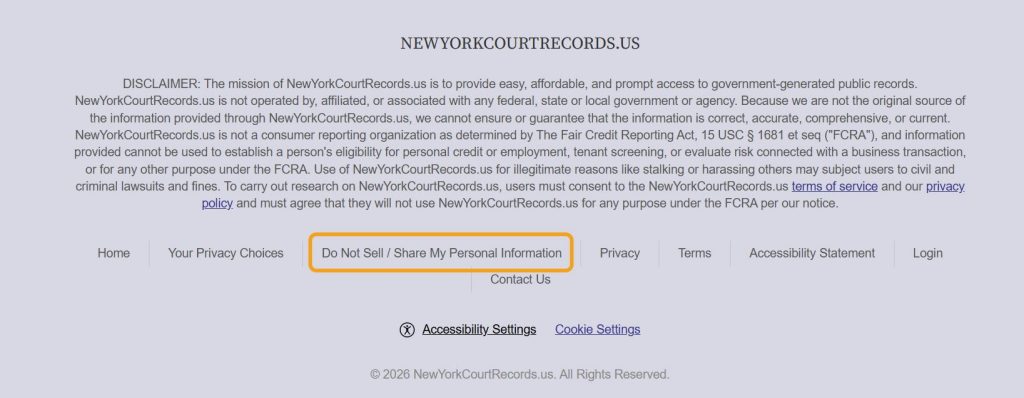
NewYorkCourtRecords.us footer with the "Do Not Sell / Share My Personal Information" link highlighted

Step 2: Enter your name, state, and city into the opt-out form to look up your record.
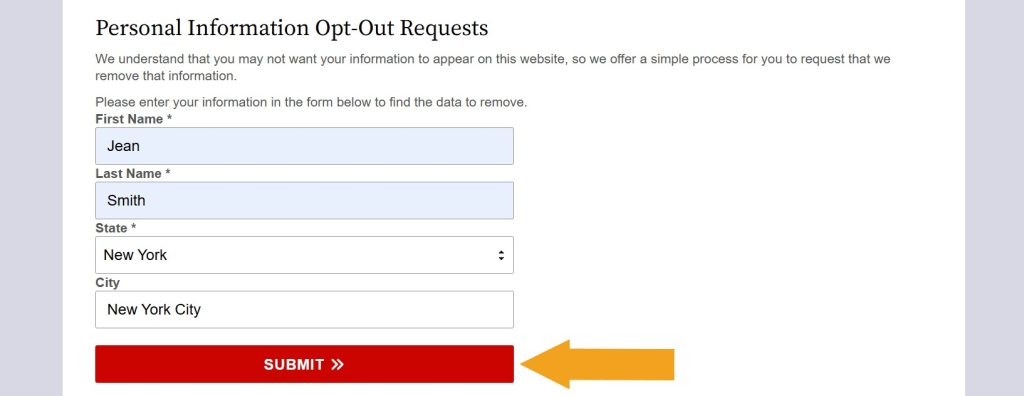
Filled out "Personal Information Opt-Out Requests" form on NewYorkCourtRecords.us

Step 3: Find a record you want to remove and select it. Then, click the appearing “Remove Data” button.
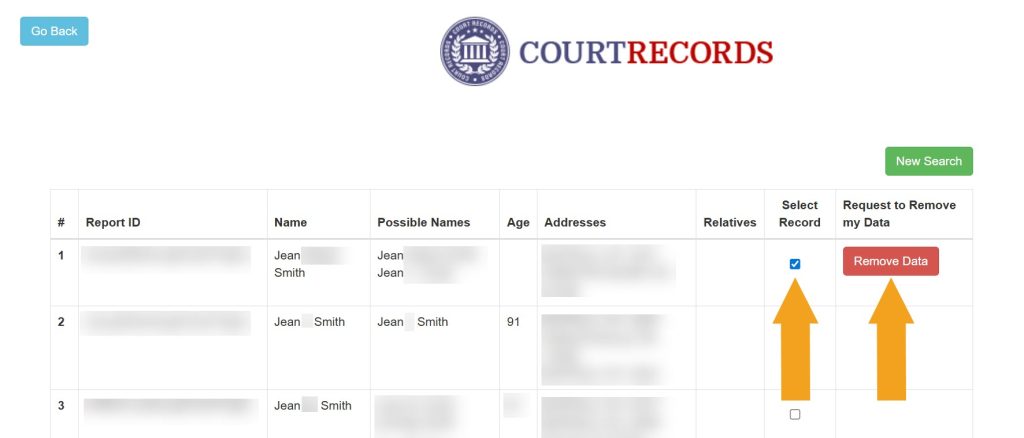
Selecting which record to remove from NewYorkCourtRecords.us

Step 4: Submit the email address you use for opt-outs.
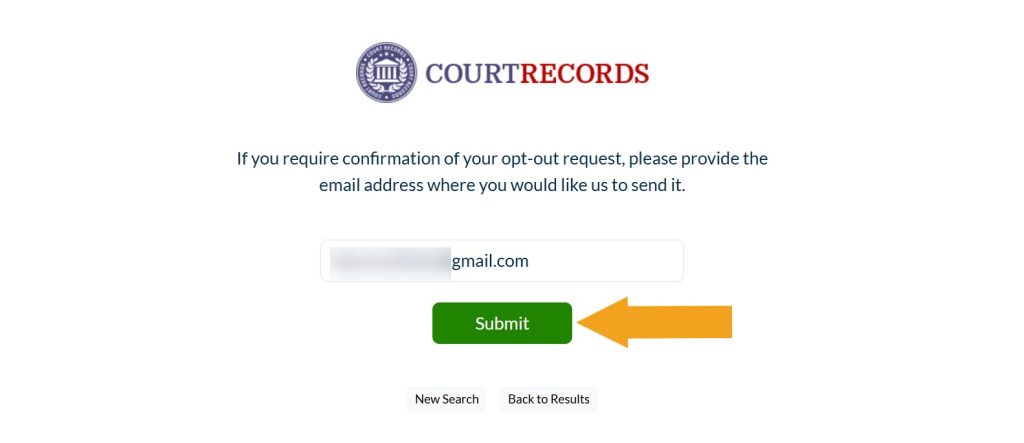
Submitting email to opt out of NewYorkCourtRecords.us

You’ve submitted your NewYorkCourtRecords.us data removal request.
What other data brokers expose your information?

Onerep checks 316 data broker sites for your profiles. Start a FREE scan to get your personalized exposure report. Privacy guaranteed.

Please enter your first and last name

Dimitri Shelest Founder and CEO at Onerep

Dimitri is a tech entrepreneur and founder of Onerep, the first fully automated data removal service. Top cybersecurity CEO of 2021 by The Software Report.

Was this article helpful?

You may also like

DIY opt-out guides HudwayGlass data removal guide
  • DIY
Online safety education Is TruthFinder legit? Get the 411 on the popular people-search service
  • Data brokers
  • People-search sites
Real stories Real stories: dealing with a phone stalker
  • Online threat
  • Cyberstalking
Temu data breach
Online safety education Temu data breach: what really happened and how to protect yourself 
  • Privacy protection
  • Online safety
  • data breach
Data brokers expose your private data

Automate the removal of your personal information from 870+ data brokers and Google