 Published December 22, 2025
  read
read

ParkinDataGroup.com offers public record searching services through its website. However, it’s not an official public record source, nor is it affiliated with any government agency.
To remove your personal information, you need to send a request via the site (no identity verification is required).
Step-by-step ParkinDataGroup.com opt-out
Step 1: Access Parkin Data Group’s removal request page.
Step 2: Search for your record.
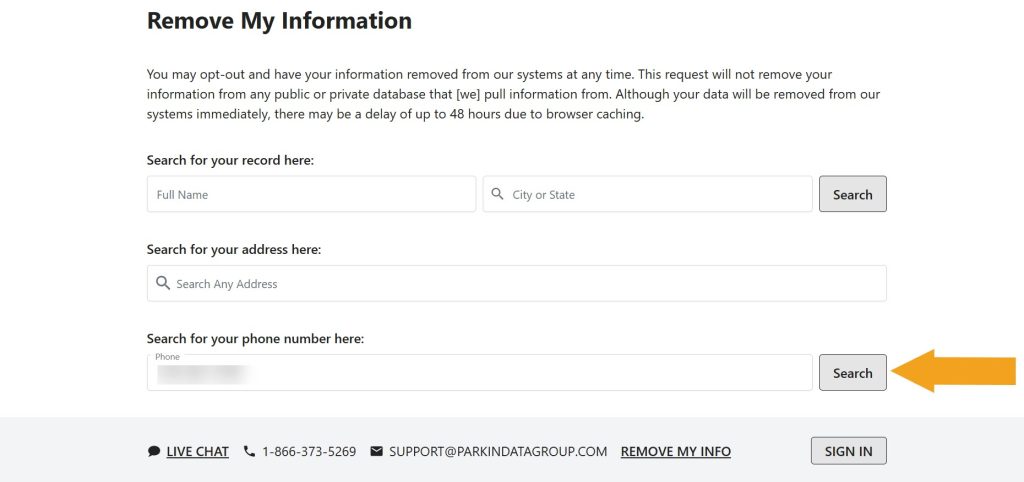
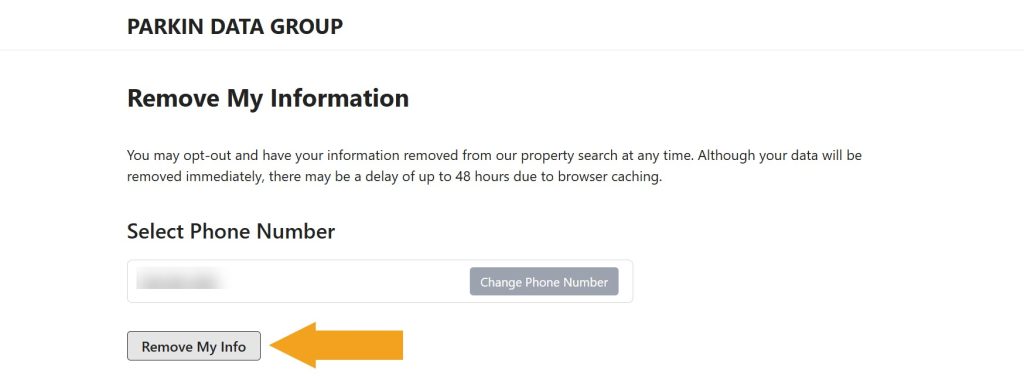
Step 3: If you looked up your phone number or name, click the “Remove my info” button. If you looked up your address, click “Request opt out.”
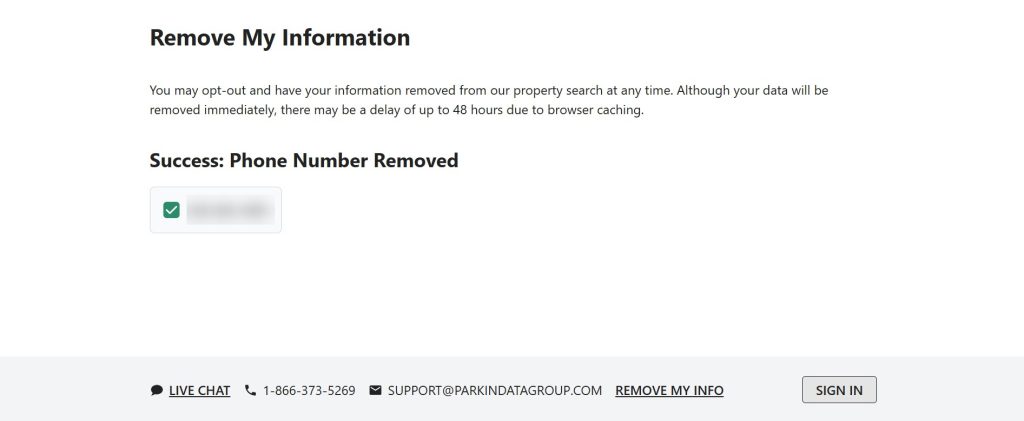
You should now see an on-screen removal confirmation. We recommend coming back in 48 hours and searching for your info to make sure it’s indeed been removed.
Your data is still exposed on other brokers
Although you have opted out of ParkinDataGroup.com, other people-search sites are still sharing your information. We recommend that you remove yourself from these 5 next:
- How to remove yourself from PeopleLooker.com
- How to remove yourself from Spokeo.com
- How to remove yourself from TruePeopleSearch.com
- How to remove yourself from FastPeopleSearch.com
- How to remove yourself from Whitepages.com
Go through this list and send opt-out requests manually to each data broker, or subscribe to Onerep to remove records automatically from 317 sites with just a few clicks.




Dimitri is a tech entrepreneur and founder of Onerep, the first fully automated data removal service. Top cybersecurity CEO of 2021 by The Software Report.