 Published April 3, 2026
  read
read
How to request the removal of your data from South Dakota Court Records
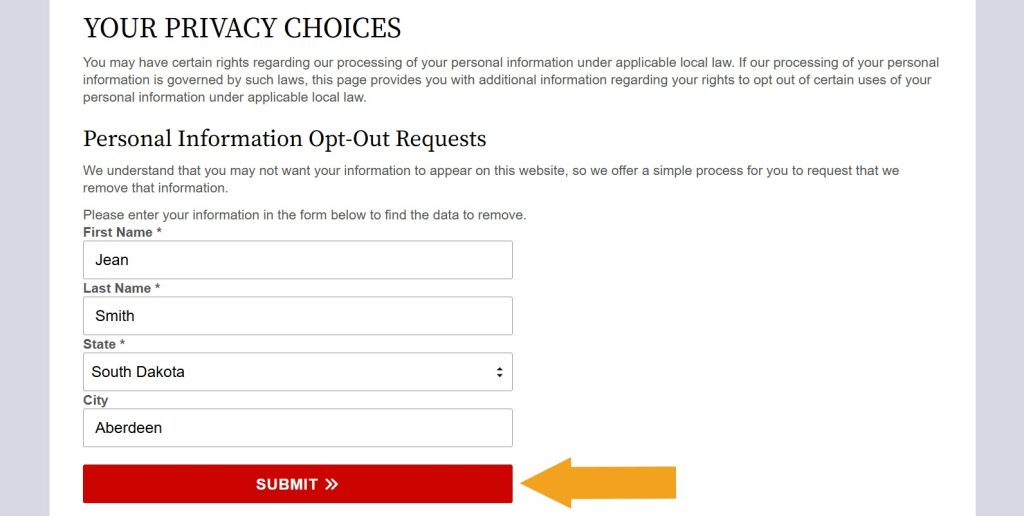
Step 1: Search for your record on SouthDakotaCourtRecords.us’ Privacy Choices page.
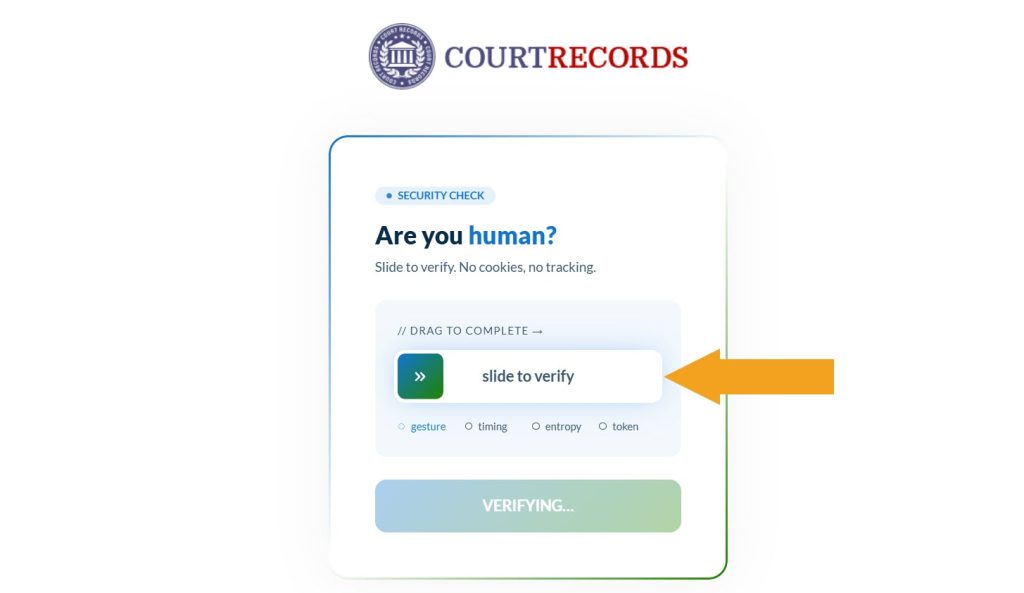
Step 2: Slide the verification bar, then click the “Continue” button.
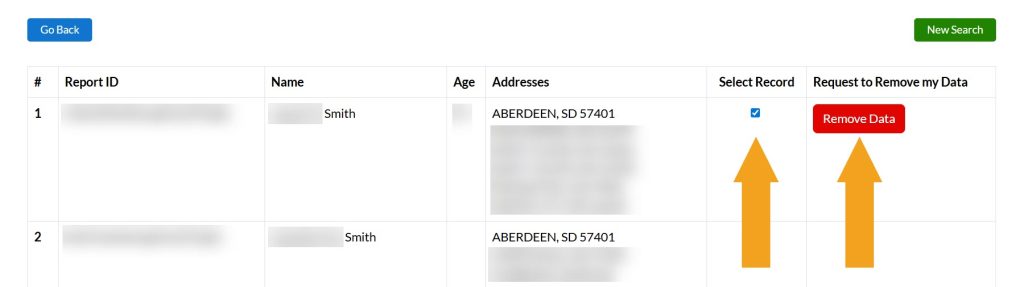
Step 3: Select a matching listing and click the appearing “Remove Data” button.
Step 4: Type your email address and click the “Submit” button.
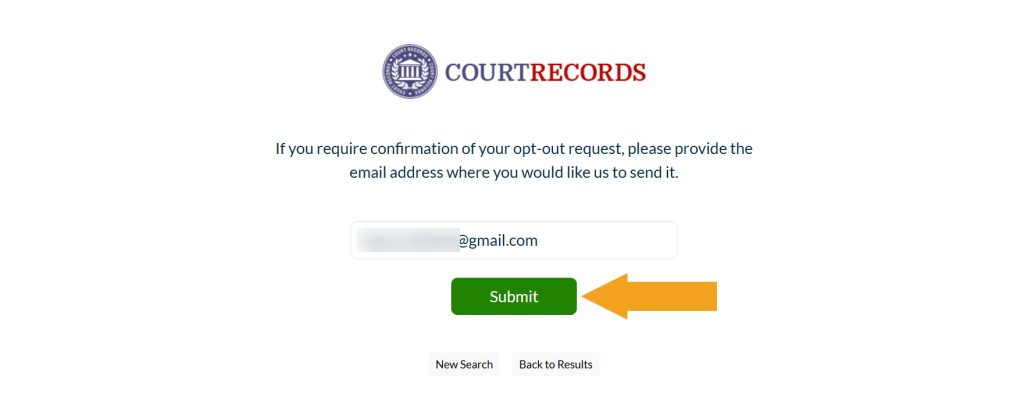
SouthDakotaCourtRecords.us has received your request and should now display an on-screen confirmation.


Dimitri is a tech entrepreneur and founder of Onerep, the first fully automated data removal service. Top cybersecurity CEO of 2021 by The Software Report.