 July 30, 2024
 read
Opt out of DirectMail.com
- By Dimitri Shelest Founder and CEO at Onerep

Dimitri is a tech entrepreneur and founder of Onerep, the first fully automated data removal service. Top cybersecurity CEO of 2021 by The Software Report.
Read more - Checked by Alena Shymanskaya Content Manager at Onerep

Alena is an experienced content writer with a specialized focus on data brokers and the intricacies of personal data management.
Read more
- Removal difficulty: Medium
 Why trust this guide

We know all the ins and outs of the data broker removal:
Founded in 2015, we pioneered automated removal from people-search sites. Our service uses precise opt-out algorithms tailored for each website. When a site changes its algorithm, we detect the change immediately, and our team updates the process. These updates are promptly reflected in the Onerep DIY data broker removal guides. With 16 million records already removed from hundreds of sites for our customers, you are accessing the expertise of the #1 team in the industry with this guide.
DirectMail.com is a data broker website with a mailing list. In order to opt out of DirectMail.com, you are required to fill out the form on a website and confirm it via email. After that, you will be listed in the National Do Not Mail List.
How to remove your information from DirectMail.com?
1. Go to the opt-out page.
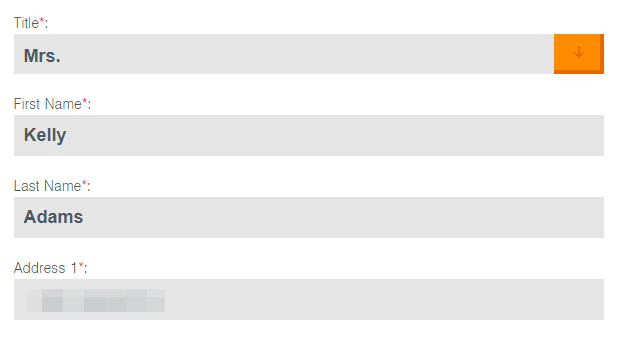
2. Fill out the removal request form: enter your title, first name, last name, address, city, choose the state, and enter your Zip code and email address for the removal request submission. Click ‘Submit.’
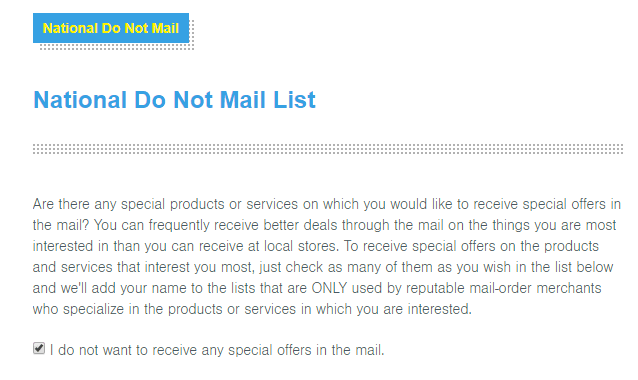
3. In order to opt out of marketing mail, click the top box and click on the ‘Continue’ button at the bottom of the page.
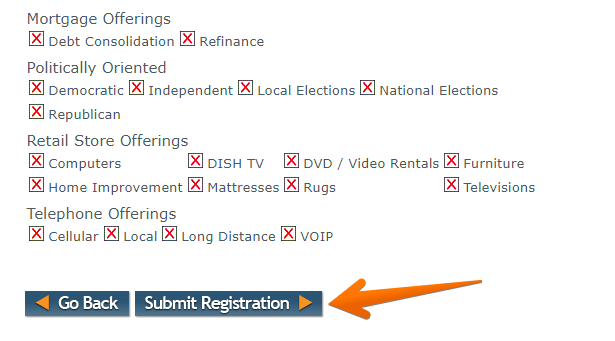
4. Click on the ‘Submit Registration’ button.
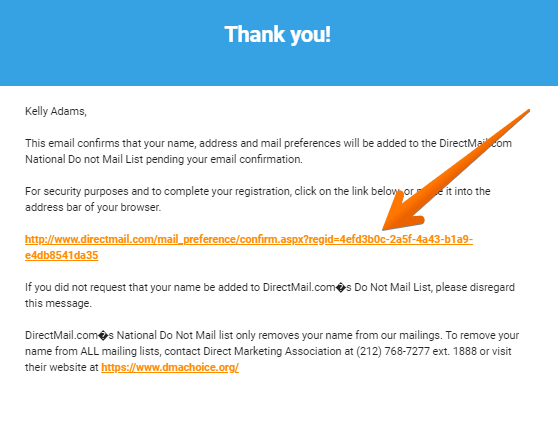
5. Open your email box and click on the confirmation removal link in the email.
Please note that it will take DirectMail.com some time to share your preferences with each mailer.

More opt-out guides
- NeighborWho opt out
- SignalHire opt out
- DNB opt out
- ContactOut opt out
- BackgroundCheck.run opt out
- UniCourt opt out
- PeopleLookup opt out
- InfoTracer opt out
- StateRecords.org opt out
- Acxiom opt out
- PrivateReports opt out
- CheckSecrets opt out
- InstantPeopleFinder opt out
- AnyWho opt out
- 411.com opt out
- AbsolutePeopleSearch opt out
- ZoomInfo opt out
- OpenGovUS opt out
- RealtyHop opt out
- NDB opt out