 Published September 22, 2025
  read
read
Is hotel Wi-Fi safe? What to know about evil twin hotspots and other hazards
The safety of hotel Wi-Fi mainly depends on the hotel. In particular, it depends on how up-to-date their security standards are, how often the equipment is monitored and patched, and whether the network is protected with a password.
However, there are activities you must always avoid when connected to hotel Wi-Fi. These include logging into banking accounts, shopping online, sharing sensitive information or files, clicking on pop-ups, and downloading files/ software from unfamiliar sources.
How safe is hotel Wi-Fi?
In the hierarchy of internet connection security, hotel Wi-Fi is generally considered less secure than a mobile network. That said, safety can vary depending on the hotel.
There are indeed hotels out there that cater to businesspeople or just have strong security measures like WPA3 encryption, unique logins, continuous monitoring, and regular firmware updates. Budget hotels, however, are likely to rely on outdated or open networks.
Additionally, password-protected networks are a bit safer than open Wi-Fi, but there are still risks—especially if the password is listed on a placard at the front desk and can be accessed by practically anyone. It’s also fair to assume that this password isn’t changed very often.
Why isn’t hotel Wi-Fi security better?
The answer is mainly convenience—both for you and for the hotel. Customers are generally more satisfied when they go through fewer hoops to use something, and hotels love having one less thing to worry about (like getting the latest and greatest router technology or setting up unique passwords for every room).
Even with newer technology, hotels might not be updating firmware (the hardware-specific code that runs the router’s most basic functions) on a regular enough basis. If you don’t update the firmware to patch security issues, hackers can take advantage.
At the end of the day, providing the most secure network is not any hotel’s core focus—they are in the business of hospitality, not cybersecurity.
What are the risks of using hotel Wi-Fi?
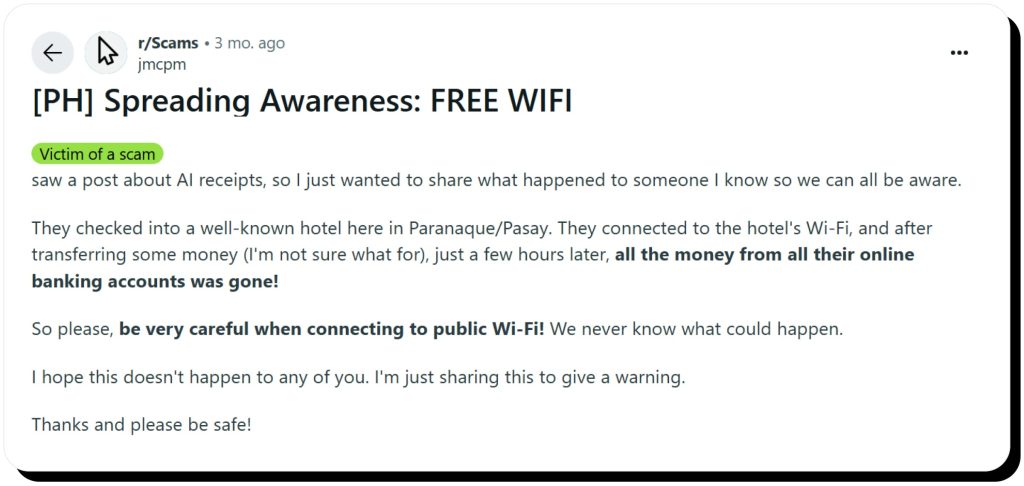
Despite hotel wireless internet getting more secure in general thanks to the WPA3 protocol, some risks remain. For anyone worrying about getting hacked using hotel Wi-Fi, the concern is justified—even if the hotel uses WPA3 (and not all do).
Here are a few things you might be putting yourself at risk of if you don’t take further measures to enhance security:
- Data interception. Cybercriminals can use both hardware and software methods to steal your data. For example, packet sniffing techniques let them capture data as it goes across an unencrypted network and intercept things like login credentials and bank information.
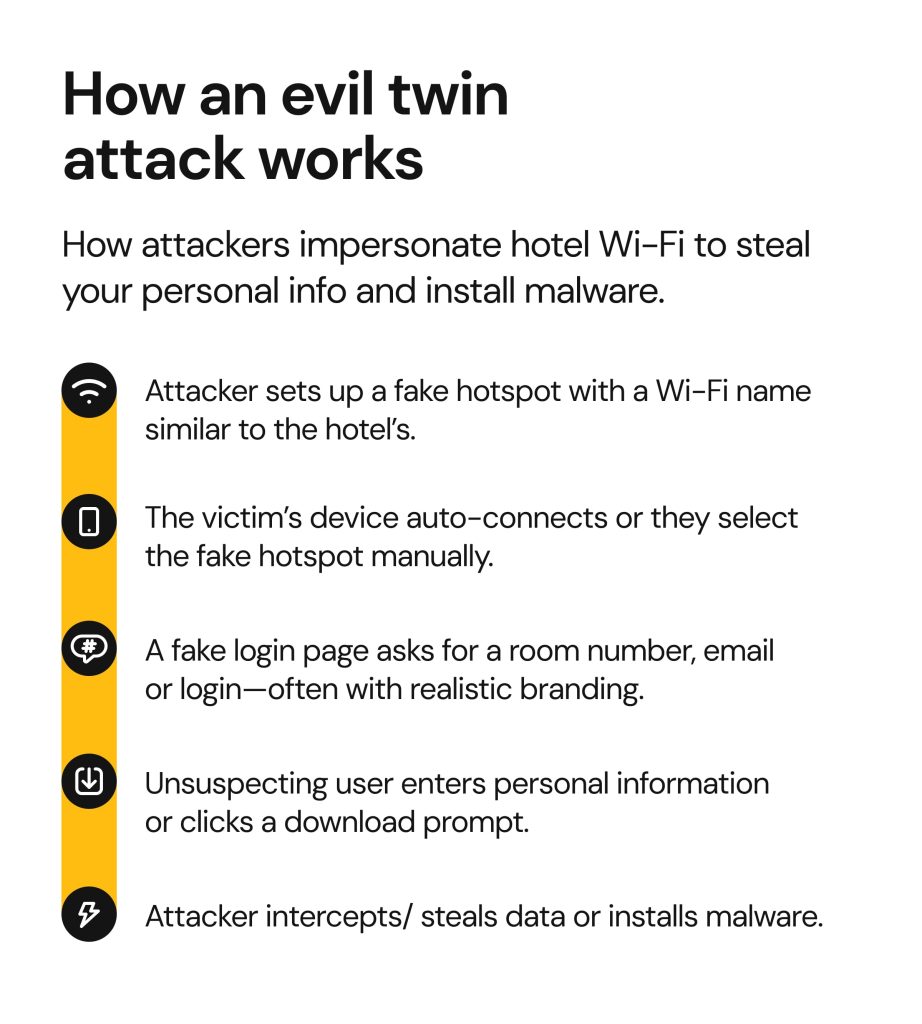
- Evil twin hotspots. Ever noticed there being more than one option for public Wi-Fi—say, for example, in a café—with a similar name? Sometimes there really are two versions, but sometimes one’s actually fake. Illegitimate Wi-Fi access points designed to look like the one you’re trying to connect to are called evil twin hotspots. Once you connect to them, your information can get stolen.
- Malware injection. When cybercriminals succeed in compromising a network (or successfully luring unsuspecting Wi-Fi users onto a fake one), they have a variety of options for getting the victim to accidentally install harmful software. For example, they might make a window pop up that says there’s a Windows program update available, but clicking the button actually downloads keylogger code—malicious code that shows the hacker what keys a person is typing, including when entering passwords and credit card numbers.
- Corporate espionage. With corporate executives and employees filling hotels around a given industry conference, it’s no surprise that cybercriminals might take advantage of anyone using hotel Wi-Fi without extra precautions to install keyloggers, snoop on their online activities via an evil twin hotspot, or use any number of other options to steal trade secrets. A well-known example is the DarkHotel campaign, where attackers specifically targeted high-profile business travelers through compromised hotel networks and fake software updates, stealing sensitive corporate data in the process.
Can you get hacked using hotel Wi-Fi?
Short answer—yes, you can. Even though casual browsing is much safer these days than it used to be due to modern HTTPS encryption, some threats still remain.
This typically occurs through a man-in-the-middle (MITM) attack, which is a way for hackers to intercept communications on unsecured or poorly secured Wi-Fi. There are several different types of MITM attacks.
Evil twin attacks are one type, and they’ve been on the rise recently. They can be tough to trace because attackers will often devise a captive portal page that looks legit. They can also make the genuine network go offline by launching a denial-of-service (DoS) attack, so that you only see the fake network. Alternatively, they might position themselves physically closer to your device, so their network looks stronger than the real one, and you’ll be tempted to pick theirs.
Another type is session hijacking via packet sniffing. This is where an attacker intercepts the session token issued by the server of a website you’re visiting (perhaps your bank website, some confidential corporate files, or an ecommerce website you’ve decided to purchase from). Once the attacker has this token, they can gain access to your personal data and maybe even make a purchase that looks like it was made by you.
Though not an MITM attack, keylogging malware is another way for hackers to steal your data. This is a type of program that runs in the background on your device surreptitiously, keeping track of your keystrokes and sending the sequence to a server that the hacker controls. The hacker can use pattern matching to zero in on things that are useful. For example, signs of a user entering a password could include a long jumble of letters, numbers, and special characters followed by the “Enter” key.
Is it safe to use hotel Wi-Fi with an iPhone?
People value iPhones for having better security than many other mobile devices, but that doesn’t mean they’re completely without vulnerabilities. In fact, some iPhone features like AirDrop have a history of posing security issues.
AirDrop doesn’t just boost convenience for you, the user. It also makes things easier for cybercriminals to send a virus to your phone. What’s worse, you don’t actually need to be connected to Wi-Fi for this to happen—you simply have to have AirDrop turned on.
This has been shown to be the case even if your AirDrop is set to “contacts only.” We recommend that you simply turn AirDrop off by default and only engage it while a trusted person is sending you something.
As for built-in security features (automatic HTTPS enforcement in Safari, app sandboxing, frequent OS updates), they can’t protect you from all possible attacks. You still run the risk of connecting to a fake hotspot, entering your details via a phishing link, or installing malicious software.
Ultimately, you should take the same precautions when connecting to hotel Wi-Fi via your iPhone as you would on any other device.
What should you NEVER do when connected to hotel Wi-Fi?
Even though there are hotels that offer highly secure Wi-Fi, it’s still best not to take chances. We caution you against doing any of the following:
- Logging into your online banking or payment apps. Session hijacking or keylogging malware could put your password into the hands of cybercriminals.
- Entering work credentials or accessing confidential business info. If someone’s going to spy on your company, a hotel is a great place to do so.
- Downloading files from unknown or pop-up sources. Malware injection can enable hackers to create their own pop-ups on your device, so you shouldn’t click on any “download” buttons.
- Leaving file-sharing on via AirDrop or Bluetooth. Attackers can use them to bypass the Wi-Fi layer and directly access your device.
Signs your device on hotel Wi-Fi might be compromised
Evil twin attacks often don’t raise people’s alarm bells, because it appears like you’re just using the hotel internet like normal. Keylogging is also hard to detect, as it runs in the background.
If you’re paying close attention, however, you might notice a few things that are out of the ordinary. These can include any of the following:
- Your device is running more slowly than usual
- Your battery life is getting drained extra fast
- You’re getting some unexpected browser redirections
- You’re seeing pop-up ads coming up more often
- Your cursor is moving by itself
- Your mobile phone is starting up apps without your input
How to use hotel Wi-Fi safely
Fortunately, there are things you can do to make using the internet in your hotel more secure. Here are some tips to follow:
- Use a VPN. Use a reputable, standards-based VPN. It encrypts your connection on hotel Wi-Fi once the tunnel is active (just remember it won’t stop you from entering passwords on a fake portal or block phishing sites).
- Stick to HTTPS websites only. Don’t trust the padlock symbol next to the URL alone—phishing sites can also use HTTPS. Always double-check the domain.
- Enable 2FA on key accounts. Two-factor authentication (2FA) adds yet another layer of protection that significantly raises the effort hackers must exert in order to get into your accounts.
- Turn off Wi-Fi network auto-connect. If you’ve enabled the auto-join function on your phone, it’s time to turn it off. It’s much safer to manually select the networks you want to connect to.
- Keep your device updated. You’ll want to update your operating system and your antivirus software regularly to make sure you’ve got the latest security patches.
- Log out after sessions. The longer you stay in a session on an unsecured network, the more likely it is that a cybercriminal could hijack it and steal cookie data. After you log out, clear cookies/site data to invalidate session tokens.
- If there are several networks with a similar name, ask the administrator which one is the safest. If possible, opt for password-protected networks instead of open ones.
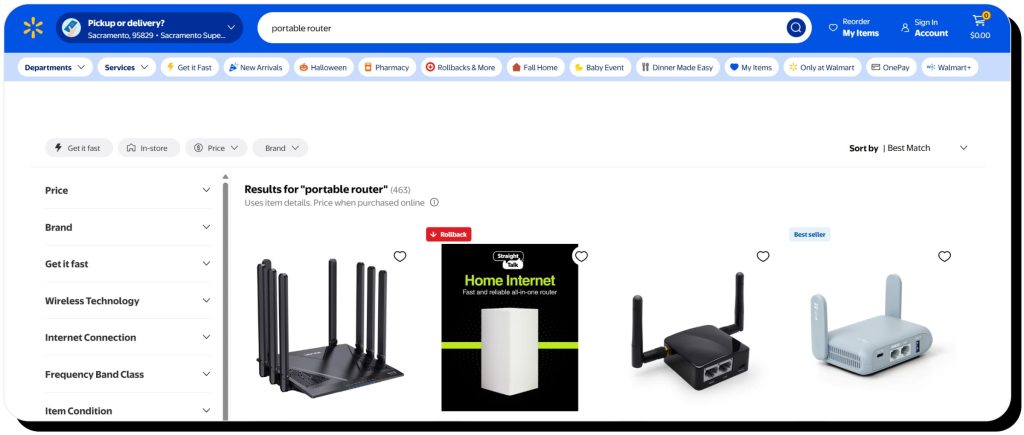
For sensitive tasks, it’s probably a better idea to use your mobile data or an eSIM. You could even invest in your own portable router if you travel a lot.
How Onerep helps protect your data
Hackers employ various ways to steal your data, but some of it is already easily available online. In fact, a lot of it.
Public data brokers AKA people-search sites make your full name, address, phone number, email, job title, income, net worth, and other sensitive details available for free or for a small fee/ subscription. This helps cybercriminals guess your passwords and answers to security questions, impersonate you, steal your benefits, and possibly even cause reputational damage.
Onerep helps you minimize the risk of these threats by removing your personal information from 316 people-search sites. The service scans data brokers to find the pages that expose your details, then sends removal requests on your behalf. Onerep does all the heavy lifting, all you have to do is set up an account and watch.
FAQs
Is it safe to use unsecured Wi-Fi in hotels?
No, because many hotel Wi-Fi networks are lacking in security, either due to older equipment or infrequent firmware updates. You’re better off going online via your mobile data.
Is it safe to use hotel Wi-Fi for banking?
We highly recommend that you never access your banking and other sensitive/personal accounts via hotel Wi-Fi. If you need to check your bank account while staying in a hotel, it’s best to use your mobile data or at least turn on a VPN.
Is it safe to connect to hotel Wi-Fi with an iPhone?
Using an iPhone won’t prevent you from falling victim to an evil twin attack or clicking a phishing link. While iPhones do have some built-in protections, they don’t guarantee 100% security.


Mark comes from a strong background in the identity theft protection and consumer credit world, having spent 4 years at Experian, including working on FreeCreditReport and ProtectMyID. He is frequently featured on various media outlets, including MarketWatch, Yahoo News, WTVC, CBS News, and others.