Last updated Last updated April 9, 2026
Read time
 read

How to opt out of New Hampshire Court Records

Ready to stop your information exposure?

Remove your Name, DOB, Address, Phone Number, Property and Legal Records from 319 Sites.

New Hampshire Court Records removal step-by-step

Step 1: Open NewHampshireCourtRecords.us’ Privacy Choices page. Enter your data into the opt-out form to look up your record.
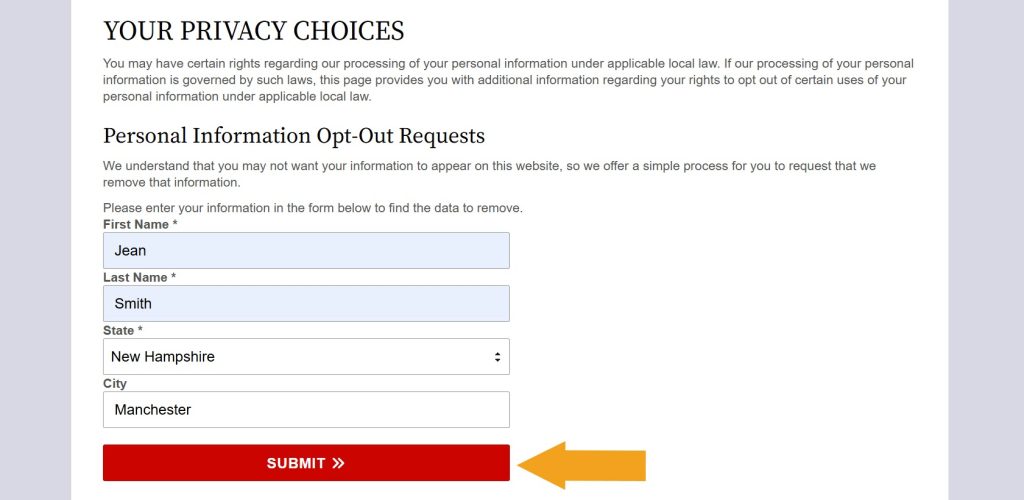
NewHampshireCourtRecords.us "Your privacy choices" page with the opt-out form completed

Step 2: Find a record you want to remove from NewHampshireCourtRecords.us and select it.
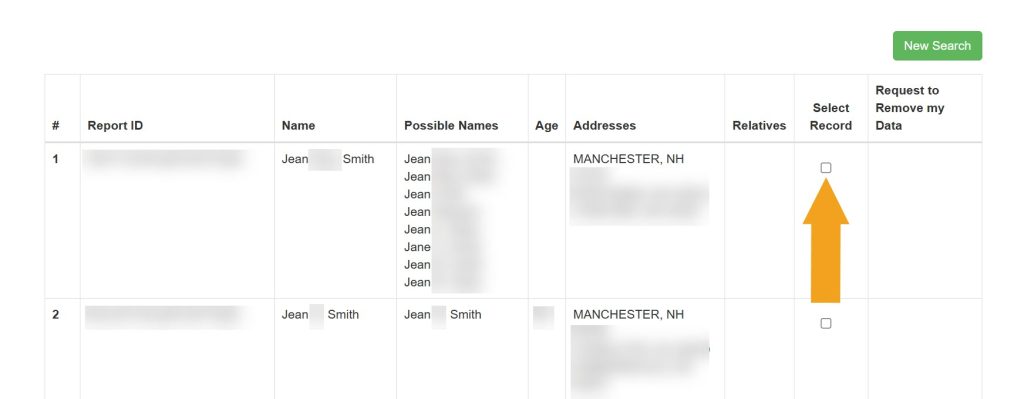
Selecting which record to remove from NewHampshireCourtRecords.us

Step 3: Click the appearing removal button.
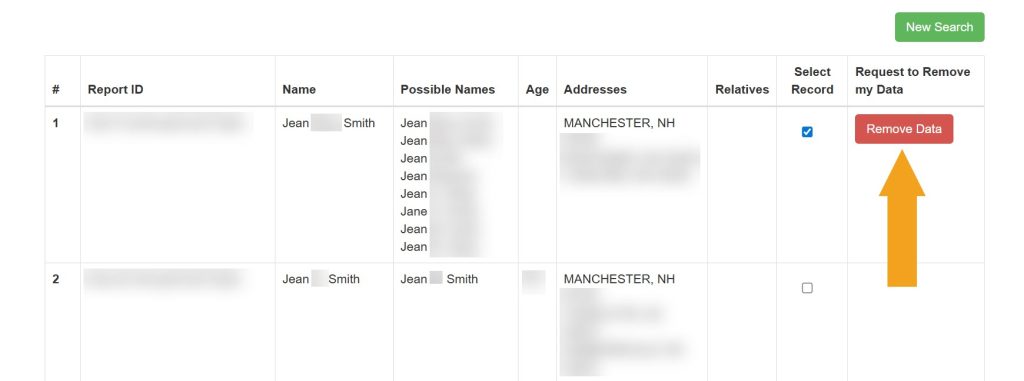
Clicking the "Remove Data" button next to a record to opt out of NewHampshireCourtRecords.us

Step 4: Enter your email and click “Submit.”
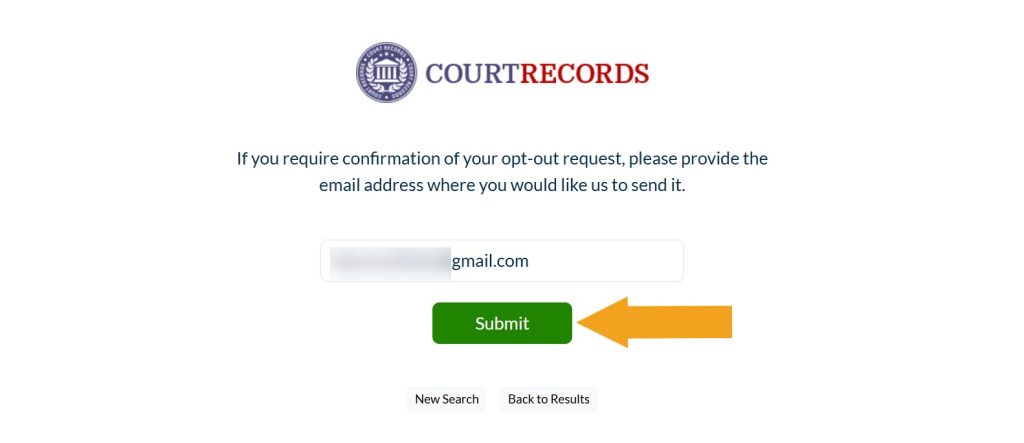
Submitting email to opt out of NewHampshireCourtRecords.us

Your NewHampshireCourtRecords.us opt-out request has been sent.
What other data brokers expose your information?

Onerep checks 319 data broker sites for your profiles. Start a FREE scan to get your personalized exposure report. Privacy guaranteed.

Please enter your first and last name

Dimitri Shelest Founder and CEO at Onerep

Dimitri is a tech entrepreneur and founder of Onerep, the first fully automated data removal service. Top cybersecurity CEO of 2021 by The Software Report.

Was this article helpful?

You may also like

DIY opt-out guides IllinoisCourtRecords.us removal guide
  • DIY
DIY opt-out guides TruePeopleSearch opt-out: how to remoe your info in 2026
  • DIY
Xfinity scams
Scams Xfinity scams: how to recognize and avoid them
  • Privacy protection
  • Online safety
  • Scam prevention
Online safety education National Do Not Call List not working? Learn what to do if you are on the Do Not Call List and still get calls
  • Privacy protection
  • Fraud
  • Online threat
Data brokers expose your private data

Automate the removal of your personal information from 870+ data brokers and Google