 May 8, 2024
 read
Opt out of OldPhoneBook.com
- By Dimitri Shelest Founder and CEO at Onerep

Dimitri is a tech entrepreneur and founder of Onerep, the first fully automated data removal service. Top cybersecurity CEO of 2021 by The Software Report.
Read more - Checked by Alena Shymanskaya Content Manager at Onerep

Alena is an experienced content writer with a specialized focus on data brokers and the intricacies of personal data management.
Read more
- Removal difficulty: Low
 Why trust this guide

We know all the ins and outs of the data broker removal:
Founded in 2015, we pioneered automated removal from people-search sites. Our service uses precise opt-out algorithms tailored for each website. When a site changes its algorithm, we detect the change immediately, and our team updates the process. These updates are promptly reflected in the Onerep DIY data broker removal guides. With 16 million records already removed from hundreds of sites for our customers, you are accessing the expertise of the #1 team in the industry with this guide.
OldPhoneBook.com is a people-search and reverse phone lookup service.
How to opt out and remove your information from OldPhoneBook.com?
Step 1: Go to OldPhoneBook.com.
Step 2: Enter your phone number and click the Search button. Alternatively, enter your first name, surname, city, and state.
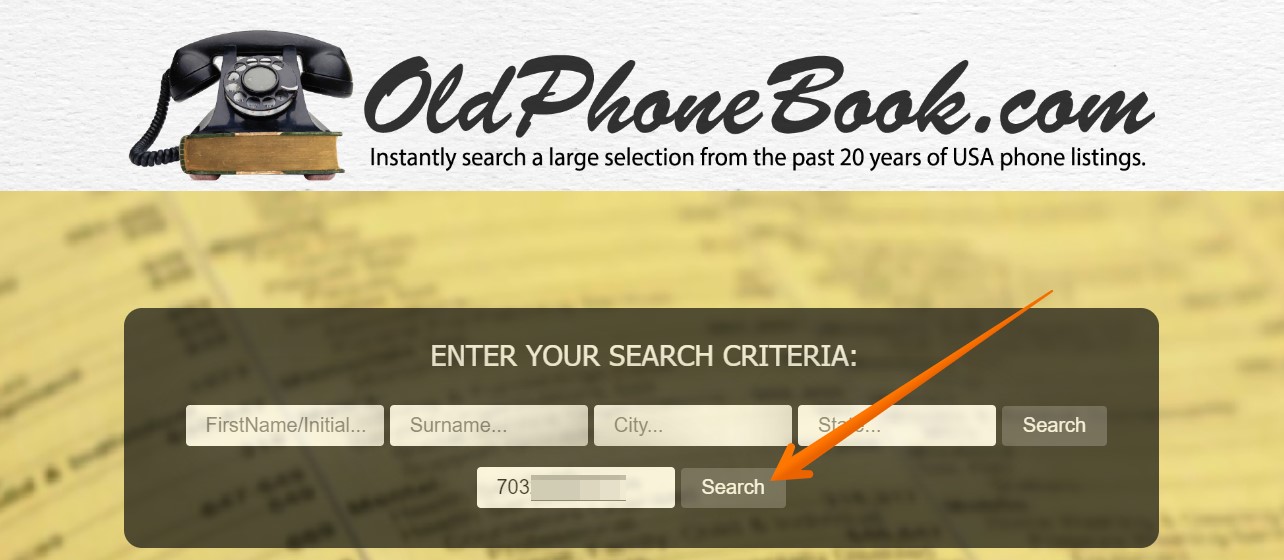
Step 3: Scroll the page with results down, find the ‘Remove Listing’ button, and click on it.

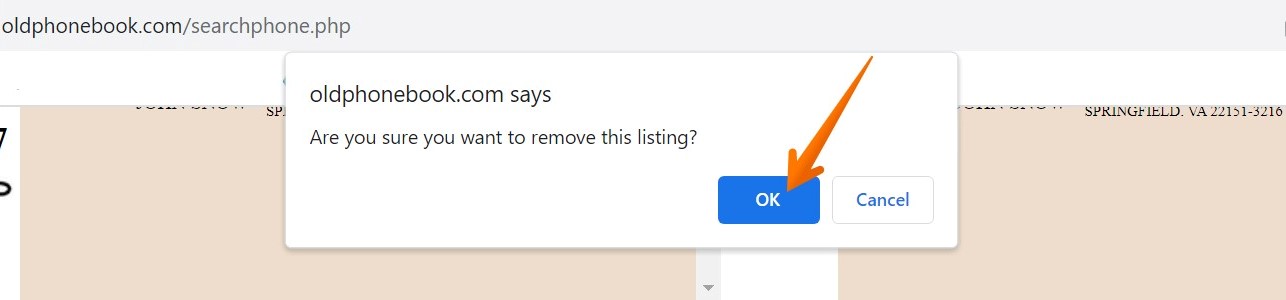
Step 4: Click OK on the appearing pop-up.
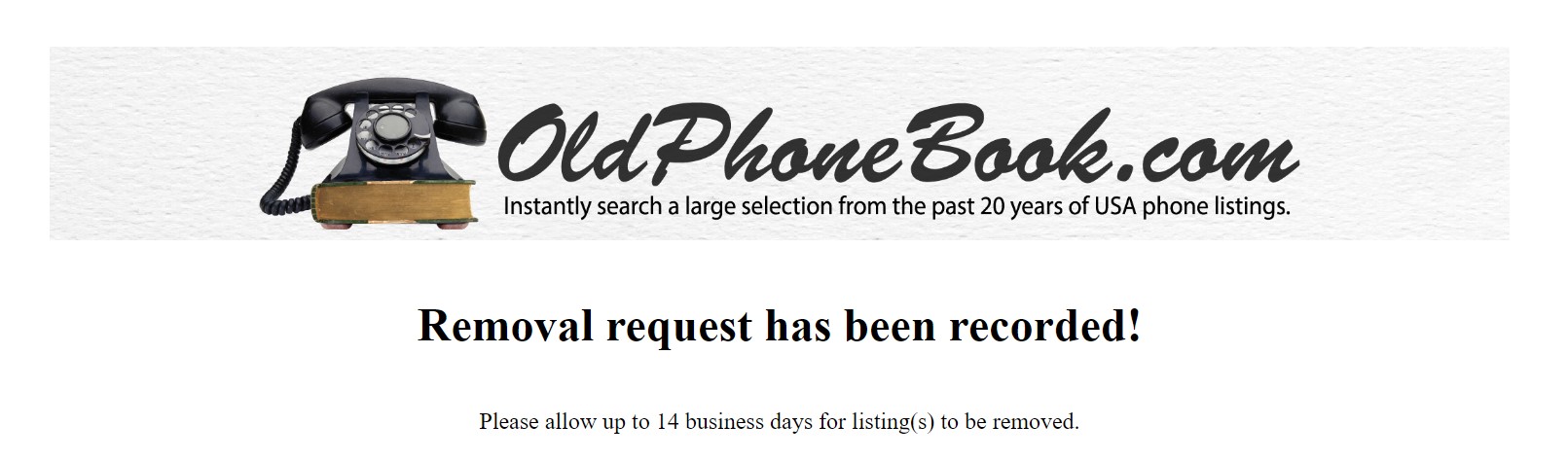
Your request has been accepted. OldPhoneBook.com takes up to 14 business days to remove the listing.
More opt-out guides
- NeighborWho opt out
- SignalHire opt out
- DNB opt out
- ContactOut opt out
- BackgroundCheck.run opt out
- UniCourt opt out
- PeopleLookup opt out
- InfoTracer opt out
- StateRecords.org opt out
- Acxiom opt out
- PrivateReports opt out
- CheckSecrets opt out
- InstantPeopleFinder opt out
- AnyWho opt out
- 411.com opt out
- AbsolutePeopleSearch opt out
- ZoomInfo opt out
- OpenGovUS opt out
- RealtyHop opt out
- NDB opt out