 Published December 22, 2025
  read
read

PropertyRecs.com lets users search aggregated property data such as ownership history, tax details, sales records, liens, mortgages, and more. To opt out, submit a request via the website.
PropertyRecs.com opt-out step-by-step
Step 1: Open PropertyRecs.com’s opt-out request page.
Step 2: Look yourself up.
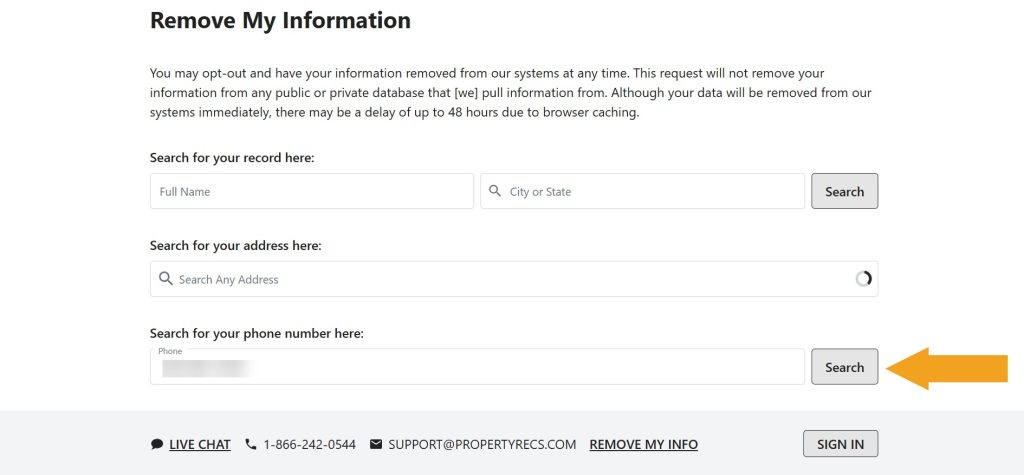
Step 3: Click the removal button. Depending on what search you performed, it will be “Remove my info” or “Request opt out.”
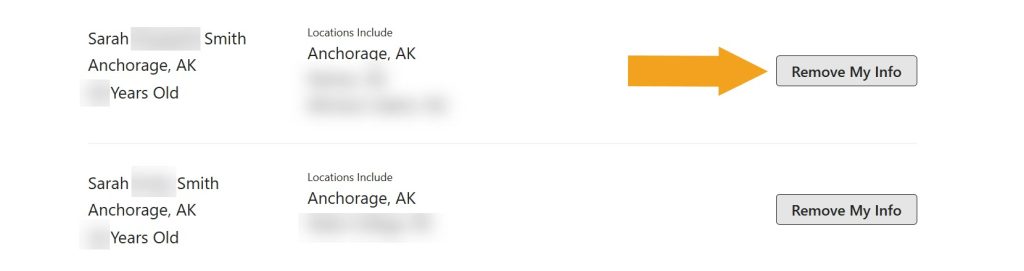
You should now see an on-screen removal confirmation. You might want to repeat the process and try other search options in step 2 to make sure all personal details are removed.
Your data is still exposed on other brokers
Although you have opted out of PropertyRecs.com, other people-search sites are still sharing your information. We recommend that you remove yourself from these 5 next:
- How to remove yourself from ClustrMaps.com
- How to remove yourself from Beenverified.com
- How to remove yourself from TruePeopleSearch.com
- How to remove yourself from FastPeopleSearch.com
- How to remove yourself from FastBackgroundCheck.com
Go through this list and send opt-out requests manually to each data broker, or subscribe to Onerep to remove records automatically from 317 sites with just a few clicks.




Dimitri is a tech entrepreneur and founder of Onerep, the first fully automated data removal service. Top cybersecurity CEO of 2021 by The Software Report.