 Published December 18, 2025
  read
read
PublicRecords.info is a people-search website that lets you look up public records about individuals and property by pulling them from various government and private databases. It is not a government or official agency, but a commercial platform that compiles and sells access to public information.
To remove your information, you need to submit a request via the site (no email or phone number is required).
PublicRecords.info opt-out steps
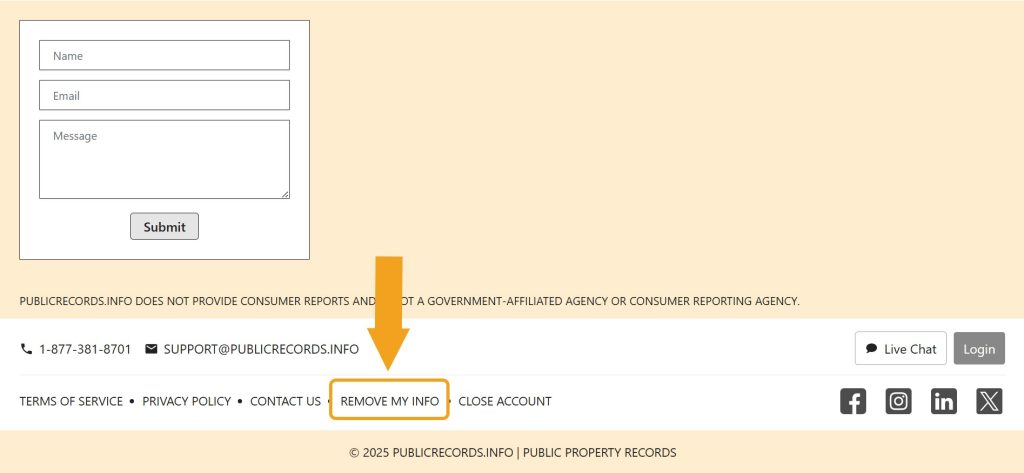
Step 1: Open the PublicRecords.info website. Then, scroll all the way down, find the “Remove my info” link, and click on it.
Step 2: Now you need to look up your profile. You can search using your name, address, or phone number–any option works.
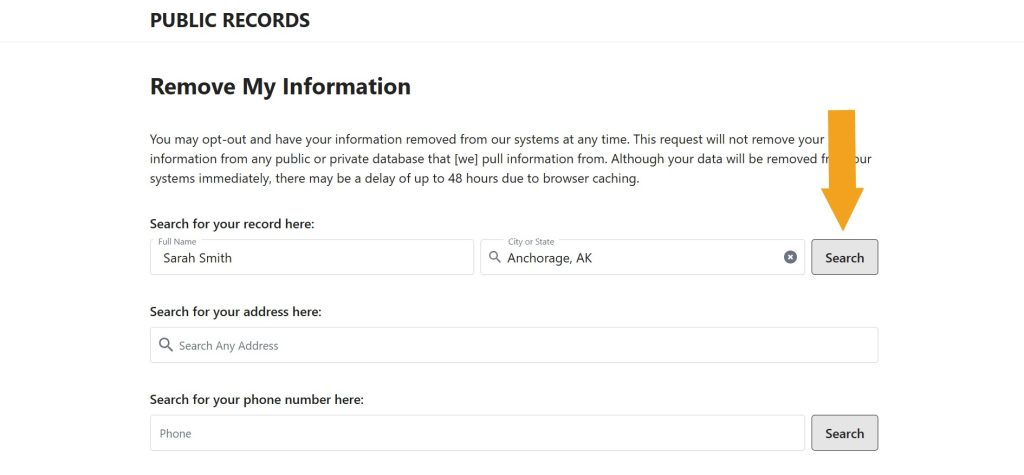
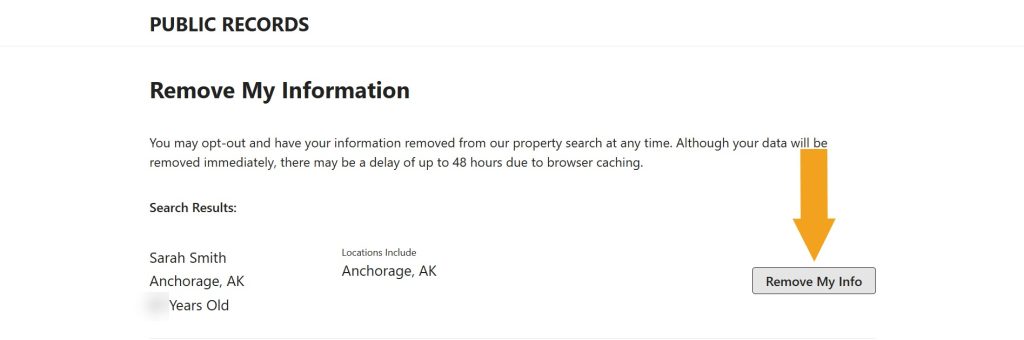
Step 3: Locate your records among the search results and click the “Remove my info” button.
Your request has been submitted–you should see an on-screen confirmation. We recommend coming back in a couple of days and running another search to make sure your info has disappeared.
How to contact PublicRecords.info
PublicRecords.info customer support is available via email at [email protected], via phone at 1-877-381-8701, and via a live chat on the contact page.
PublicRecords.info quick links
Your data is still exposed on other brokers
Although you have opted out of PublicRecords.info, other people-search sites are still sharing your information. We recommend that you remove yourself from these 5 next:
- How to remove yourself from PeopleLooker.com
- How to remove yourself from ThatsThem.com
- How to remove yourself from PeopleFinders.com
- How to remove yourself from Radaris.com
- How to remove yourself from PeekYou.com
Go through this list and send opt-out requests manually to each data broker, or subscribe to Onerep to remove records automatically from 316 sites with just a few clicks.

Dimitri is a tech entrepreneur and founder of Onerep, the first fully automated data removal service. Top cybersecurity CEO of 2021 by The Software Report.