 Last updated January 21, 2026
  8 min read
How to opt out of Radaris: 2026 step-by-step guide
| Removal difficulty: | Medium |
| Profile is removed within: | 28 days |
| Manual submission: | around 15 min |
| Removal requirements: | email, CAPTCHA |
What is Radaris.com?
Radaris.com is a data broker site that collects and shares all kinds of personal information, varying from address history and age to employment history and criminal records. Search options include lookup by name and city/ state, address, phone number, email, and company name.
Removing your information from Radaris requires you to fill out an opt-out form and confirm your request via email.
Step-by-step: how to remove info from Radaris?
In short (detailed steps below):
- Go to Radaris’ opt-out page radaris.com/control-privacy
- Click “Next” until you reach the name lookup/ URL submission page
- Type your first and last name, specify your city, and search for your record
- Select the record with your private information
- Click “Start removing”
- Submit your email address
- Open an email from Radaris and click the confirmation link
- Submit the codes
- Click “Next” once more
- Solve the CAPTCHA and click “Submit”
Step 1: Open the opt-out page
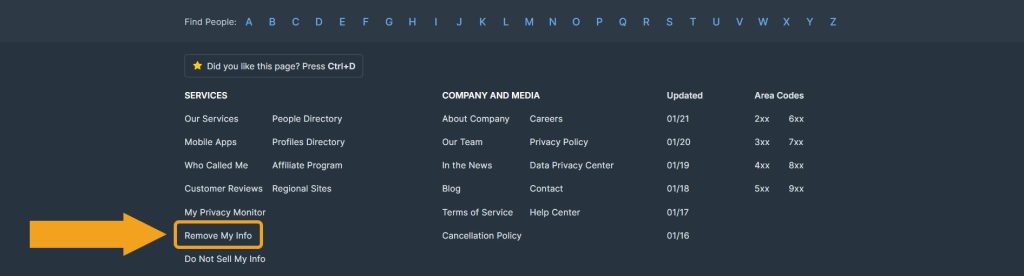
First, open Radaris. Scroll down to the footer and follow the “Remove My Info” link.
Step 2: Click “Next”
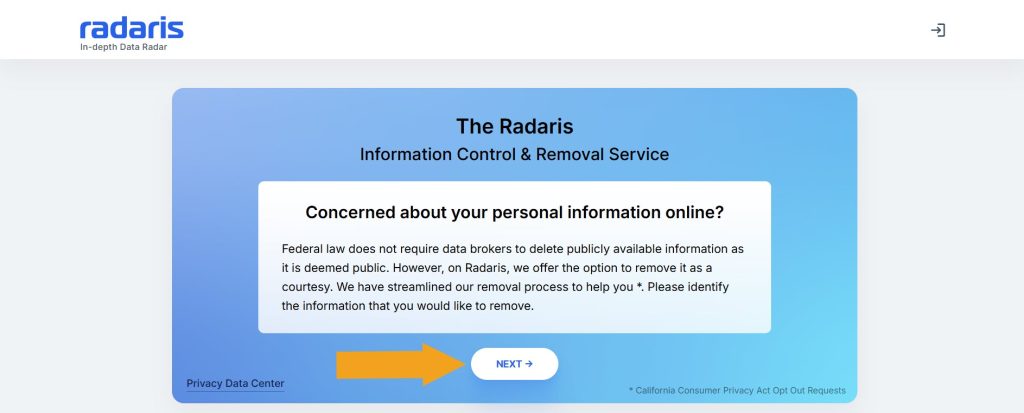
On the appearing page, click the “Next” button. If you are shown several information screens, click through until you reach the “Please identify your personal page” screen.
Step 3: Search for your record
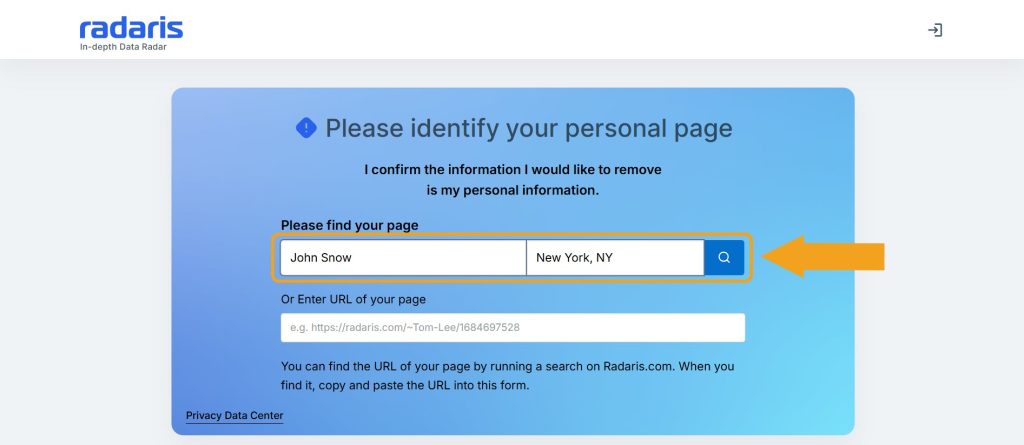
Enter your first and last name, specify your city and state, and click the search icon. If you have already found it, paste the profile URL into the corresponding field.
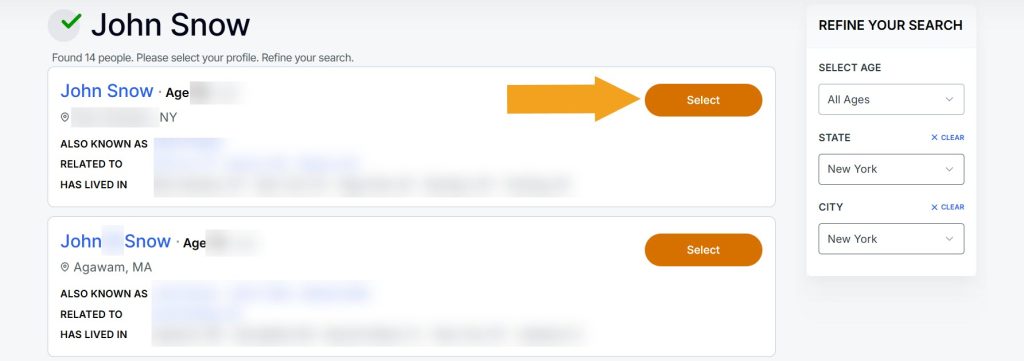
Step 4: Select the matching record
Locate the profile containing your personal information in the search results and click “Select.” In order to find your record quickly, pay attention to the address history and relatives. You may also use the age and state filters in the upper-right corner.
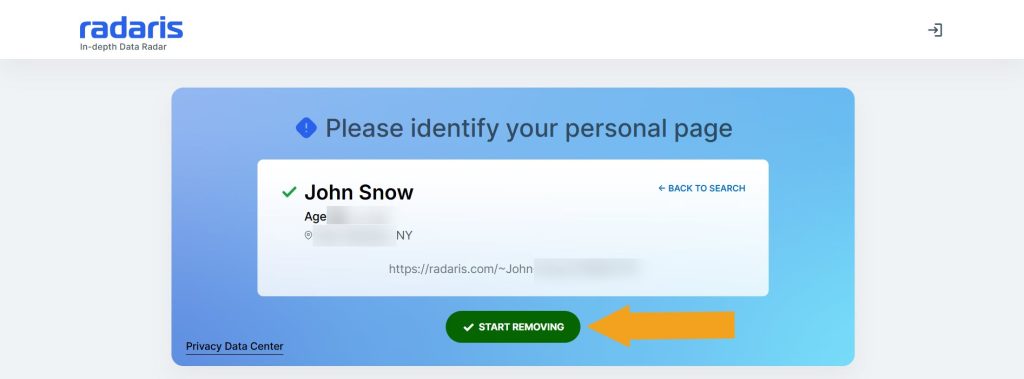
Step 5: Click “Start removing”
Make sure the displayed info is correct and click the “Start removing” button.
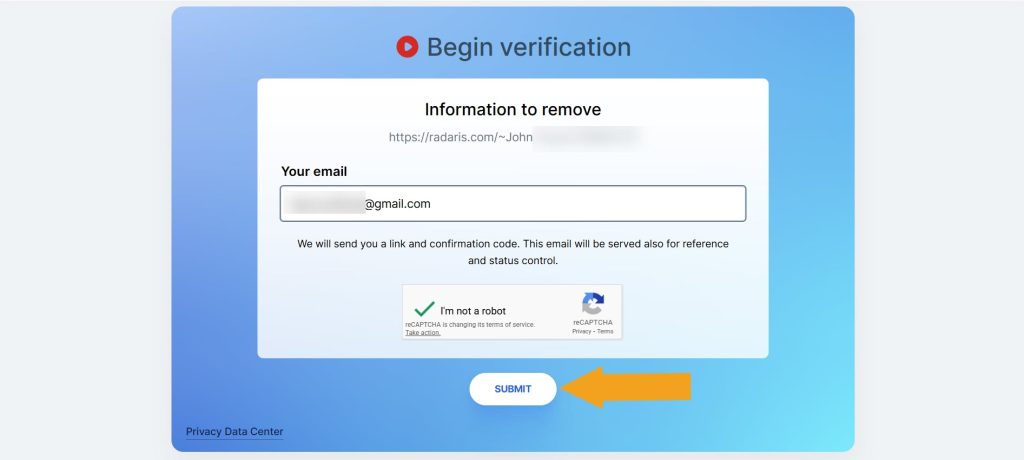
Step 6: Submit your email address
Enter your email address, solve the CAPTCHA, and click “Submit.”
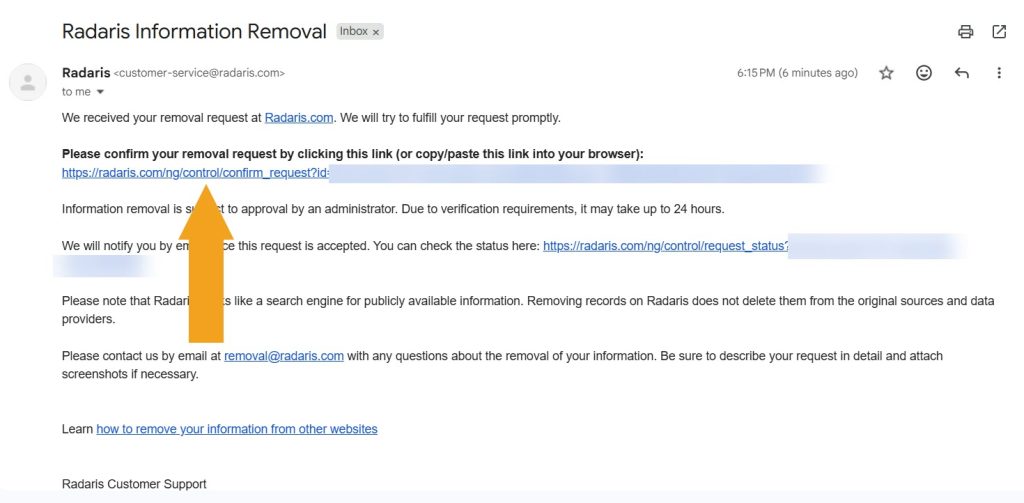
Step 7: Confirm your opt-out request via email
Find an email from Radaris in your inbox. Open it and click on the confirmation link.
Step 8: Submit the form
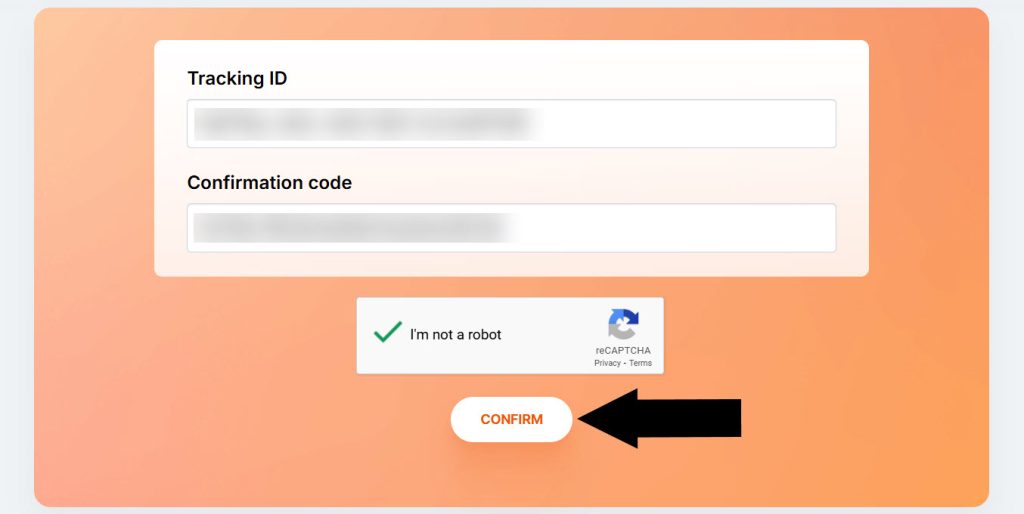
Solve the CAPTCHA and click “Confirm.” In case the codes aren’t auto-pasted, enter them manually.
Step 9: Click “Next”
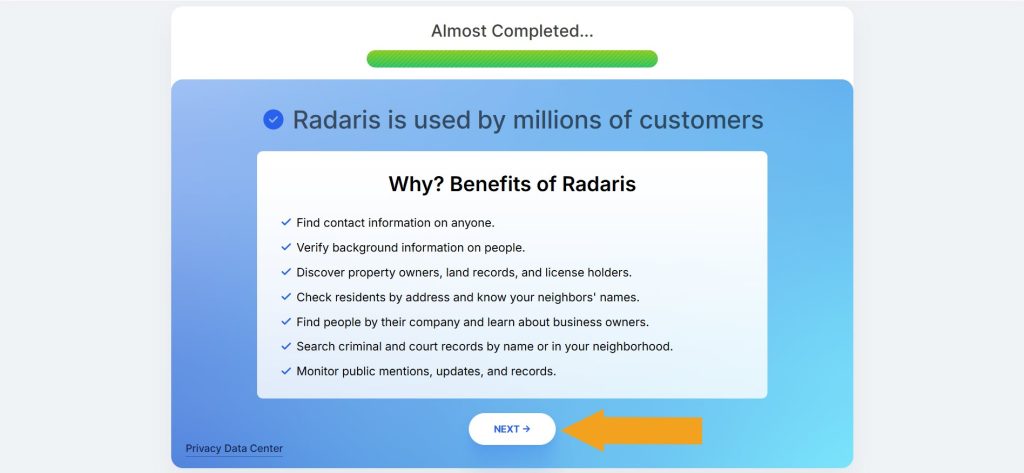
Click the “Next” button one final time.
Step 10: Solve the CAPTCHA and сlick “Submit”
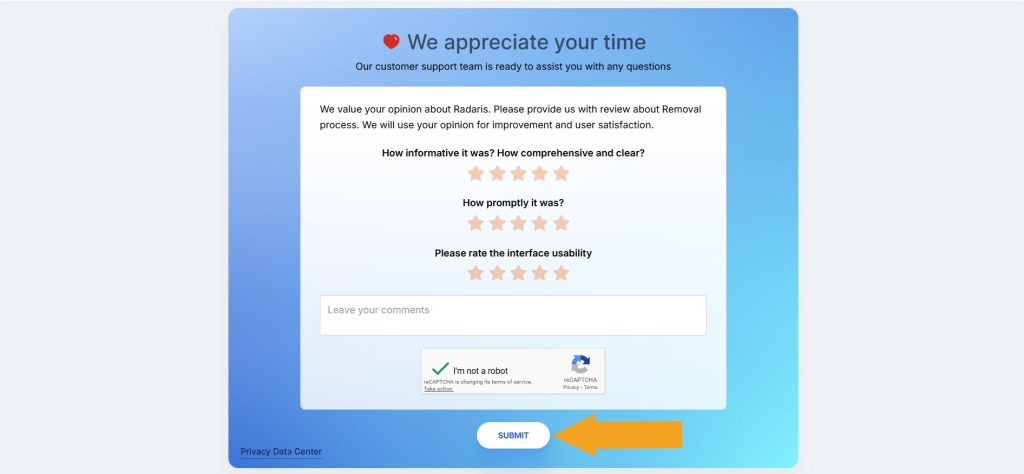
Here, complete the CAPTCHA and click the “Submit” button. You can also complete the opinion form about the Radaris opt-out process (it’s optional).
Your Radaris opt-out request has been submitted.
Radaris opt-out via phone
Another way to remove information from Radaris is to call (855) 723-2747, Monday – Friday 9 am – 5 pm and Saturday 10 am – 4 pm ET. Have your personal information at hand, including your full name, current and past addresses, DOB, and other details needed to locate your record correctly.
Radaris opt-out via email
Alternatively, opt out of Radaris by sending an email to [email protected]. Provide the personal information as it appears in your record or simply include the record URL.
Your data is still exposed on other sites
Although you have completed the Radaris opt-out, there are many other data brokers exposing your personal information online. While removing yourself from Radaris takes you in the right direction, it isn’t enough to keep your data private.
We recommend that you opt out of these people-search sites next:
- How to remove yourself from Whitepages.com
- How to remove yourself from MyLife.com
- How to remove yourself from PeopleFinders.com
- How to remove yourself from CheckPeople.com
- How to remove yourself from Truthfinder.com
Go through this list and send opt-out requests manually to each site, or subscribe to Onerep to remove records automatically from 211 data brokers with just a few clicks.
Why remove yourself from Radaris
We recommend you remove yourself from Radaris first-hand as your data’s visibility is at its highest on this site:
- Site visits: Around 2 million people look others up on Radaris each month. (1)
- Massive database: Radaris’ database includes over 183 million unique names, 224 million phone numbers, 63 million business records, and over 110 million properties.
- Information exposed: Radaris shares names, aliases, age, dates of birth, locations, phone numbers, relatives, occupations, and education completely for free.
- Exposure on Google: Google has already indexed over 4.7 million Radaris’ pages making your personal information easier to find through its search. (2)
Sources:
1 – Silmilarweb
2 – Google
Radaris quick links
About Radaris
- Founded: 2002
- Headquarters: Newton, Massachusetts, United States
- Number of employees: 11 – 50
- Annual revenue: $15M – $25M
- Website URL: radaris.com
- Contact email: [email protected]
- Phone number: (855) 723-2747
FAQs
How to remove info from Radaris without registering?
Removing your information from Radaris doesn’t require registering. Go directly to their opt-out page and click “Next” until you reach the record lookup screen. Then search for your record, select the matching one among the results, and click “Start removing.” Submit your email address and wait for an email from Radaris, then follow the confirmation link. After that, follow the prompts.
What is Radaris?
Radaris is a data broker that provides access to information about people, properties, and businesses. The website allows users to search for personal details such as phone numbers, address history, age, relatives, social media accounts, property records, and even death certificates for any individual they look up. While people-search sites can be used by old friends and relatives to search for those they’ve lost touch with, these websites are also used by fraudsters for identity theft and scams.
How does Radaris work?
Most data brokers go through publicly available sources to add information to their sites. They utilize social media profiles, publications, user reviews, and official public records. As well as processing public records, Radaris also obtains a massive database of non-digitized records from professional data companies that provide premium background information.
How do I contact Radaris?
You can contact Radaris customer care with questions, complaints or concerns by phone at 855-723-2747 Mon – Fri between 9 am and 5 pm ET, and on Sat between 10 am and 4 pm ET. Another way to reach out is by email at [email protected]. Alternatively, you can use the online contact form.



Dimitri is a tech entrepreneur and founder of Onerep, the first fully automated data removal service. Top cybersecurity CEO of 2021 by The Software Report.