 Published October 31, 2025
  read
read
Dropbox data breach: timeline, impact and how to protect your info

Dropbox is one of those platforms people keep using despite its long history of data breaches. It remains one of the most popular file-sharing and collaboration tools in the world — and chances are, you’ve used it at least once.
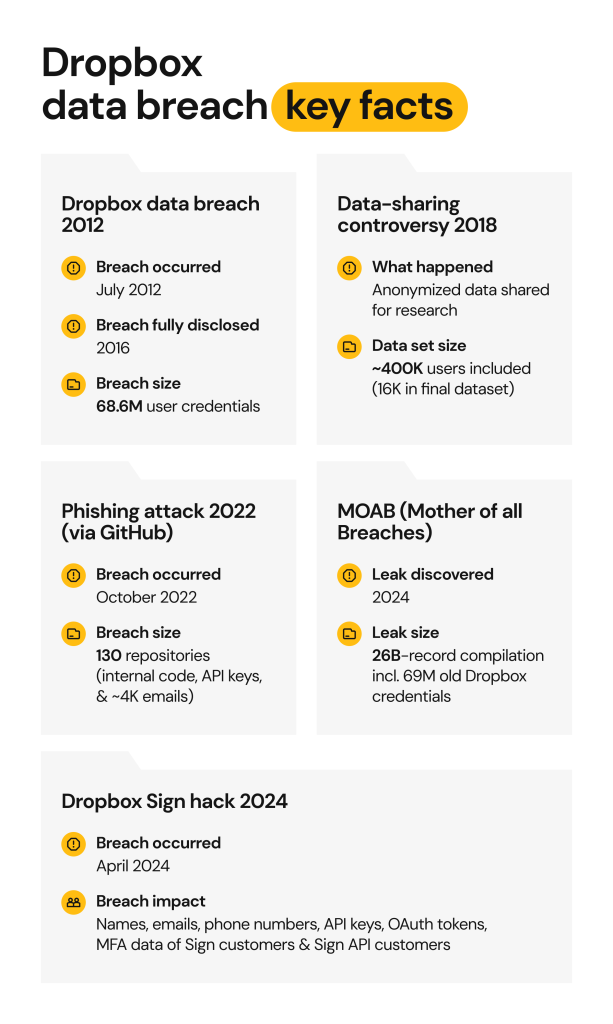
The company was first hacked in 2012, but the news broke out only four years later, in 2016. The same stolen records resurfaced in 2024 as part of the massive “Mother of all Breaches” (MOAB). Between those two events, Dropbox was caught in an anonymized-data controversy in 2018, suffered a phishing-driven GitHub compromise in 2022, and experienced another confirmed data breach through Dropbox Sign in 2024.
This article provides a breakdown of what happened during Dropbox data breaches, what data was exposed, how Dropbox handled the incidents, and what legal and reputational consequences arose. We’ll also provide practical tips on how you can protect your data.
Understanding Dropbox security breach incidents
Dropbox data breach 2012: over 68M credentials dumped online in 2016
“Our security teams are always watching out for new threats to our users. As part of these ongoing efforts, we learned about an old set of Dropbox user credentials that we believe was obtained in 2012. Our analysis suggests that the credentials relate to an incident we disclosed around that time.”
Dropbox statement
In 2012, hackers breached Dropbox and stole about 68 million user credentials. Nobody knew about this Dropbox hack until the stolen dataset appeared for sale on a dark web forum in 2016. Soon after the dark web dump, security researcher Troy Hunt confirmed that the breach was real.
The attack happened due to password reuse. A Dropbox employee set the same credentials for their LinkedIn and work accounts. Once the password was exposed in a LinkedIn data breach, hackers used it to let themselves into Dropbox systems.
This breach exposed users’ email addresses and passwords. Passwords to older accounts (probably half of them) were protected using the dated SHA-1 encryption method, while newer accounts had a stronger bcrypt password-hashing system in place.
It took 4 years for this data breach to go public. In 2016, users were prompted to reset their passwords and turn on two-factor authentication.
Dropbox data-sharing controversy 2018
In 2018, Dropbox partnered with Northwestern University on a research project examining how successful academic teams collaborate. To conduct the study, Dropbox shared anonymized metadata from its users’ accounts including folder structures, sharing activity, and time spent working on projects.
The initial dataset included metadata from around 400,000 Dropbox users (scientists collaborating on roughly 500,000 projects between May 2015 and May 2017). The published study, later featured in Harvard Business Review, ultimately analyzed data from 16,000 scientists across 1,000 university departments.
The controversy arose because users weren’t informed that their activity data would be used for research and therefore couldn’t give explicit consent. Dropbox maintained that the dataset was fully anonymized and impossible to re-identify. The company also noted that all users had accepted Dropbox’s Terms of Service and Third-Party Sharing Policy.
While this wasn’t a traditional Dropbox data breach, it sparked ethical and privacy concerns. Critics argued that anonymized datasets can sometimes be re-linked to individuals, raising questions about informed consent and data transparency.
Dropbox breach 2022: GitHub credential compromise and phishing campaign
In October 2022, Dropbox developers fell victim to a phishing campaign that exposed parts of the company’s private GitHub repositories.
The scam was sophisticated enough to trick even experienced engineers. Attackers impersonated CircleCI, a legitimate continuous integration and delivery platform that Dropbox uses with GitHub. The phishing emails claimed that employees’ CircleCI sessions had expired and urged them to log back in.
When recipients clicked the link, they were taken to a fake CircleCI login page designed to steal their GitHub credentials — including usernames, passwords, and one-time authentication codes. Once the attackers logged in, they gained access to 130 Dropbox repositories containing the Dropbox internal code, API keys, and about 4000 names and email addresses of employees, customers, sales leads, and vendors.
MOAB (Mother of all Breaches) 2024: Dropbox data resurfaced
In January 2024, an enormous compilation of data breaches resurfaced on the dark web. Approximately 12 terabytes of stolen data were crammed into one file. Although most of the 26B records were just repacked, there was some never-before-seen data, all in one place.
The incident was rightfully titled the “Mother of all data breaches”, and it’s no wonder that Dropbox data could also be found among the 3800 breach-specific folders. Specifically, the MOAB dataset included the 68M user credentials (emails + hashed passwords) from the 2012 Dropbox cyber attack.
This may be old news, but the risk of exposure continues. There’s likely some reused passwords in there, or emails that can be used for social engineering scams. Most importantly, it’s all in one place, like a one-stop shop for cybercrime.
Dropbox Sign hack 2024
On April 24, 2024, threat actors breached Dropbox Sign (previously HelloSign), the platform’s eSignature service. They compromised a non-human service account on the backend of the platform.
This tool has the wide access needed to execute apps and run automated services. Threat actors used it to get into the customer database. They stole information from both registered users and document signers, including names, emails, and phone numbers, hashed passwords, API keys, OAuth tokens, and MFA metadata.
This time, Dropbox posted a prompt data breach notice on its website, explaining what happened and what it did to fix it. Their security team reset everyone’s passwords, terminated all active sessions, and rotated API keys and OAuth tokens.
The good news is that the Dropbox Sign environment is separate from the main Dropbox platform. So, the attack didn’t spread, and the users’ accounts were safe. But even isolated incidents can have serious repercussions when tokens and APIs get exposed.
How risky are Dropbox data breach incidents to you personally?
What kind of risks does each Dropbox data breach carry?
- Credential reuse: The 2012 Dropbox breach exposed 68 million email addresses and hashed passwords. These credentials resurfaced in 2024 as part of the MOAB. If people reused these passwords, multiple accounts could be at risk. And yes, the passwords were hashed, but those hashed using the weaker SHA-1 algorithm can be cracked.
- Phishing exposure: In 2022, hackers used phishing to access 130 GitHub repositories, containing insider secrets, names, and email addresses. This information can be used for more targeted phishing of both employees and customers.
- Metadata misuse: When Dropbox shared anonymized metadata of academic users, they claimed this information could not be traced back to a specific person. But, experts weren’t convinced. This is because metadata could be interpreted in the context of other datasets and potentially reveal sensitive information.
- Token/API theft: The 2024 Dropbox Sign breach exposed tokens and API credentials. Tokens can be used to access business systems or apps without having to log in. Scammers can use the developer’s API credentials to access integrations and steal data from connected systems.
- Social engineering: As always, any breach with leaked personal data leads to an increase in phishing. In this case, you could receive fake emails from Dropbox. Sometimes hackers get creative and do further research on the victim, resulting in more personalized scams.
Read more:
Fake data breach letter IDX: how to know if it’s real or a scam?
Google Gmail warning: should you worry?
How Dropbox responded to the security breaches
Each Dropbox incident led to new security improvements over time.
- 2012 breach: After 4 years, Dropbox reset all affected passwords and urged users to enable two-factor authentication (2FA), which it had introduced back in 2012. The company also advised users to change passwords on any other sites where they may have reused their Dropbox credentials.
- 2018 study controversy: Following criticism over user consent, Dropbox updated its privacy policy to clarify how customer data may be shared and anonymized for research purposes.
- 2022 phishing and GitHub repositories hack: The company acknowledged that not all forms of multi-factor authentication are equally secure. To prevent future phishing-based credential theft, Dropbox accelerated its adoption of WebAuthn hardware keys (like YubiKey or Google Titan) for employees, providing stronger, phishing-resistant protection.
- 2024 Dropbox Sign hack: After detecting unauthorized access, Dropbox reset user passwords, logged everyone out of all active devices, and rotated every API key and OAuth token tied to the compromised environment.
Over the years, Dropbox’s approach to incident response has noticeably evolved — from limited disclosures in the early 2010s to a more transparent and proactive security posture today.
Legal and reputational consequences of the Dropbox data breaches
Class action complaint 2024
The 2024 Dropbox security breach resulted in a class action lawsuit. It was filed in the California Northern District court by Aquelia Walker, on behalf of herself and all other Americans who were affected.
The lawsuit accuses Dropbox of poor cybersecurity, which led to its users’ information being exposed. It relies on the fact that stolen data, especially the tokens and API keys, can be used to take over accounts where sensitive documents and payment information might be stored. Dropbox allegedly also delayed notifying the affected customers. So, they couldn’t take timely measures to protect themselves.
This class action is still in motion. If you were affected by the 2024 Dropbox breach, check in on the developments from time to time. You should also be notified if a settlement is reached.
Expert and public reactions
Dropbox’s response to the 2012 incident (disclosed in 2016) elicited different reactions. Some thought it was handled well, with mandatory password resets and the introduction of MFA. The strong bcrypt password hashing algorithm ensured some that hackers wouldn’t be able to crack the stolen credentials.
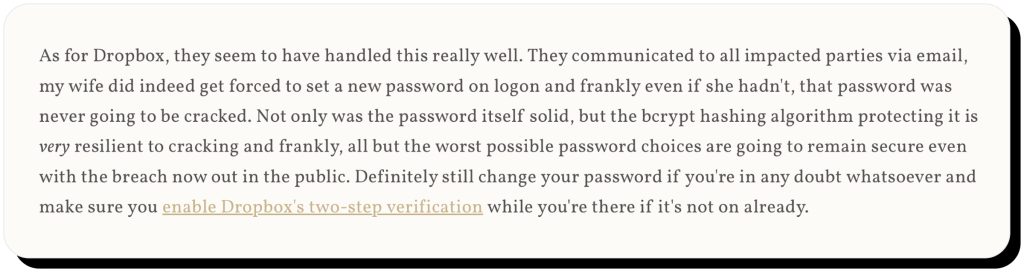
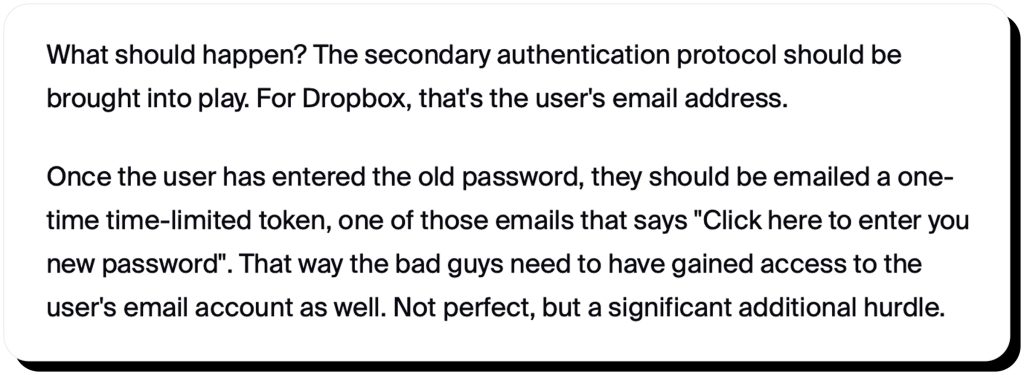
Some experts had a different perspective on what happened. They found the emails Dropbox sent too ambiguous.

Instead of disclosing the breach clearly, it seemed as if they were trying to soften the blow. The emails instructed users to change their passwords as a preventative measure. You could do that the next time you logged in (and so could the scammer, as there was no secondary authentication, and knowing the old password was enough to set a new one). Also, the password reset didn’t terminate other active sessions, including the ones that could’ve been opened by a scammer.
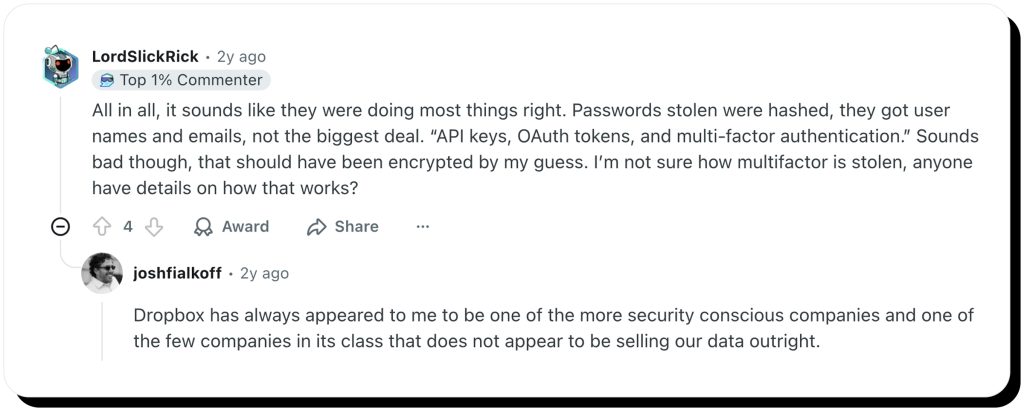
The 2024 Dropbox data breach left a similar sentiment. Some users thought Dropbox did most things right. Others were confused why the API keys, OAuth tokens, and MFA codes weren’t encrypted in the first place.
How to know if your Dropbox account is compromised?
The number of Dropbox data breaches might leave you wondering whether your own account was affected. So, how can you tell if it was compromised?
You may have been affected if:
- You received an official Dropbox Sign or Dropbox breach notification via email.
- You experienced problems logging in with your usual password.
- You were prompted to change your password. Dropbox reset passwords for all users who hadn’t updated them since mid-2012 and for everyone affected by the 2024 Dropbox Sign incident.
If none of these apply to you, your data is likely safe. Still, it’s smart to double-check. You can verify whether your email appears in any known data breaches using HaveIBeenPwned.com. As of recently, you can also do this with Onerep data breach monitoring — a feature included in all subscription plans that automatically checks your email against known breaches.
Immediate steps to take if you received a Dropbox breach notice
If you’ve received a breach notification, it’s important to secure your accounts. Don’t panic, just take action.
- Change all Dropbox-related passwords; use unique, complex ones. The main issue with password leaks is that some people reuse them for other sites, too.
- Use a password manager and review stored credentials for reuse. Instead of memorizing complicated passwords yourself, use a password manager and make all your passwords complex and site-specific.
- Enable phishing-resistant MFA (hardware key, WebAuthn). SMS or app-derived codes can be intercepted. Instead, you could use WebAuthn, a secure protocol that works by issuing a unique public-private key pair, or hardware keys such as YubiKey.
- Rotate API keys and OAuth tokens if you use Dropbox Sign or integrations. You should revoke and regenerate all API keys and tokens to prevent unauthorized access.
- Review connected devices and active sessions; log out suspicious ones. Visit your Dropbox settings and sign out of any unfamiliar devices and browsers.
- Beware of fake Dropbox security emails or phishing reset links. Be wary of any “security update” or “password reset” emails from Dropbox. Always verify the sender domain, don’t click on links, and go directly to your Dropbox account to change your password.
- Monitor financial accounts and freeze credit if your contact data was exposed. Pay close attention to your transaction history, even the tiniest unrecognized charges. You can also freeze your credit, so that nobody can apply for credit cards or loans in your name.
Can Dropbox be hacked again?
The truth is, any platform can be hacked any number of times. After each incident, Dropbox strengthened its cybersecurity defenses, with hardware MFA or token segregation. But there’s no such thing as data breach immunity.
As cybercrime is on the rise, hacking techniques are becoming more complex. Personal vigilance is just as important as platforms’ cybersecurity protocols. What’s your level of password hygiene? Do you use MFA? Have you reduced your public data exposure? These little precautions can protect you in the case of future data breaches.
How Onerep helps minimize your exposure
Data breaches aren’t the only way your personal information ends up in the wrong hands. Threat actors constantly seek out personal data to fuel identity theft, launch convincing scams, or resell information on the dark web. One of their sources? Data brokers and people-search websites that list and sell your details for a fee.
That’s where Onerep comes in.
- Onerep automatically scans 240+ privacy-breaching sites to find where your information is exposed.
- It then sends automated opt-out and removal requests on your behalf and verifies each removal.
- The platform continues to monitor the websites to make sure your data doesn’t reappear.
By reducing your digital footprint, you also lower the risk of identity theft, phishing, and fraud — whether or not a breach has occurred. You don’t have to wait for a data leak to take action.
FAQ
Has Dropbox ever been hacked?
Yes, Dropbox has been hacked a couple of times: in 2012, 2022, and 2024.
Where can I check if my data was breached?
You can search your email against the known data breach datasets using HaveIBeenPwned.com. If you are an Onerep user, you can use our tool as well.
What if my Dropbox account has been compromised?
If your Dropbox account was compromised, change your password and enable 2MFA. Review your active sessions and terminate all suspicious logins. Keep track of your banking transactions. Importantly, don’t fall for phishing scams, as they do even more damage.


Mikalai is a Chief Technical Officer at Onerep. With a degree in Computer Science, he headed the developer team that automated the previously manual process of removing personal information from data brokers, making Onerep the industry’s first fully automated tool to bulk-remove unauthorized profiles from the internet.