 Last updated April 9, 2026
  read
read
Step-by-step opt-out instructions
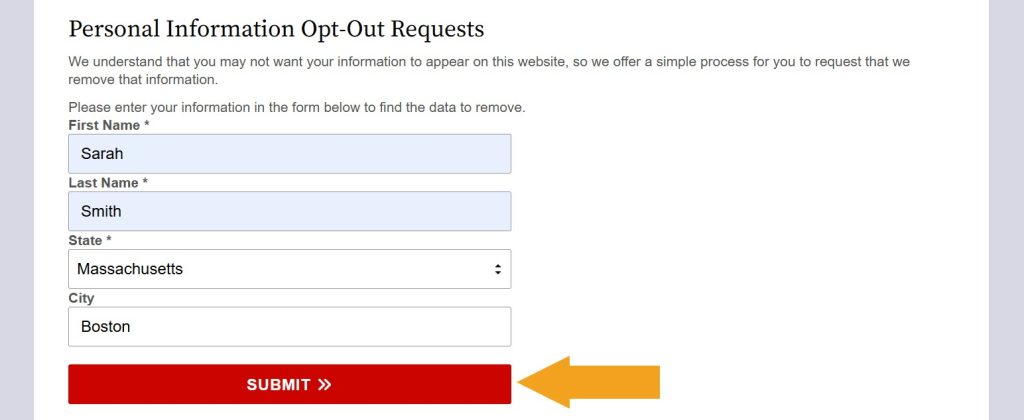
Step 1: Open MassachusettsCourtRecords.us’ opt-out page. Scroll to the “Personal Information Opt-Out Requests” form and look yourself up.
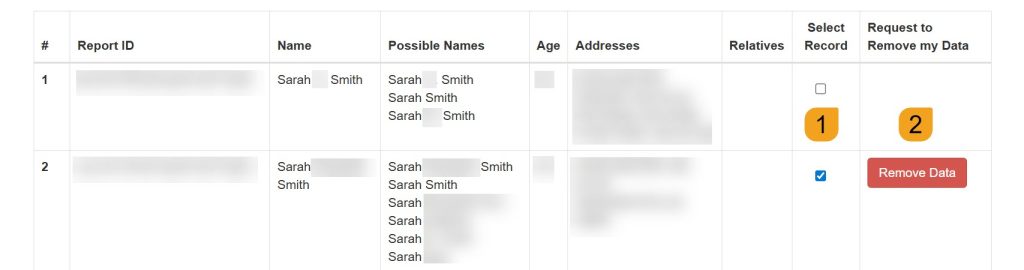
Step 2: If prompted, verify you’re not a robot. Once the search results load, select a matching record and click the appearing “Remove data” button.
Step 3: Submit your email address–you’ll receive a confirmation email.
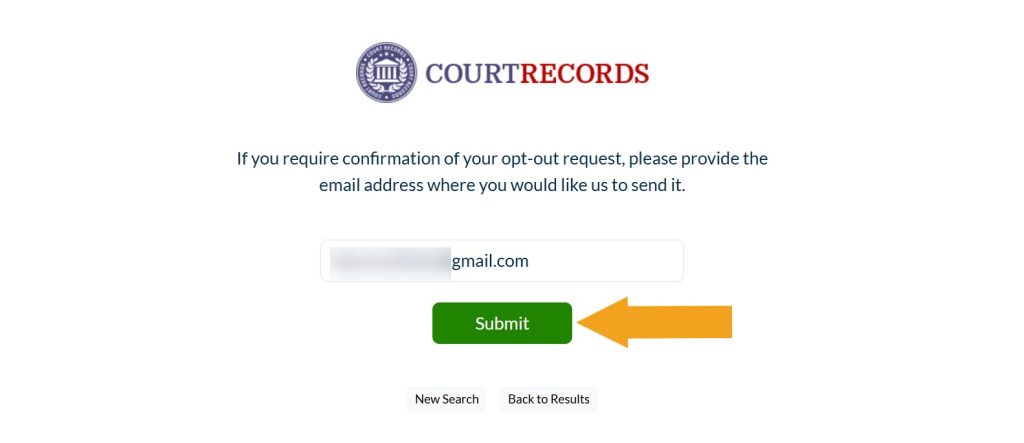
Your opt-out request has been submitted and should be processed shortly. Run another search in a couple of days to check whether your data has been removed.




Dimitri is a tech entrepreneur and founder of Onerep, the first fully automated data removal service. Top cybersecurity CEO of 2021 by The Software Report.