 Published February 27, 2026
  read
read
Does Google know your name? Here’s where your data stands in 2026
If you have a Google account or have used any Google services, including Gmail, Calendar, and YouTube, then Google knows the name you provided – and that’s just the tip of the iceberg. Google may also know your gender, age, location history, interests, and much more depending on your activity.
In fact, Google could infer your name even if you don’t have a Google account. That can be the case if you’ve entered the name into online forms while using Chrome, for example.
The question is, then, how to find out what Google knows about you and what, if anything, you should do about it.
How come Google knows my name?
Google knows your name either because you gave it to them or because they gathered it from your online activity.
If you have a Google account or log into any Google services (including Gmail, Chrome, Drive, Calendar, Photos, Maps, and YouTube), you gave them your name when you signed up. The same is true if you use an Android device, especially if it’s signed into your Google account (most are) and if you use Google Play to download apps.
Though Google doesn’t necessarily know your name if you’re logged out, it’s possible it can infer it when your name appears in data you interact with while using Google services (like its flagship search engine) or you’re on a third-party site that uses Google services (such as Google Analytics). This includes names entered into web forms, autofill fields stored in your browser, or public webpages associated with your activity.
Is Google knowing your name a privacy risk?
The true privacy risk isn’t that Google knows your name – it’s when your name is highly visible to the public or associated with poorly secured accounts.
For example, your privacy could be breached when:
- Your name is displayed in reviews or comments on services such as Google Play, YouTube, and Google Maps.
- Your email is easy to find online (for example, it’s been breached or exposed on the dark web).
Together, that combination can increase the risk of social engineering attacks, as scammers can use your personal information to impersonate legitimate organizations (and even family members) to trick you into giving up sensitive data or sending money.
How many times has my name been Googled?
Unfortunately, there is no reliable way to see how many times your name has been Googled.
Keyword research tools like Ahrefs and SEMrush can help estimate search demand, but they can’t show the exact number of queries. Moreover, unless you have a really unique name, you would need to combine it with your location or some other identifier to ensure the searches are for you and not someone who shares your name.
What data does Google collect?
The type of data Google collects depends on whether you’re logged in to your Google account or not. If you’re logged in, Google can map that data to your personal identity. If you’re not logged in, Google can still collect data, but it’s mapped to your browser, device, or IP address instead of your personal identity. It also depends on the services you use and permissions you grant.
Here’s the type of data Google may store:
- Name
- Email address
- Phone number
- Birthday
- Gender
- IP address
- Location information
- Payment information
- Email content
- Documents and spreadsheets (Google Drive)
- Comments (such as on YouTube)
- Google Assistant voice queries
- Browser type and settings
- Browsing history
- Device type and settings
- Videos watched
- Purchase behavior
- People you contact and share content with
- Third-party app activity (when they use Google services)
You can learn more about what data Google collects and how it is used in its official Privacy Policy.
How to find out what Google knows about you
Unfortunately, Google doesn’t make it easy to find everything it knows about you in a single dashboard – but you can check multiple places to cobble together what it knows and, in some cases, control what data it collects and how it uses it.
Check your Google account profile
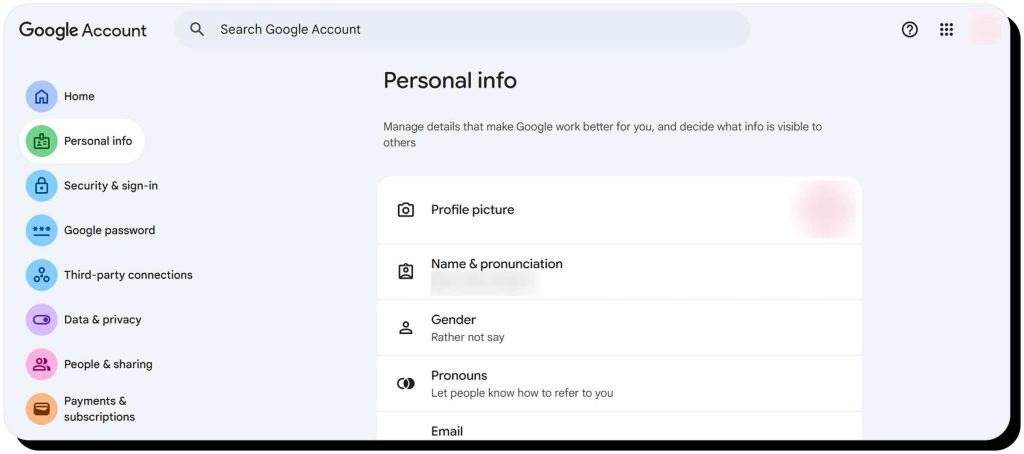
Visit your Google Account Profile and select the Personal info tab. There, you’ll find the information you’ve previously provided like your name, gender, email, phone, birthday, and more.
You should also check the following tabs:
- Security & sign-in: View and manage devices where you’re logged in as well as third-party apps and services you’re connected to.
- People & sharing: See which contacts are stored on Google and what personal details others see.
- Payments & subscriptions: View and manage payment info and subscriptions.
Google Data & Privacy dashboard
Browse to your Data & privacy dashboard to view and manage what Google knows about the things you’ve done and the places you’ve been. Here, you can decide whether to allow Google to save your web and activity history, Timeline (places you’ve been), and YouTube history. You can also set data to auto-delete in 3, 18, or up to 36 months.
This tab also allows you to view and manage:
- Search personalization data (your follows, likes, shopping and streaming preferences, etc.)
- Google Fit data
- Data saved from the Google services you use
- Third-party apps and services
- Voice match services
Gemini activity
Gemini is believed to have its own privacy concerns, as Google’s AI assistant is integrated into services like Gmail, Docs, Meet, and Google Search. By default, Gemini has access to a lot of sensitive information, including conversations, locations, and the content you create or interact with.
You can view and manage your Gemini interaction history via the Gemini Apps Activity page.
Ad settings
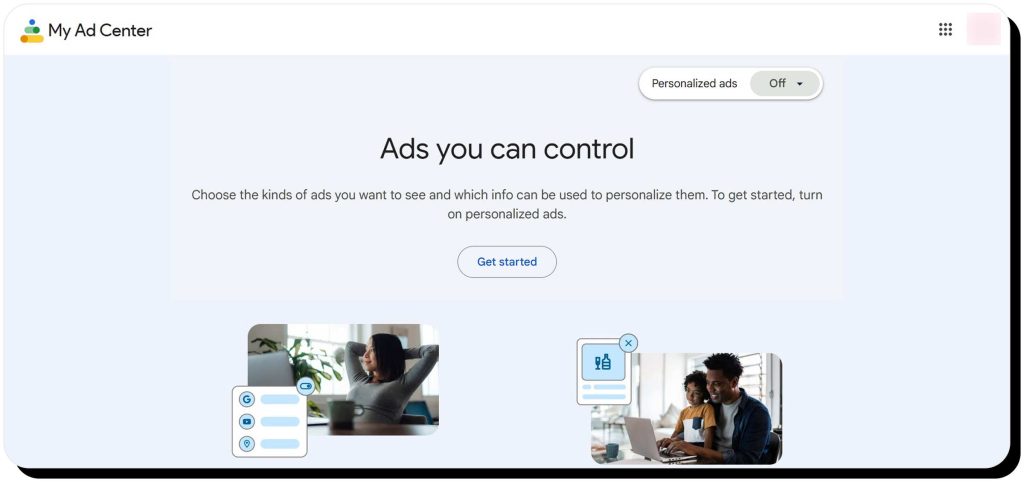
Browse to My Ad Center > Manage Privacy to see what Google infers about you if you allow personalized ads. Here, you’ll find information like gender, age range, language, and ad categories (e.g., relationships, household income, education, industry, and parenting).
Review Chrome autofill and saved form data
Open Chrome and browse to Settings > Autofill and passwords, then click “Addresses and more” and “Enhanced autofill” to see what data Chrome stores about you. You can choose to delete anything you’d like and turn off enhanced autofill.
Google Takeout
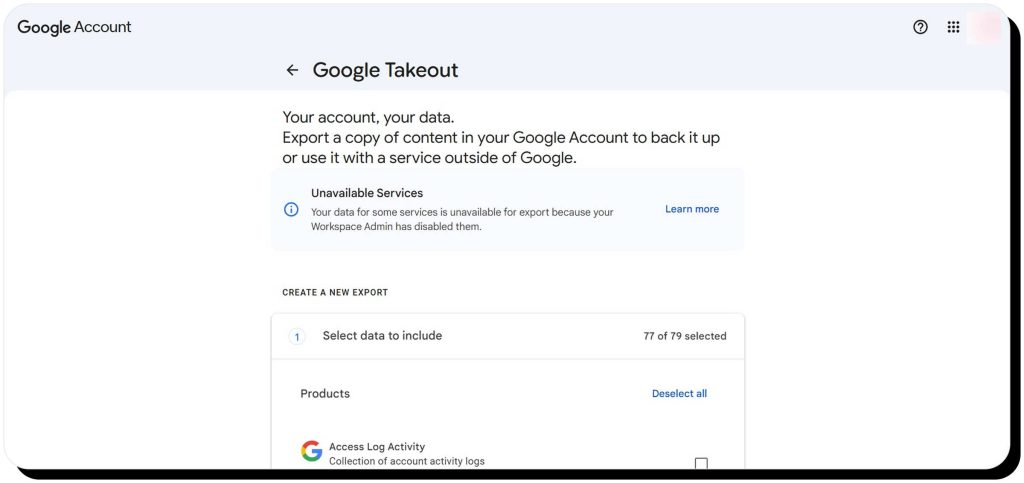
With Google Takeout, you can export a copy of your content to see what data Google has collected about you. Your export can include:
- Access log history
- Activity data
- Android device configuration
- Calendar
- Chrome bookmarks, history, and settings
- Contacts
- Drive files
- Google Fit data
- Google Photos
- Google Play Store app installs
- Gmail messages and attachments
- Maps data
- Home App history and other data
- Google Keep notes
- Messages history
- Google Voice history, messages, and voicemails
- YouTube history
- … and much more
Note that while Google Takeout is fairly comprehensive, it doesn’t include every single data point Google has ever collected about you.
How to limit what Google knows about you
If you use Google services, it’s impossible to completely prevent Google from collecting information about you – but you can greatly limit it:
- Use Activity Controls to turn off history or set auto-delete for Web & App Activity, Maps Timeline, and YouTube, as well as Google Play personalization
- In My Ad Center, turn off personalized ads. Also, delete all ad preferences and turn off activity used to personalize ads (sites and apps, location, and YouTube)
- Turn off Google Fit permissions and delete data
- Disconnect third-party services
- Remove Chrome autofill data
- Disable third-party cookies in Chrome
- Disable Chrome syncing to Google services
- Delete services you no longer use from your account, such as YouTube, Gmail, and Google Play
- Use a VPN to mask your IP address
- Use a privacy-first browser like Brave along with an ad blocker to block cookies and tracking scripts
- Run Google’s Privacy Checkup and Security Checkup and disable anything you do not need
It’s also a good idea to remove personal information from Google search results to improve your online privacy and reduce the risks of phishing scams and identity theft.
FAQs
Does Google know my name?
If you have a Google account, Google knows the name you provided when you signed up. Even if you don’t have a Google account, Google might be able to figure out your name based on your activity (might encounter it through form entries or public content).
How old does Google think I am?
You can see how old Google thinks you are by checking your birthday and age range in your Google Account personal info tab and in My Ad Center.
What does Google think of me?
Google doesn’t “think” of you like a person would. Instead, it builds a profile of you to serve personalized ads and recommendations. You can learn more about what information Google has about you by visiting your Google Account.
Where does Google think I am?
If enabled, Google collects location data, so it probably knows where you are unless you are using a VPN that routes your traffic through servers in different locations.
How to see what demographic Google thinks you are?
The best places to see demographic data Google has collected about you are your Google Account profile page and My Ad Center.
How many times has my name been Googled?
It’s not possible to tell how many times your name has been Googled unless you have an extremely unique name. SEO tools can give estimates on how popular a search query is, but they can’t give real exact numbers.


Dimitri is a tech entrepreneur and founder of Onerep, the first fully automated data removal service. Top cybersecurity CEO of 2021 by The Software Report.