 Published January 8, 2026
  read
read
What is a worm virus? How it works, real attacks, and prevention tips

A worm virus is a commonly used term for a computer worm, a type of malware that can copy itself and spread automatically without any human intervention. Worms can rapidly infect millions of computers, networks, and mobile devices, executing a variety of malicious tasks designed to steal sensitive information, launch large-scale attacks, and even damage physical infrastructure. Unlike traditional viruses, which need a user to open an infected file or program, worms exploit security vulnerabilities, weak credentials, or misconfigured systems to propagate on their own.
What is worm malware?
Worm malware is a type of malicious software that makes copies of itself to spread throughout computer networks. Because worms don’t rely on human actions (such as opening files) to spread, they can rapidly infect thousands of devices in a matter of minutes.
Worms use various means to spread to networks, computers, and mobile devices, including exploiting known vulnerabilities, email phishing, instant messaging, and P2P (peer-to-peer) file-sharing.
Hackers can use worm malware to steal personal data, install ransomware, or even control devices remotely, often causing device performance issues in the process.
What does a computer worm do?
Once computer worms are inside a system, they rapidly replicate across networks and devices. Attackers use them to:
- Install spyware or keyloggers or access files to steal login credentials, sensitive personal information, or financial data.
- Install ransomware or crypto mining software.
- Gain access to government secrets and corporate intellectual property.
- Install backdoors to create botnets that remotely control devices and launch Distributed Denial of Service (DDoS) attacks or mass phishing scams.
- Disrupt computer systems and networks, and even cause physical damage, such as in the case of the Stuxnet worm (more on that below).
Computer worms can consume bandwidth and overload networks, degrading computer and mobile device performance while causing billions in economic damage. They can – and have – even been used to conduct cyber warfare.

How do computer worms spread?
The ability to self-replicate and rapidly spread is what makes computer worms so dangerous. They can spread through:
- Network and software vulnerabilities, including those with weak credentials, uninstalled security patches, and unsecure or misconfigured servers.
- Phishing (email), smishing (text), and instant message chats with infected attachments, fake websites, and malicious links.
- P2P networks and file-sharing services. For example, when downloading movie and music torrents.
- Removable drives, such as USB sticks.
- Pop-up ads that lead to malicious websites designed to look like legitimate ones.
- IoT (Internet of Things) devices, especially those with outdated firmware.
- Cloud and shared IT infrastructures, particularly in multi-tenant environments.
Because computer worms can spread through so many channels, they’re sometimes subcategorized as:
- Network worms
- USB worms
- Email worms
- Instant messaging worms
- File-sharing worms
Moreover, many computer worms can spread through multiple channels at the same time – known as multi-vector attacks – making them even more dangerous and difficult to stop.
Worms vs. viruses vs. Trojans: what’s the difference?
Worms, viruses, and Trojan horses are all malware, but they’re also distinct in how they spread and behave.
- Worms can clone themselves and rapidly infect thousands – or millions – of networks and devices without human intervention. While often called a “worm virus,” worms are technically different from viruses.
- Viruses need a “host” to spread, such as an email attachment or infected software, and they can’t activate or propagate without a human opening, running, or sharing the host.
- Trojan horses look like legitimate software or computer files. Unlike worms, they cannot self-replicate, but they can install malicious programs and control devices remotely.
Notable worm attacks
Here are some of the most historically significant worm outbreaks.
Morris Worm (1988)
In an experiment gone wrong, Cornell University student Robert Tappan Morris deployed a worm that infected 6,000 computers in 24 hours – about 10% of the Internet at the time. It’s often described as the first major Internet attack in U.S. history.
WannaCry (2017)
WannaCry was a ransomware worm that spread to over 200,000 computers in 150+ countries. It affected major corporations and even government entities, including car manufacturers like Honda, shipping companies like FedEx, and even the United Kingdom’s National Health Service (NHS) – which had to cancel hospital operations and doctor appointments.

SQL Slammer (2003)
One of the fastest-spreading worms to date, SQL Slammer infected around 75,000 computers in just ten minutes. It launched DDoS attacks against several industries, including airlines and financial institutions.
Stuxnet (2010)
Perhaps the most notorious computer worm of all, Stuxnet was a weaponized worm widely believed to have been developed and deployed by the U.S. government to attack Iran’s nuclear program during the Obama administration. It installed malicious software that physically damaged nuclear infrastructure, making it the first known state-sponsored cyberweapon.
ILOVEYOU (Love Bug) (2000)
This worm arrived via emails that appeared to have love letters attached, but when opened, overwrote files like images before emailing copies to users’ contacts. It was one of the fastest-spreading worms in history, reaching 45 million computers in 24 hours and causing billions in damage.
MyDoom (2004)
The most economically devastating worm in history, MyDoom took over email – sending 25% of all emails globally – and caused $38 billion in damage (over $52 billion in today’s money). It still continues to circulate today, and though Microsoft offered a $250,000 bounty, its creator was never caught.
Are worms a real threat in 2026?
Yes – computer worms are still a real and relevant threat in 2026, even though they don’t dominate headlines as often as ransomware or data breaches. Computer worms often spread faster and cause larger-scale impact than any other type of malware, and despite improved security, they still wreak havoc today.
That’s because worms continue to spread via outdated and unpatched systems, uncaught vulnerabilities in new software, cloud infrastructure, and human interaction (such as opening infected files). Once a single system is compromised, a worm can move laterally across networks in minutes, spreading malware payloads such as ransomware, spyware, cryptominers, or botnet software.
The rise of IoT devices, remote work infrastructure, exposed APIs, and shared cloud environments has expanded the attack surface worms exploit. Even strong endpoint security can fail if one weak or outdated system exists inside a network.
Signs your device or network may have a worm
Note that if these issues are affecting multiple devices, it could be a sign that your entire network is infected.
Poor performance
If a worm is using system resources to carry out attacks, it could cause your computer or mobile device to run slowly.
Noticeably less hard drive space
If a worm is making copies of itself, it could use up a lot of hard drive space.
Security warnings
If your firewall or antivirus software gives you warnings, pay attention to them. Also, if you suspect a worm, be sure to double-check that your antivirus wasn’t disabled.
Unrecognized emails and texts
If your email software or phone has been sending emails and texts you didn’t write, that could be a sign that a worm has infected your device.
New programs and missing files
Worms can install programs and mobile apps, delete files, launch websites, and crash software.
Overheating
If your computer seems significantly hotter or your phone is overheating, it could be a sign that a worm is consuming system resources.
Rapid battery drain
If your mobile phone or tablet battery is losing charge much faster than normal, a worm could be the culprit.
How to prevent computer worms
Follow these tips to prevent computer worms from infecting your devices:
1. Update everything
Always install the latest updates for your operating system, browsers, software, and apps. Enable automatic updates where possible and be sure to keep up with firmware updates for routers and IoT devices.
2. Install reputable anti-malware software and enable your firewall
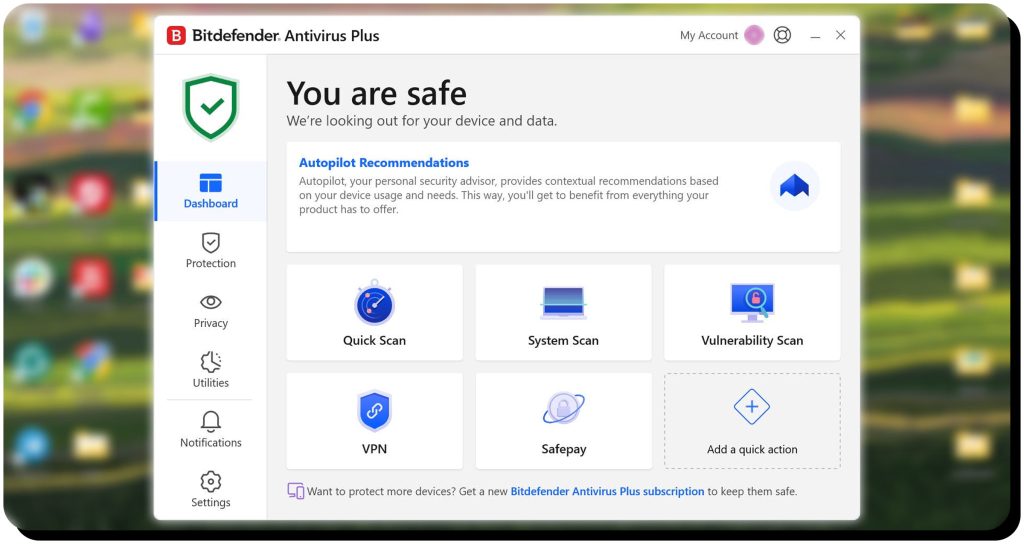
Reputable anti-malware software like Avast, AVG, and Bitdefender provide continual protection to prevent your devices from being infected. You should also make sure your firewall is enabled. Here’s how to access firewall settings on a Mac and Windows PC.
3. Use (but don’t reuse) strong passwords and MFA
Use strong passwords but never reuse them. If a worm gets ahold of one of your passwords, it could use it to access more of your accounts. Multi-factor authentication also helps prevent worms from gaining access – even if they have the correct password, they won’t be able to authenticate the login attempt.
4. Only install apps from official sources
Only download and install apps from the official Apple App Store and Google Play, as sideloaded apps could bring worms with them. The same goes for computer programs: only install software from the official sources, not torrent sites or other third-party sites that could propagate worms.
5. Only visit trusted websites
Avoid visiting websites you do not know and trust, and be on the lookout for imposter websites designed to look like they are legitimate brands. Always check the URL – especially before downloading anything – and use a browser anti-malware tool to block malicious sites for you.
6. Never click or tap unknown links, attachments, and pop-ups
Be careful to avoid clicking malicious links or opening infected attachments in emails and texts, even if those messages appear to come from a friend, family member, or colleague. Use antivirus software to scan attachments before opening and type URLs directly into your browser instead of clicking them. If a message seems suspect, call the sender to verify they sent it. You should also avoid clicking links in pop-up ads, since they can lead to dangerous sites.
7. Make regular backups
No matter what precautions you take, it’s still possible for a worm to bypass your security measures. Hackers are always coming up with new ways to infiltrate systems, and patches are issued after vulnerabilities are discovered. Regular backups ensure you can recover important files if your devices are compromised.
FAQs
What is a computer worm in cyber security?
In cyber security, a computer worm refers to a type of malicious program that can clone itself and spread to other computers, networks, and mobile devices without human intervention. Worms use multiple methods to spread, including exploiting network vulnerabilities and email phishing.
What are network worms?
Network worms affect entire networks, not just computers and mobile devices. Since networks are connected to many different devices, these types of worms can spread rapidly to affect millions of devices in a matter of hours.
What is an accurate computer worms definition?
A good definition for computer worms is malware that can self-replicate and spread itself. Unlike traditional viruses, computer worms don’t need a host (like an email attachment) or humans to open them to infect devices and execute tasks.
How do worms work?
Computer worms work by exploiting known vulnerabilities and human curiosity to infect devices. They make copies of themselves, then spread to other devices. Some use text and email, while others take advantage of backdoors to quickly spread to many devices. Worms install malicious software like spyware and keyloggers to steal sensitive data, take over computers remotely to launch DDoS and other attacks, and can even be used in cyber warfare.



Mark comes from a strong background in the identity theft protection and consumer credit world, having spent 4 years at Experian, including working on FreeCreditReport and ProtectMyID. He is frequently featured on various media outlets, including MarketWatch, Yahoo News, WTVC, CBS News, and others.