 Published November 27, 2025
  read
read
What to do if you click on a phishing link: a complete step-by-step recovery guide
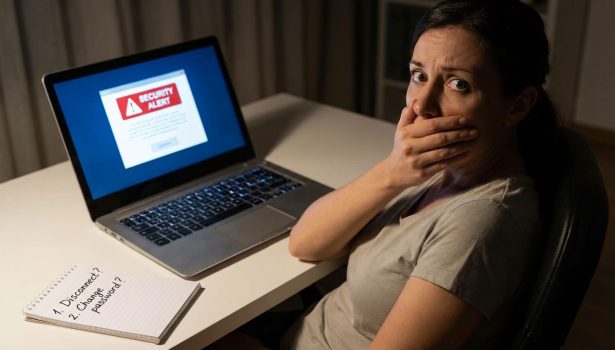
The key to handling a phishing mishap is calmness and swift action. Don’t enter any personal information, disconnect from the internet immediately, and clear your download history. Proceed with a full device antivirus scan, and change your account passwords.
You get an email from your bank and click without thinking twice. You may not even finish reading the message before panic sets in. This reaction is exactly what scammers rely on as phishing works because it preys on emotion and urgency.
The good news? One click doesn’t always spell disaster. While a phishing link can lead to trouble, fast and correct action can dramatically reduce the risks.
In this guide, you’ll learn exactly what to do if you click on a phishing link on your PC, Android or iPhone. We’ll also cover how to protect your information long-term and reduce your exposure to future phishing threats.
What happens if you click on a phishing link
Phishing has become harder to spot, so don’t be too hard on yourself. It takes practice and awareness to recognize social engineering scams immediately. So, what happens if you click on a phishing link?
Scammers use these links to trick you into entering your login details on fake websites or to infect your device with malware designed to steal information.
If you accidentally clicked on a spam link, a few different scenarios may play out:
- There could be no harm. If you didn’t enter any personal information (such as your email, username, password, Social Security Number (SSN), or card details), or the website didn’t load before you exited, you are likely safe.
- A scammer could steal your data. If you entered your login credentials or other personal information, it could’ve been sent to a bad actor.
- Your device might be infected with malware. Clicking on suspicious links sometimes triggers a malware download. There are various types of malware: some forward your files to scammers, others track your keyboard activity when you type, and some may take remote control over your device.
- Your session could be hijacked. Suspicious links may also expose cookies and tokens. Websites use these to verify an active session, so if a scammer gets them, they can log into websites you were logged in, without having to enter your login credentials.
However, most modern browsers and mobile OS protections successfully block malware downloads. You will likely be asked if you want to download the file, or the activity will instantly be stopped as it comes from an unsecured connection.
How to tell if you’ve been phished
I clicked on a phishing link, but how do I know if my data is compromised? There are a few telltale signs.
- Unexpected password reset or login alerts. If you’ve entered your login credentials on a fake login page, or malware has stolen your sensitive data, hackers might try to log in to your accounts and reset your password. Hence, you might receive login alerts and password reset emails.
- Slower system performance or pop-ups. Your device might be slower than usual, or strange windows may pop up.
- Account lockouts or missing emails. You might see some of your files missing, including emails. In more severe cases, you may be completely locked out of your accounts.
- Bank notifications or unfamiliar transactions. If scammers got your bank app login details or credit card number, they might try to take your funds. A good clue to this might be alerts from your bank or transactions you don’t remember making, no matter how small.
- Use Onerep or HaveIBeenPwned to check if your credentials were leaked. You can check if your email has been exposed in a known data breach via trusted data breach tools.
What to do if you click on a phishing link: immediate steps to take
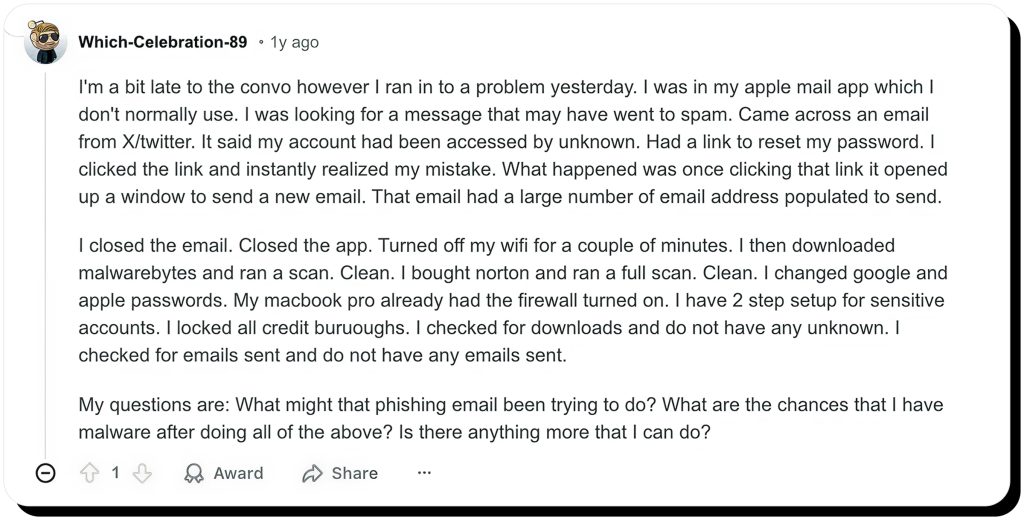
I clicked on a phishing link, and there is no going back. Not quite true. You can still resort to damage-control measures and remediate the situation.
Step 1: Don’t enter any information
The phishing email might urge you to protect your account, but entering your email and password will do the exact opposite. If a suspicious link takes you to a login page, don’t enter your login credentials or any other personal information.
Instead, log in to your account through the trusted website login page you normally use, and see if anything odd is going on with your account.
Step 2: Disconnect from the internet
If clicking on a malicious link triggers a malware download, be sure to disable internet access to your device immediately. This might stop the infection process and prevent the malware from being fully installed on your device.
Step 3: Delete suspicious downloads
After you’ve disconnected from the internet, cancel the suspicious download(s) and delete those files. This too can stop the malware from being installed onto your device.
Step 4: Back up important data
Ideally, your data should be backed up regularly. It’s important to make another copy if you suspect malware has been installed on your device, since a hacker might be able to delete files remotely.
Step 5: Scan for malware
Lastly, scan your device for malware using a trusted antivirus software. There are a few good free and paid options, which should be able to detect the threat and neutralize it before it does more damage.
What to do if you clicked on a phishing link on your phone
Steps for iPhone users
I clicked on a phishing link on my iPhone. What should I do?
Luckily, Apple has strict security protocols, which make malware infections rare. Regular users are not usually the target of remote hacks, and they are not really done via phishing emails.
So, unless your iPhone is jailbroken and you haven’t entered any sensitive data on a faux website page, you are probably safe. It’s still a good idea to disconnect from the internet (you can do so by simply enabling airplane mode), change your Apple ID password, and run a mobile antivirus software scan.
Steps for Android users
Does it make a difference if you’ve clicked on a phishing link on Android? While iOS is generally considered safer than Android, you should still take similar damage-control steps.
First and foremost, don’t enter any information. Disconnect from the internet or turn on airplane mode, and clear your browsing data, including downloads. Check for suspicious apps, and run a full security scan using a trusted anti-malware software. Change your passwords (especially to your Google account, banking apps, and socials). Don’t forget to review your Google Account activity for new sign-ins, devices added, and third-party app access.
See more:
How to know if your phone is hacked: warning signs and ways to check
How to check iPhone for a virus in settings (2025 guide)
How to recognize a phishing link
Phishing links might be easy to spot, but some can be well camouflaged.
- Inspect the URL closely. Scammers often create fake websites that mimic the real ones. Look for small changes in the URL, like an extra letter, a missing character, and a domain ending that doesn’t match the sender (for example, a link leading to a Netflix page, but it doesn’t end in Netflix.com. It may look something like this: https://netflix.billing-update.support-center-info.com; or an email from PayPal, but the link looks like www.paypa1.com or www.paypal-security.com). Always hover over links to fully read them, or press and hold on your phone.
- Check who the sender is. If you’ve received a message from a sender for the first time, be extra careful. A legitimate company won’t contact you from a random email account (it might look something like [email protected]). Review the sender closely, even if the name looks familiar.
- Pause if the message sounds urgent, threatening, or if the offer is too good. The goal of triggering fear and a sense of urgency sits at the core of social engineering. Similarly, be cautious if a message seems too good to be true.
- Look for grammar mistakes or poor design. Although scammers have gotten better at creating legit-looking, convincing phishing scams, this is still a big red flag. Many phishing emails have typos or awkward phrasing. Reputable companies don’t send messages that look sloppy and unprofessional.
How to report a phishing attempt
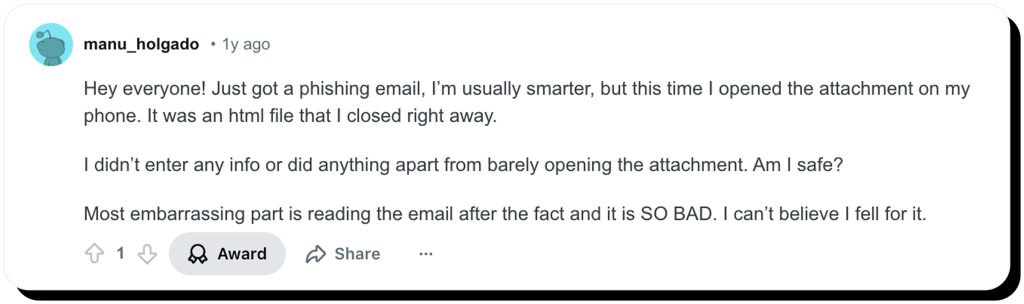
Many users think: if I clicked on a phishing link, that doesn’t affect other people. Well, it might. It’s always a good idea to report a phishing attempt, so that others can be warned, and scammers can potentially be tracked down.
- If you’ve received a phishing email from a service like Netflix or PayPal, reach out to them explaining the situation.
- You should forward phishing emails to [email protected] (Anti-Phishing Working Group) or [email protected] (U.S. Federal Trade Commission).
- SMS scams (so-called smishing) can be reported by texting 7726 (SPAM).
- It might be a good idea to file a complaint with the FTC or the Internet Crime Complaint Center (IC3) if your data (such as passwords or banking information) was exposed.
- If you’ve clicked on a phishing link at work — a problem that affects organizations of all sizes — notify your employer’s IT or security team right away and confirm whether any work accounts or systems may be affected.
How phishing starts: the hidden network that fuels scams
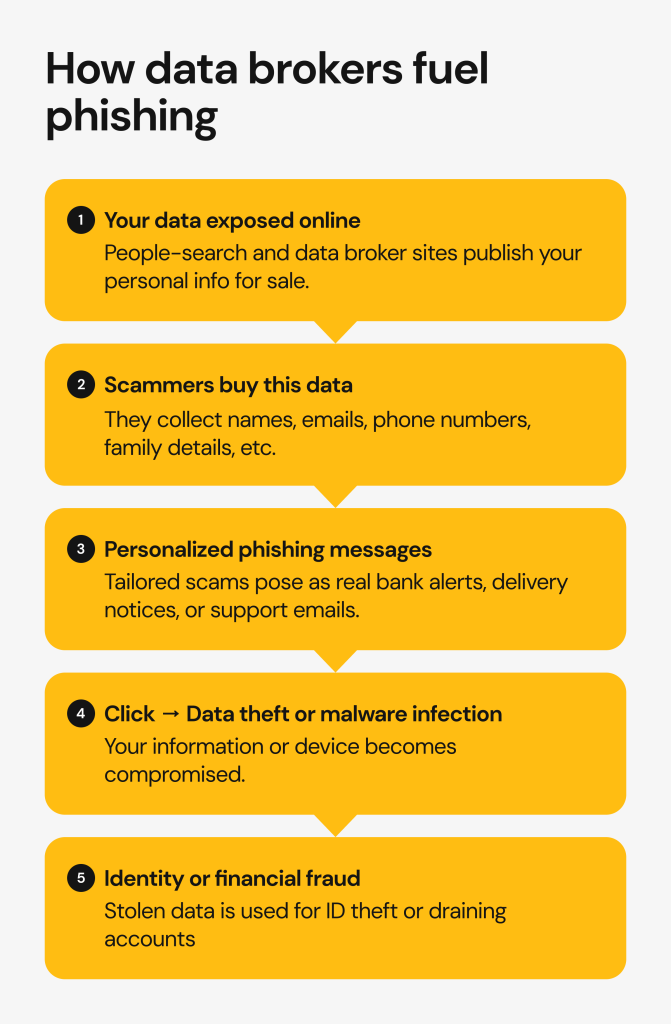
Data brokers and people-search sites
If you’ve been here long enough to learn about the basics of personal cybersecurity, you can already grasp the dangers of data brokerage. People-search sites are the main resource for cybercrime: social engineering scams, financial fraud, account takeover or even ID theft.
Data brokers and people-search sites collect, aggregate, and sell personal information that comes from public records, online profiles, marketing forms, and other databases. Think names, phone numbers, emails, addresses, and demographics grouped into individual profiles. It’s out there, publicly available for anyone to access. And legal too.
When scammers get hold of this information, they can craft highly targeted phishing attacks. Instead of greeting you with a generic “Dear user,” they may use your real name and include your actual address in a fake “Your Amazon shipping order #12345 couldn’t be delivered” email — making the scam look far more believable.
Other data sources that enable phishing
Instead of resorting to people-search websites, scammers sometimes do their own homework. And, there are a few other ways of obtaining people’s personal information.
- Social media oversharing. So many of us still post about our interests, jobs, family and friends, vacations, and even sensitive information.
- Data breaches. Once your information is exposed in a cybersecurity incident (and we’ve already covered so many, like the Amazon data breach or PayPal data breach), it’s going to be listed on the dark web for sale, sooner or later.
- Malicious browser extensions and apps. Unverified software may not follow regulations and collect vast amounts of data.
How to secure your accounts and data: general cybersecurity recommendations
Change your passwords
Start with your email and financial apps, since they’re the most valuable targets for scammers. Use complex, unique passwords for each account. A trusted password manager can help you store and create strong passwords so that you don’t have to memorize them yourself.
Enable two-factor authentication (2FA)
2FA provides another layer of protection in case your password is exposed. It’s safer to use a dedicated app (such as Google Authenticator) than SMS. The safest option: physical 2FA, such as YubiKey.
Review account activity and permissions
Most major platforms (like Meta, Google, Apple, or Microsoft) let you see when and where your account was accessed. Review your recent logins and connected devices, and terminate any sessions you don’t recognize. Make a habit of reviewing your account activity every couple of months.
Update your recovery information
Attackers sometimes add their own contact methods to your accounts, looking to lock you out. Check that your recovery emails and phone numbers in your major accounts are still yours. If you notice anything odd, update the recovery details immediately.
Monitor your credit
After a phishing scare, and especially if you disclosed your personal or financial information on a phishing site, it’s necessary to monitor your credit reports and banking transactions. You can check your credit for free at AnnualCreditReport.com or use another credit monitoring service. There’s also an option to place a Fraud Alert or freeze your credit entirely with all the major credit bureaus.
How to avoid phishing attacks in the future
Recognize phishing red flags
You should be wary of any unexpected emails, even more so if they come with an excellent offer or request immediate action. Phishing is becoming harder to spot, but some of these emails still contain generic greetings and odd grammar. There’s usually a misspelled URL, but the mistake might be a single character.
Verify the sender
Before clicking on links, closely inspect the sender. Was a corporate email sent from a generic email (such as @gmail.com)? Even if everything seems in order, it’s better to contact the organization directly through verified channels (like customer support number or email), or log in to your account the way you normally would.
Keep devices and browsers updated
App, browser, and operating system updates carry security patches, even if there are no other meaningful changes. These patches close gaps that might otherwise be exploited by phishing scams, so it’s crucial to keep your devices up to date.
Use secure browsers and tools
Browser security protocols may shield you from unsecured websites and automatic malware downloads. It’s possible to make your browser even more secure by enabling Chrome Enhanced Protection, Microsoft Edge SmartScreen, or DNS-filter extensions.
Remove your phone number and email from data broker and people-search sites
Reducing the risk of phishing scams starts with cutting access to your personal information. The best way to do that is by removing your phone number and email from data brokers and people-search websites. We’ve automated this tedious process. Onerep finds and removes your personal data from over 240 data broker sites, reducing spam, scams, and ID theft risks.


Mikalai is a Chief Technical Officer at Onerep. With a degree in Computer Science, he headed the developer team that automated the previously manual process of removing personal information from data brokers, making Onerep the industry’s first fully automated tool to bulk-remove unauthorized profiles from the internet.