 Last updated January 29, 2026
  read
read
Is Avast safe? What to know about the widely used antivirus software in 2026
Aggressive pop-up ads within Avast’s free version and a $16.5 million settlement with the FTC for selling user data without consent have made many people question the software’s legitimacy.
However, Avast is indeed safe to use in 2026. It’s not a malicious program, and the company has won a number of security-related awards, including AV-Comparatives Top Rated Product 2024, PCWorld Editor’s Choice 2024, and AV-Test Corporate Endpoint Protection Test 2024.
As for the incident with user data, Avast has since introduced stricter privacy policies that prohibit selling or licensing browsing data for advertising purposes.
Is Avast legit?
Avast is a legitimate company, and it’s been a respected industry player for over 37 years. It was founded in 1988 in Czechoslovakia (now the Czech Republic) by software engineers-turned-entrepreneurs Pavel Baudiš and Eduard Kučera.
Its current offering includes the following:
- Avast Antivirus to protect your computer’s operating system against malware.
- Avast Secure Browser to block access to malicious websites, shield your communications from cybercriminals, and hide your browsing history.
- SecureLine VPN to mask your IP address and encrypt your data while browsing online.
- Avast Secure Identity to monitor the web for leaks of your personal information and your credit reports for suspicious activity.
- Browser extensions like Avast Online Security and Avast SafePrice.
A brief history of Avast
Baudiš started developing antivirus software while he was working at the Research Institute for Mathematical Machines in Czechoslovakia. He noticed the Vienna Virus, a .com infector virus, on a floppy disk a friend sent him and successfully developed a program to defeat it.
Along with Kučera, who was also working at the Institute, Baudiš turned his new program into award-winning software.
Their company was initially a cooperative called Alwil while Czechoslovakia was under communist rule. But just a year after its founding, the Velvet Revolution brought democracy to the country, and Alwil transformed into a joint partnership, taking the name Avast (which means “Stop,” typically used by sailors).
Over the next decade or so, the company grew into a multinational cybersecurity firm, but eventually stumbled into financial difficulties. This is when Avast made the decision to release a free version of its software and operate on a freemium model—which ultimately led to its user base growing dramatically.
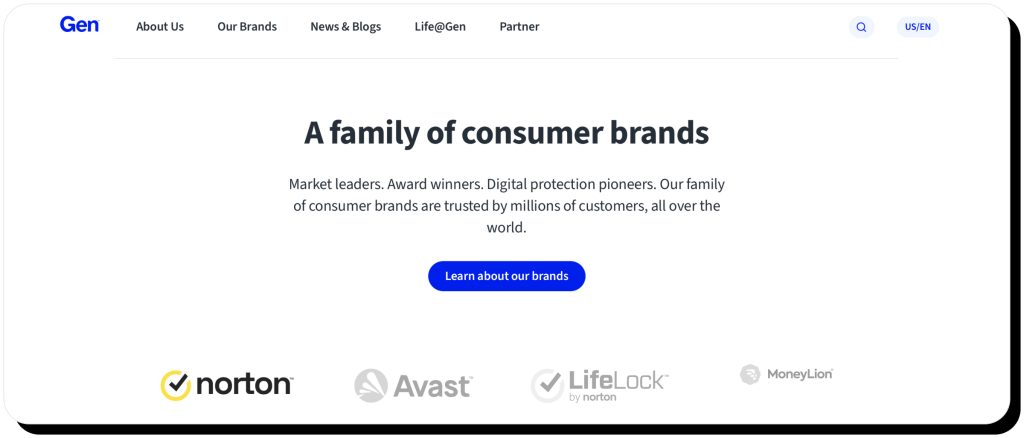
Avast IPO’d in 2018 and merged with NortonLifeLock in 2022. Now it operates under the parent company Gen Digital, which also owns other major cybersecurity brands like Norton, AVG, and Avira.
How does Avast work?
Scanning your computer for viruses can take a long time, no matter what service you’re using. Avast recognized this issue and responded by creating different types of scans depending on what you’re most concerned about. These include:
- Full Virus Scan: An in-depth check of your entire system for malware, including rootkits.
- Smart Scan: Checks the most vulnerable areas like system files, browser add-ons, and performance issues to detect common threats.
- Targeted and Custom Scans: Look at the files that you specify or based on the parameters that you set.
- Boot-Time Scan: Checks for viruses and malware the next time you start your system up.
If you think you got a virus, but none of the scans found anything, you can employ the Rescue Disk feature. It lets you scan and remove malware from your computer outside of the regular operating system (you’ll need to create the Rescue Disk on a USB drive/ CD using Avast’s built-in tool, then boot your computer from that external media).
Avast also offers what it calls shields, which constantly monitor for threats in your files, browser, email inbox, and other parts of your system.
How does Avast find viruses?
Avast offers a broader set of features than most antivirus software providers, but its core antivirus offering (scans and shields) works similarly to those of other companies. The main difference is that Avast’s large user base helps it stay abreast of threats more easily—it feeds anonymized threat data back to Avast’s cloud-based systems, allowing it to identify and respond to new malware faster than some competitors.
To find viruses and malware, the software checks for the following things:
- Virus signatures. These are essentially unique digital footprints in the code.
- Code heuristics. These are structural patterns in code that could indicate malicious intent.
- Suspicious program behavior. Ultimately, the malware is there to do something, and you can spot it by seeing it start to do these things.
Checking for weird behavior is important because many viruses hide their signatures via encryption and they can even change their code each time they replicate. Examples of typical virus behavior include creating new executable files or intercepting and manipulating legitimate function calls to an API (“application programming interface”).
Usually, when analyzing a sketchy file’s behavior, the antivirus program will isolate and run it in a secure, virtual environment known as a “sandbox.”
Is Avast antivirus free?
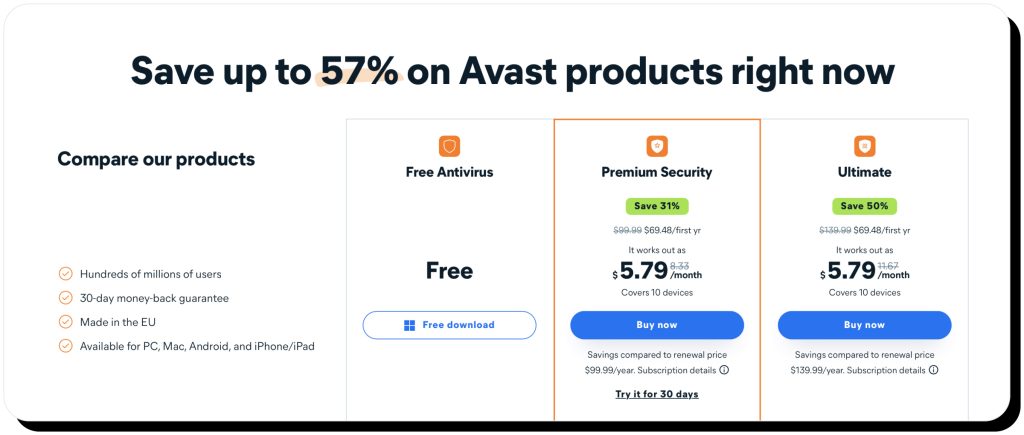
Avast has both a free version and paid plans.
The free version is what led to it getting such a huge user base in the years before its IPO. It protects against viruses and malware like rootkits, ransomware, and spyware across Windows, Mac, Android, and a limited version on iOS (iOS doesn’t allow full system-level antivirus). However, it’s known for hounding users to upgrade to higher tiers.
Avast’s other services come in bundles that are associated with different pricing tiers. The Premium Security plan adds phishing and scam protection and stops remote access attacks, while the Ultimate version gives you features like the VPN, a service that cleans your computer, and AntiTrack to hide your identity online.
Is Avast secure?
Yes, Avast is secure, and it’s got a pretty solid track record in detecting and removing malware in real-world tests. Here are a few testaments to its capabilities:
- AV-TEST for Windows 10 (May-June 2025). Avast Free Antivirus versions 25.4 and 25.5 achieved 100% detection of widespread malware samples and minimal impact on system speed. This earned full 6/6 protection scores.
- AV-Comparatives’ Real-World Protection Test (February–May 2025). Avast blocked 421 out of 423 test cases, resulting in a protection rate of 99.5%. Some products slightly outperformed it (for example, Bitdefender got 99.8%), but Avast was squarely within the top cluster of performers.
- AV-Comparatives’ Malware Protection Test (March 2025). Avast was among the products that were evaluated on their detection of malicious files and received the top “Advanced+” rating.
Is Avast trustworthy?
Avast is trustworthy in the sense that it’s a secure and reliable software that delivers on its promises.
However, the data-selling scandal involving its subsidiary Jumpshot has caused many people to question its respect for user privacy.
Concerns about Jumpshot’s handling of consumer data collected through browser extensions began to mount in 2019, and Mozilla removed these extensions from its offering in December. A joint investigation by Motherboard and PCMag found that Avast was selling this data for advertising purposes without consumers’ consent, and that the data was insufficiently de-identified.
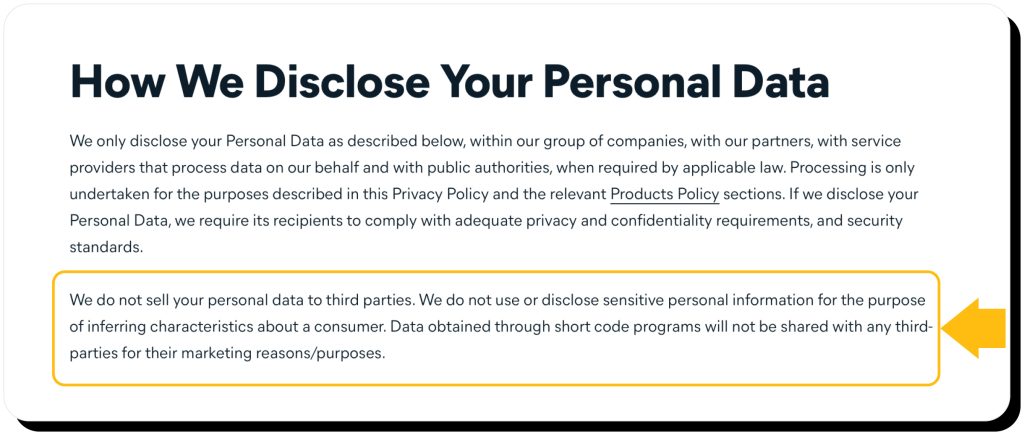
The FTC ordered Avast to pay $16.5 million, and Avast responded by shutting down Jumpshot, doing external audits, and reaffirming its commitment to user privacy. Avast is now permanently banned from selling or licensing any browsing data it collects, and its General Privacy Policy currently states that it will not share any personal data with third parties for marketing purposes.
Despite these changes, plenty of people remain skeptical about this breach of trust. Security and privacy professionals recommend that you carefully review and disable unnecessary data collection settings when using Avast.
User feedback and reputation in 2026
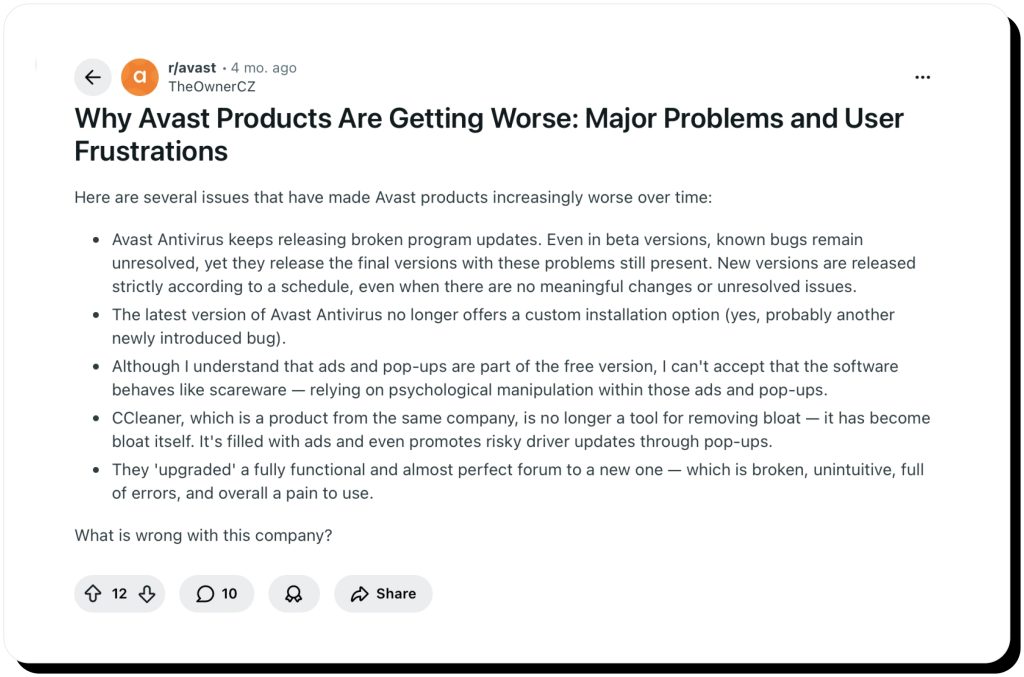
Here’s where the second component of Avast’s beleaguered reputation comes in. Despite its glowing reviews in publications like PCMag, lots of users are lambasting the company for its approach to upselling.
Avast does have a tendency to bombard users of the free version with pop-up ads for various premium products. In fact, it’s so prevalent that some Redditors are saying it behaves like “scareware”—the term for a program that tries to get you to download malware by alerting you to a fake virus threat via a pop-up.
Of course, Avast isn’t trying to get you to download malware. It just wants you to pay for more of its services, and it’s possible to mitigate the impact of these ads by changing your privacy settings.
As for feedback on performance, many Avast reviews praise the ease of use and overall effectiveness. At the same time, some users say they are charged even after cancellation and customer service doesn’t help to resolve the issues quickly.
Avast alternatives in 2026
If you’re looking for Avast alternatives, there are some good free solutions that don’t bombard you with upgrade ads, and there are several quite powerful paid ones too.
Free options include:
- Microsoft Defender. This is a software that many people swear by, and it’s built into Microsoft 365 at no additional cost. If you’re not using Windows, you’ll have to subscribe to the cross-platform version.
- Avira. Avira’s basic version, Avira Free Security, gives real-time protection against viruses and malicious websites. It lacks the advanced features like Avast’s VPN, but on the flipside, it’s praised for being more lightweight.
- Malwarebytes. People consider this one as more like a secondary layer of defense, since it doesn’t have real-time protection in the free version. This means it’s not particularly useful against ransomware.
- Kaspersky. The free version provides excellent core malware protection that consistently scores near the top in independent lab tests, rivaling even paid solutions. It’s lightweight and includes useful extras like web, email, and phishing protection without overwhelming ads or upsell pop-ups.
Paid options include:
- Bitdefender. This is one of the programs that actually beat out Avast in advanced malware-detection lab testing. It also has no history of selling user data, which gives it an edge for privacy-conscious users.
- Norton. One thing that many people find lacking in Avast is parental controls. Norton has these, so you can use them to keep your kids safe while they’re surfing the web.
- ESET. This minimalistic yet powerful antivirus software is popular among those who are relatively tech-savvy and want to be able to customize and fine-tune their protection.
How Onerep complements your antivirus protection
Antivirus software is an important step in protecting yourself from malware and malicious keyloggers. However, it’s typically focused on your devices—not your identity. Thus, it misses the widespread exposure of your personal information on people-search sites.
These websites publish your name, home address, contact data, family info, estimated salary, political affiliations, legal records, assets, and other sensitive details. Many of these details are often available for free, while an in-depth report costs only a couple of dollars.
Having your private data so easily available online makes you an easy target for social engineering scams, phishing, tech support scams, stalking, and even identity theft.
Onerep protects your privacy by removing your personal information from 317 people-search sites. The service scans them to find the exact pages that expose your data, then sends opt-out requests on your behalf. Once removal is completed, Onerep continuously monitors the sites for new exposures to make sure your information doesn’t reappear online.
Final verdict: should you use Avast?
Despite some hits to its reputation, Avast is safe and effective for malware protection in 2026. Its main perceived drawback is privacy due to the Jumpshot scandal, but the company has made a concerted effort to properly handle user data going forward.
If you’re an average user looking for some solid antivirus protection, the free version is quite solid—although you’ll probably want to configure your settings to minimize the upselling pop-ups. The premium version offers a lot more features, but you need to evaluate whether you actually need them before committing to a subscription.
Here’s a quick breakdown of Avast’s pros and cons:
| PROS | CONS |
|---|---|
| Robust, real-time malware protection that’s better than most other free options Easy-to-use interface that explains various types of services and threats High scrutiny on its data handling practices after the Jumpshot scandal Frequent updates that improve protection | Constant upselling and pop-ups Full virus scans can slow down your system in a noticeable way Mixed customer reviews |
FAQs
Is Avast Antivirus safe?
Yes, Avast is safe; it’s not a malicious program by any means. The company had a major privacy scandal in 2020 involving its subsidiary Jumpshot, but they’ve since committed to more transparent and ethical practices.
Is Avast legit?
Yes, Avast is a legitimate company. It was founded in 1988 and quickly grew to be one of the most widely used and highly respected cybersecurity companies in the world. It’s currently owned by Gen Digital, which also owns brands like Norton, AVG, and Avira.
Is Avast good?
Avast is generally considered a good option both for paying and non-paying users. It has scored quite high on a variety of tough real-world malware detection tests like those run by AV-Comparatives. It also has a sleek and user-friendly interface.
Is Avast Free Antivirus safe to download?
Yes, Avast Free Antivirus is safe to download as long as you get it directly from the official website or a trusted app store. The installer itself is clean and digitally signed, and the program has been thoroughly tested by independent labs like AV-TEST and AV-Comparatives, consistently earning high marks for malware detection and real-time protection.

Mark comes from a strong background in the identity theft protection and consumer credit world, having spent 4 years at Experian, including working on FreeCreditReport and ProtectMyID. He is frequently featured on various media outlets, including MarketWatch, Yahoo News, WTVC, CBS News, and others.