 Published November 25, 2025
  read
read
What is pharming: how it works, real examples, and how to stay protected
Cyber threats are proliferating and becoming ever more sophisticated. In addition to various types of phishing, including vishing and whaling, another breed of online scams known as pharming attack targets the very infrastructure of the internet, hijacking users’ browsing sessions.
Unlike phishing, though, pharming often requires no action on the user’s part but takes them to fake and malicious websites automatically, “farming” for their sensitive personal information and money.
The article below covers the meaning of pharming, how it works and relates to other cyberattacks, and what you can do to protect yourself from falling for spoofed pharming websites.
Pharming explained
Social engineering scams are known to lure and manipulate people into giving away their personal details for scammers’ financial gain. Pharmers don’t even have to do that, as they manipulate the very systems—DNS, servers, and websites—to trick users into believing they’re legitimate. All of this happens under the hood, so the victim often has a hard time realizing they’re being scammed.
The definition of pharming
What is pharming? This portmanteau word combines “phishing” and “farming” to denote a type of cyberattack that redirects a legitimate website’s traffic to a fraudulent one without the user’s knowledge. Pharming exploits technical vulnerabilities in the internet’s infrastructure—the Domain Name System (DNS) or a user’s local host file, to name a few—to reroute traffic to a spoofed version of a legitimate and trusted website of a known brand or organization.
The ultimate goal of pharming is to harvest users’ credentials and steal their personal data, including credit card details, often done at scale to thousands of people at a time.
How does pharming work?
Pharming attacks change where your web browser goes even when you type the right address, so the problem lies not in the user’s behavior but in the tampered website name lookup.
Here’s the breakdown of what makes pharming possible:
- The attacker starts with target selection, choosing an appropriate and valuable traffic destination (an online bank or an e-commerce store). They then probe these websites for technical weaknesses in the DNS infrastructure, registrars, ISPs, home routers, or common client setups.
- The attacker then finds or creates a vulnerability in the website name resolution, tampering with how website names are resolved to IP addresses. There are multiple ways to do that, including a malware-enabled editing of the computer’s host file, DNS cache poisoning, or compromising the account controlling the domain’s DNS records.
- The next step is to install or inject the malicious mapping. Through technical means, the attacker inserts the fake DNS mapping at one or more vulnerable points identified above.
- Then comes user request redirecting. When a user types or clicks the correct website URL, their device sends the domain request to the now-compromised DNS resolver, and as a result the browser connects to the attacker’s server, not the legitimate website. It’s important to note that users don’t need to click any phishing link, as the redirection happens automatically even when they try to visit the right website.
- To trick users further, the attacker serves a convincing yet spoofed website that mimics the real one (with the same logos, forms, layouts, and products). To avoid raising concerns, attackers often replicate websites completely, often with the help of AI technologies, and use valid SSL certificates to make browsing appear secure (even on malicious websites).
- The next stage is collecting and stealing users’ data. That’s why attackers choose websites where people naturally enter their personal details, for example, to do online banking, shopping, or logging into their accounts. The fake site prompts users to enter their credentials, payment data, and personal information, which are captured and sent to the attacker in real time.
- Then comes data exploitation and monetization. Stolen data can be used to withdraw money or make fraudulent purchases, exploited for identity theft, or sold on the dark web.
Pharming works because systems are left unprotected, either through technical vulnerabilities or the human factor. For example, some of the common enablers of DNS tampering are weak or reused admin passwords, unpatched devices, and lack of DNS authentication, as well as automated hacking tools crawling for vulnerabilities that the human eye can miss.
Pharming vs. phishing: key differences
Pharming and phishing are two closely related types of online fraud, but each operates in its own way. In short, phishing manipulates people, while pharming manipulates technology.
Phishing attacks are designed to mimic legitimate communication from trusted people and organizations to make the victim intentionally interact with it and click what ends up being a malicious link or download an infected attachment. Examples include QR code scams redirecting victims to phishing websites or Apple Support impersonation emails. Pharming, on the other hand, works behind the scenes to exploit technical systems that route internet traffic without the user knowing. At the same time, it’s not uncommon for pharming to begin as a phishing email to engage potential victims and redirect them unwittingly to fake websites.
The main differences between phishing and pharming are the following:
| Aspect | Phishing | Pharming |
|---|---|---|
| Method | Social engineering | Exploiting technical vulnerabilities |
| User interaction | Requires user action—clicking a link, downloading an attachment, or entering data on a fake website | No user action needed, as the redirection happens automatically |
| Visibility | Usually visible to users (suspicious links, misspelled URLs) | Invisible to users, as it happens at the DNS level |
| Scalability | Targets individuals or small groups | Typically affects large numbers of users |
| Risk level | Depends on how timely users detect the bait | More risky, as even cautious and tech-savvy users can be compromised |
| Detection | Easier to detect and stop by terminating the communication | Harder to stop and may require DNS checks, network scans, or router resets |
| Example scenario | Getting an email from bank impersonators claiming you need to confirm your identity due to suspicious account activity | Typing your bank’s correct URL address and being silently redirected to a lookalike website set up by scammers |
Common types of pharming attacks
Let’s look at the most common types of pharming attacks based on their technical enablers:
DNS cache poisoning
DNS cache poisoning happens when an attacker injects false DNS address records in place of the original ones, so the server reroutes traffic to the attacker’s IP whenever a user tries to access the authentic website. This pharming method is effectively used to target thousands of people at a time, including those manually typing the correct address.
Local host file manipulation
This is a malware-based attack that requires the user to unknowingly download self-installing malware on their computer first. If successful, such malware can then edit the local host file or network settings and start redirecting the user to attacker-controlled IPs. These attacks are often hard to spot, as even antivirus software can fail to detect such subtle changes.
Compromised DNS or registrar takeover
Attackers can change DNS records if they gain unauthorized access to the domain owner’s registrar account or the authoritative DNS. In turn, this changes the domain’s official routing and shows the fake website in place of the legitimate one. In this way, a fake website can stay up until the domain owner notices and takes it down.
Router-based DNS hijacking
Router-based DNS hijacking can happen if the attacker hacks a home or office router and changes its DNS server to the one controlled by the attacker. This can compromise entire networks of devices and users, as they will be accessing the corrupted DNS automatically. The way to stop this attack is to reset and secure the router.

Real-life examples of pharming attacks
In mid-2023, a China-linked threat actor compromised an Internet Service Provider (ISP), altered DNS responses, and installed malware disguised as software updates on target businesses’ computers, including both macOS and Windows devices. This is an example of DNS poisoning at the ISP level, where an attacker can redirect unaware users to malicious domains that mimic legitimate ones, threatening entire organizations’ cybersecurity.
In another case uncovered in 2024, a pharming campaign involved hacking over a thousand legitimate online stores and setting up more than 100 spoofed online retail websites that collected users’ payment information and money. The scheme, which dates back to 2019, was labeled “Phish ‘n Ships” as shoppers who bought through these fake platforms never received the items they paid for, while the losses over the five-year period were reported to reach “tens of millions of dollars.”
How to protect against pharming
Pharming attacks can be difficult to spot, as they target background systems, not user behavior. But the best defense against them is a mix of good security habits, vigilance, and technical security controls.
For individuals
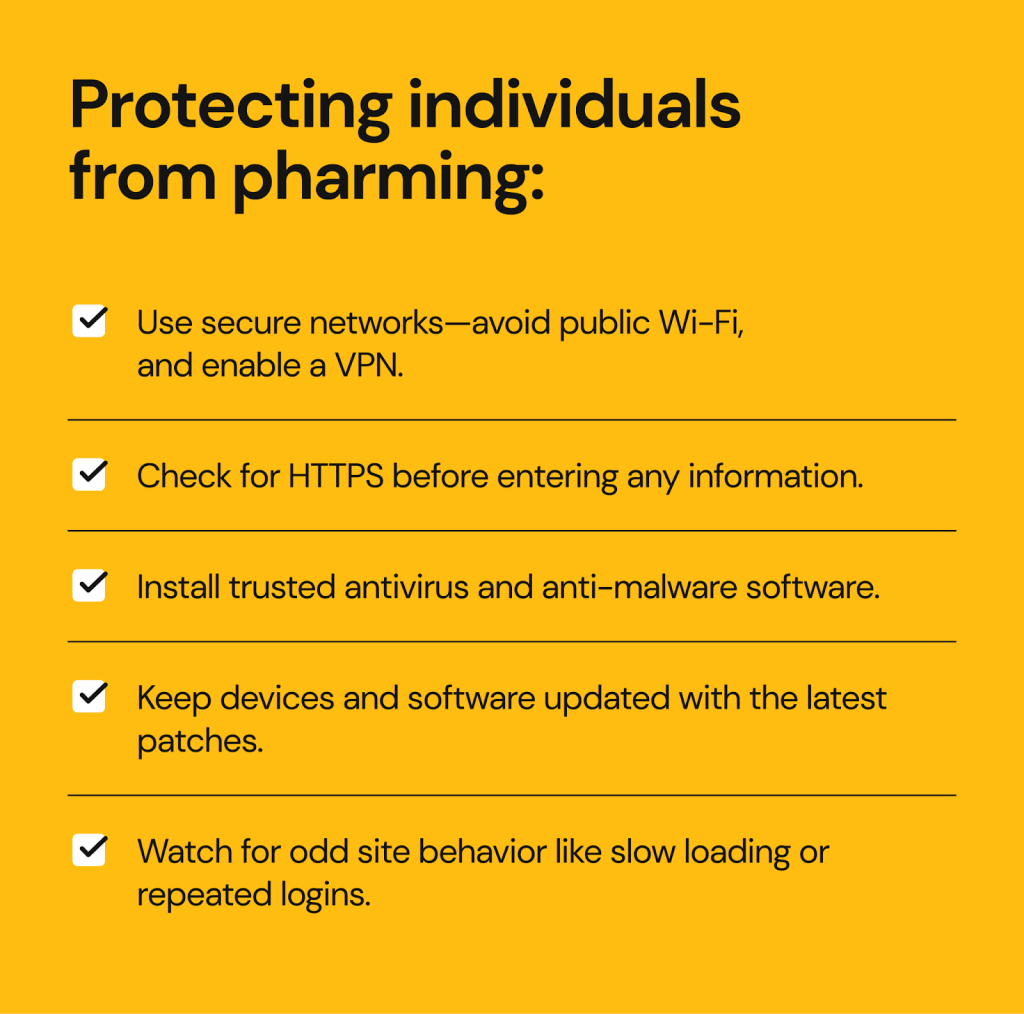
- Use trusted, secure networks, avoid public Wi-Fi (this can protect you from evil twin attacks, too), and use a VPN to encrypt your traffic as an extra security layer.
- Check website security before entering any data. Spoofed websites often use the unsecured HTTP protocol instead of the secure HTTPS one that encrypts the information entered by users.
- Use reputable antivirus and anti-malware software that can detect DNS or host file manipulation.
- Keep your devices and software updated with the latest security patches, including operating system updates.
- Be alert to unusual website behavior, for example if it loads more slowly than usual, sends unexpected requests to re-enter passwords, or requests irrelevant sensitive information.
For businesses
Businesses are high-value targets for pharming attacks, and the risks for them usually run higher as they manage their own websites that can be compromised.
Here’s the list of tips for businesses to secure their digital perimeter against pharming:
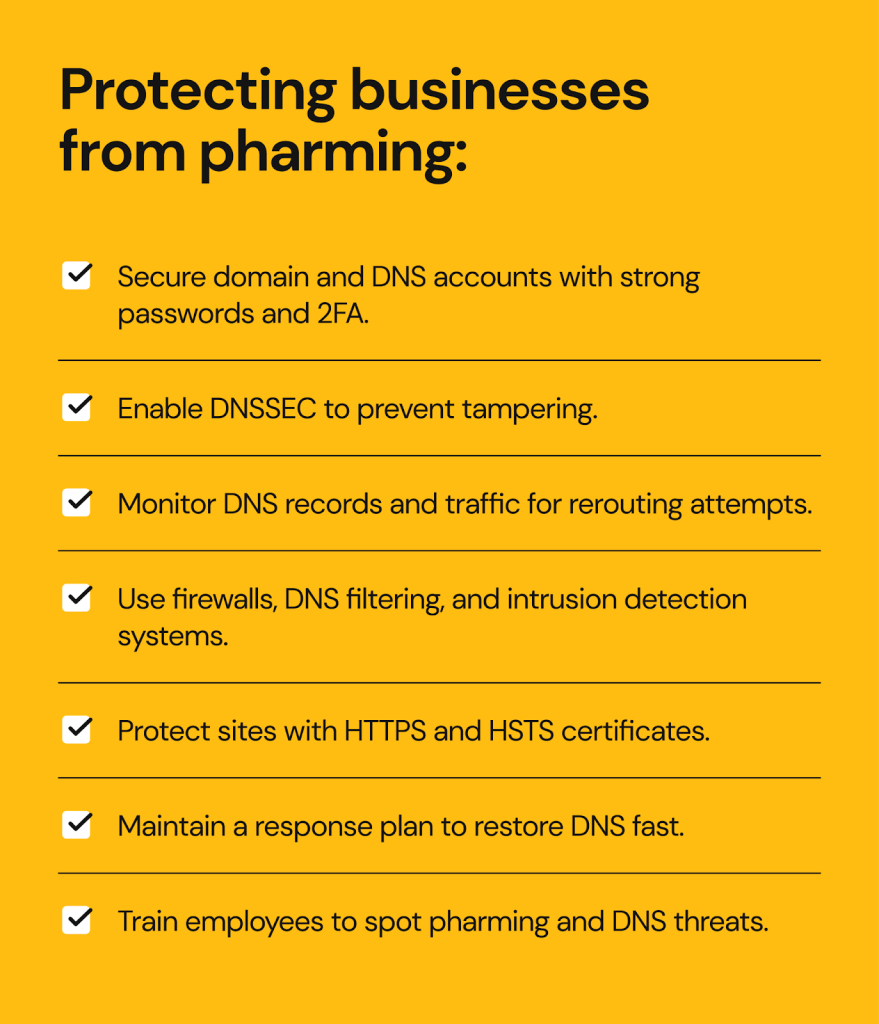
- Secure domain registrar and DNS accounts with strong unique passwords and two-factor authentication, restricting access to authorized personnel only.
- Implement DNS security extensions (DNSSEC) that digitally sign data to prevent tampering.
- Monitor DNS records and traffic to catch pharming attempts in a timely manner and prevent traffic re-routing.
- Monitor routers, modems, and network appliances and use network-level intrusion detection to spot anomalies and prevent network compromise via hacking.
- Adopt a layered network defense that includes firewalls, DNS filtering, endpoint protection, and secure email gateways, as well as use HTTPS and HSTS certificates for the company websites.
- Have an incident response plan to quickly react in case of a pharming attack, to be able to restore correct DNS records and coordinate with the ISPs if necessary.
- Educate employees and users through regular security awareness training and safe browsing guides to help them identify signs of pharming or DNS compromise.
FAQs about pharming
What are the warning signs of a pharming attack?
The red flags of pharming include a familiar website suddenly behaving differently, browser warnings about invalid or missing security certificates, unusual pop-ups asking for personal and payment information, and pages that redirect multiple times.
What should I do if I think I’ve been redirected to a fake site?
Leave the page immediately without logging in or entering any data, run a malware scan on your device, reset your DNS settings or router if necessary, and change passwords for all affected accounts. Contact your bank or payment provider if you entered your financial information on a fake website, they may be able to stop the transaction and set up fraud alerts.
Is pharming the same as phishing?
They are close, but pharming targets the technology that enables internet browsing, not people’s behavior. Pharming manipulates DNS settings to silently redirect users to spoofed versions of legitimate websites, while phishing is about visibly targeting people with messages that trick them into clicking malicious links or downloading infected attachments.
Can HTTPS protect me from pharming?
Partially. HTTPS encrypts data between your browser and the website it visits, but it doesn’t protect you in case you’re redirected to an attacker-controlled DNS server, in which case your data can be stolen.
How common are pharming attacks today?
Pharming is not as common as phishing, but it still occurs regularly. It often targets higher-value organizations and operates at scale, affecting thousands of people at a time, which makes a single pharming campaign highly damaging.


Dimitri is a tech entrepreneur and founder of Onerep, the first fully automated data removal service. Top cybersecurity CEO of 2021 by The Software Report.