 Last updated January 29, 2026
  read
read
How do you know if your phone is tapped? Common red flags in 2026

If your phone is tapped, you might notice odd behavior like call background noise, rapid battery drain, phone overheating when idle, or apps running on their own. You might also notice delays during calls, messages marked as read, or unknown devices logged into your Apple ID or Google account. While one symptom alone doesn’t confirm tapping, a pattern of several red flags appearing at the same time needs further investigation.
Here’s how to know if your phone is tapped—and how to stop prying eyes from tracking your activity.
How to know if your phone is tapped: common signs
Phone tapping originally referred to the act of connecting to a phone line to eavesdrop on calls. Also known as wiretapping, it’s been typically used by law enforcement to catch criminals.
Today, however, the term “phone tapping” has evolved and is also used to describe digital spying. If your phone is tapped, anyone from criminals and scammers to corporate spies or stalkers could use malicious software to intercept your data and monitor your cell phone activity in real time.
Here are common signs that could mean your phone is tapped:
Call issues
Echoes, background noise, distorted voices, and connection delays could mean someone is tracking your activity or listening in to your calls.
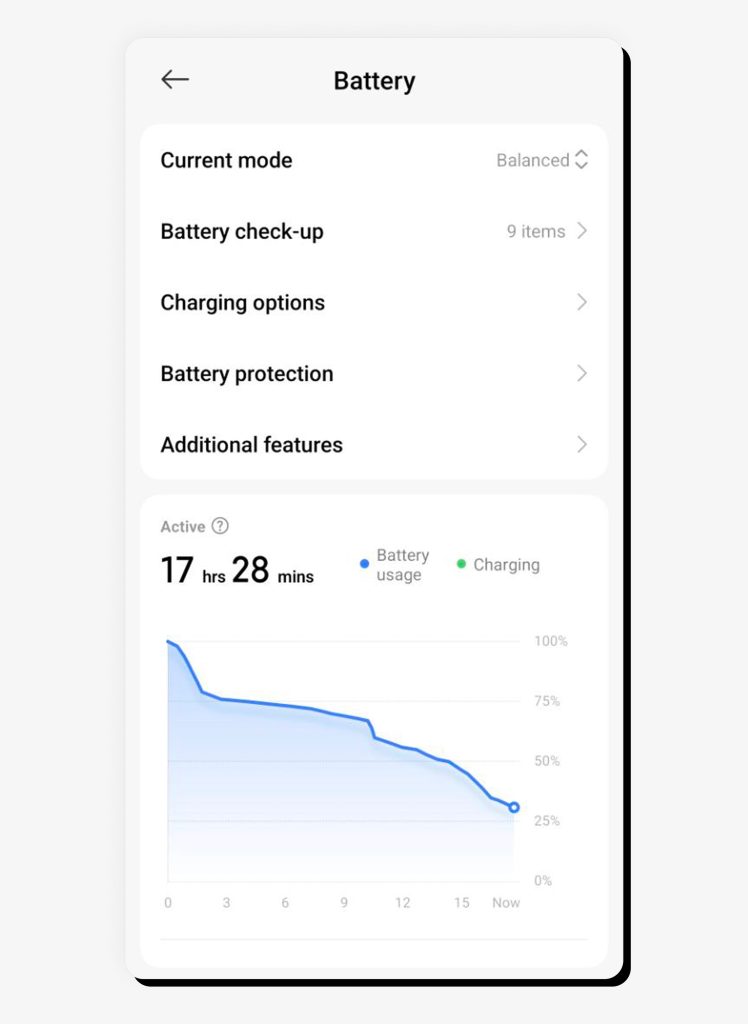
Excessive battery drain
If your phone is running out of battery faster than usual, it could be a sign that malicious software is running in the background—especially if the battery continues to drain rapidly when your phone is idle.
Overheating
Overheating might indicate background malware, particularly if your phone overheats often with minimal usage.
Slow performance, frequent restarts, and crashes
Spyware eats up processing power and RAM to monitor your activity, calls, and texts before sending your data out. It can also interfere with system processes, conflict with other apps, and use system-level exploits, making it unstable and leading to slow performance and frequent restarts or crashes.
Apps, cameras, and mics running by themselves
If you’ve noticed apps opening on their own or mics and cameras running by themselves, malware might be the culprit, as it could be attempting to steal data from the apps or record you in real time.
Messages marked “read”
Text messages that are marked as “read” before you’ve even seen them are a common sign that your phone is tapped. This also goes for apps like Facebook Messenger.
Unexplained data usage spikes
If your phone is tapped, malware is probably sending loads of data about you—including photos, videos, audio recordings, and your app activity—to criminals. That can take up a lot of bandwidth, spiking your data usage.
Odd texts
Some types of spyware send hidden texts. Normally, you can’t see them, but if the malware glitches, they might show up in your text messages as a string of random numbers and symbols.
Unknown apps and notifications
If new apps appear on your phone that you don’t recognize, they might have been installed by malware. Malicious software can also be the culprit behind unrecognized notifications.
Weird websites and popups
Some types of malware can fake well-known websites to steal your login credentials and other information. Others can force pop-ups to display, often in the form of a warning (like your phone is infected) or reward (like you won a sweepstakes) to get you to click a malicious link.
How to check if your phone is tapped
Use these tips to check if your phone is tapped.
Dial codes that might reveal tapping or call forwarding
Dial codes, also known as Man-Machine Interface (MMI) codes, can reveal whether your calls are being forwarded to another number without your knowledge, which could indicate SIM swap attempts, account compromise, or tapping. Common dial codes include:
*#21# – Checks unconditional call forwarding settings
*#67# – Checks call forwarding settings when busy
*#62# – Checks call forwarding settings when your phone is turned off
*#61# – Checks call forwarding settings for unanswered calls
##002# – Stops all call forwarding
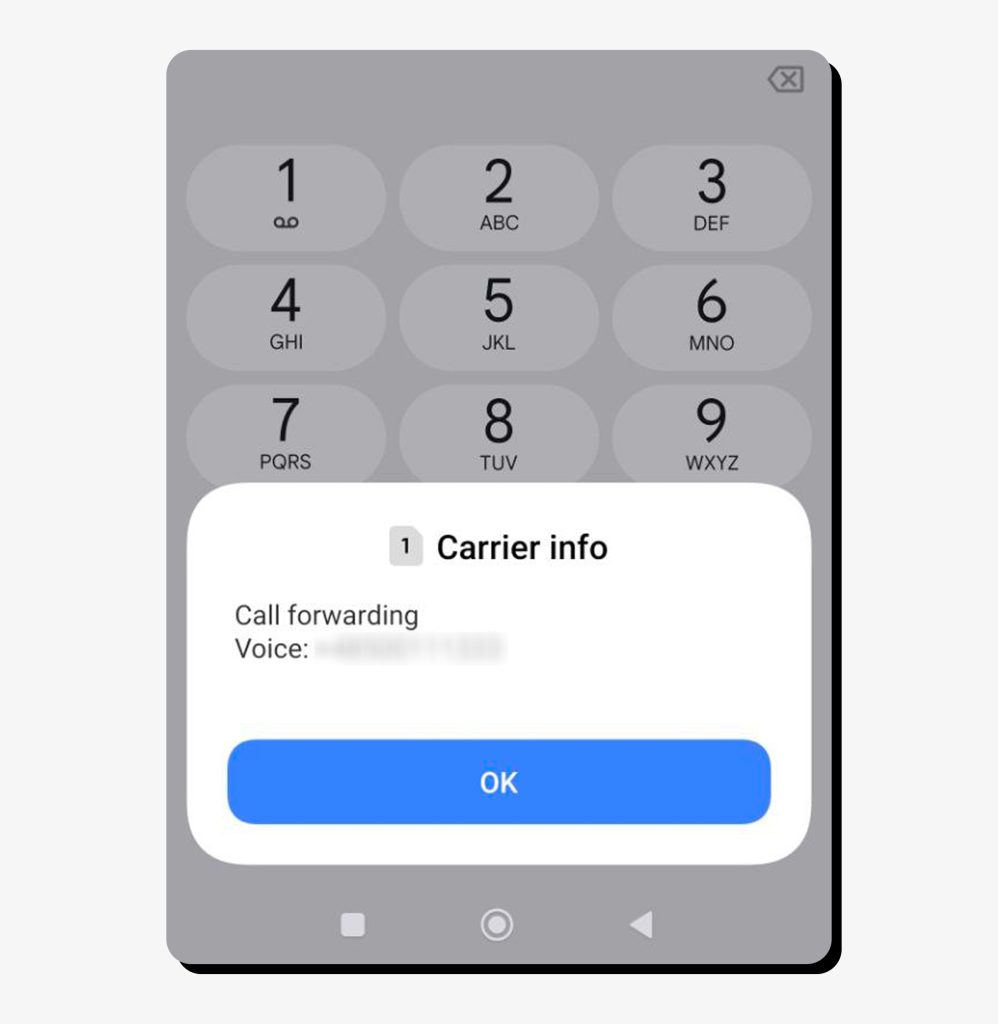
Keep in mind that different devices and carriers might have different dial codes. If these codes don’t work, check with your carrier or find call forwarding information in your phone settings.
Phone settings that might reveal tapping
Installed apps
Browse your phone’s list of installed apps and delete any you don’t recognize.
iPhone: Open the App Library
Android: Browse to Settings > Apps
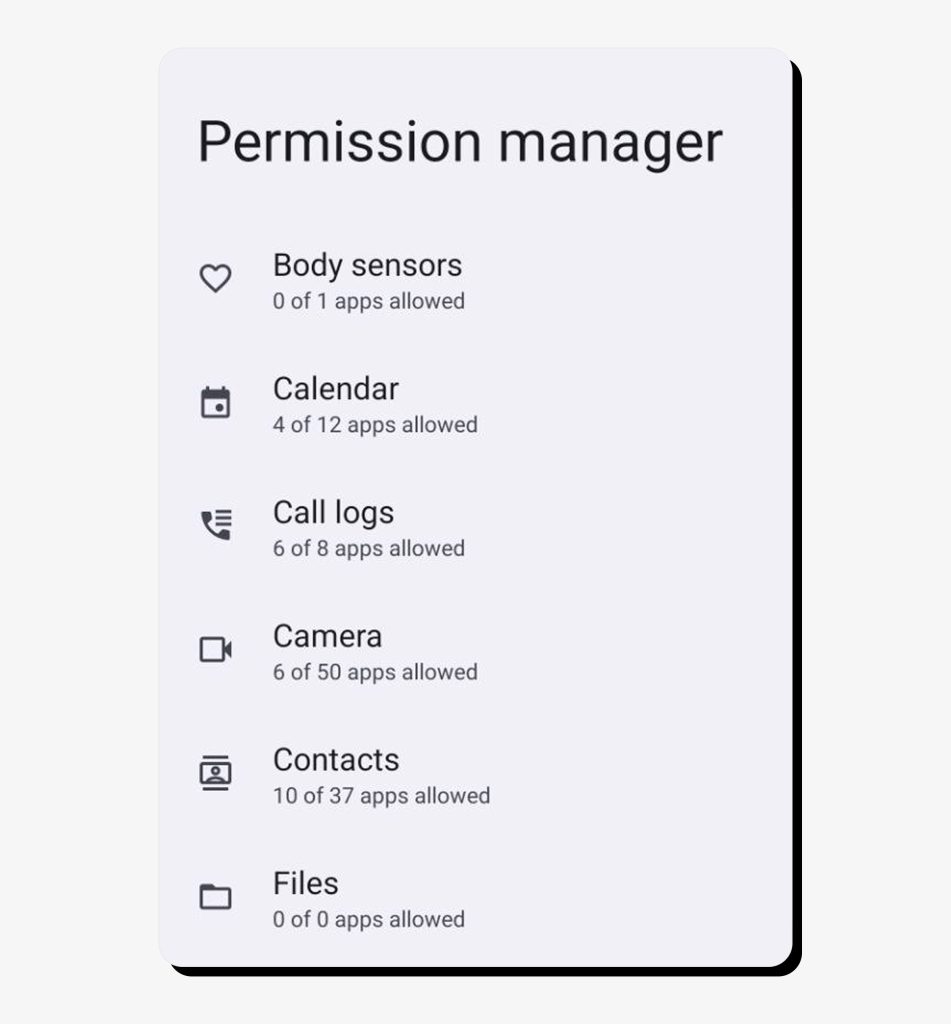
App permissions
Check permissions to make sure unrecognized apps aren’t accessing your phone’s cameras, mic, location, and other features.
iPhone
- Browse to Settings > Privacy & Security > App Privacy Report. Turn on App Privacy Report, then return later to see which apps use which permissions.
- You can also browse to Settings > Privacy & Security and review permission requests by feature (camera, mic, etc.).
Android
- Browse to Settings > Privacy > Privacy controls > Permission Manager
- Review which features have been accessed by which apps
Battery usage
Make sure no unfamiliar apps are draining your battery.
iPhone
- Browse to Settings > Battery
- See if any unrecognized apps have been draining your battery
Android
- Browse to Settings > Battery (or Battery and device care)
- Select Battery and scroll down to view which apps use your battery the most
Logged in devices
See which devices are logged into your Google, Samsung, and Apple ID accounts. If there are devices you don’t recognize, your phone might be tapped, and you should remove them.
iPhone
- Browse to Settings > [your name]
- Scroll down to view your device list
- Remove any unrecognized devices
Android
- Browse to Settings, select each account (Google, Samsung), and review logged-in devices
- Note that menu options vary depending on the account
Android accessibility
Malware can hijack Android’s accessibility service to spy on your activity and see the text inside other apps—including messages, emails, passwords, and notifications.
- Browse to Settings > Accessibility > Installed Apps
- Remove any unrecognized apps with the feature turned on
What to do if you suspect your phone is tapped
Turn on airplane mode
Airplane mode shuts off cellular and WiFi services, so you’re not connected to the Internet—meaning your phone won’t transmit your data to would-be spies.
Make a limited backup
Create a backup, but only of photos, files and contacts you really don’t want to lose. That way, you won’t reinstall infected files if you need to reset your device and restore from backup.
Remove permissions and delete apps
Revoke any questionable permissions and uninstall unknown apps. If needed, boot your phone in safe mode to see whether any app causes the issues you’re experiencing (safe mode is available only on Android).
Turn off call forwarding
If you discovered call forwarding settings that you didn’t set, remove those numbers or turn it off completely. Note that your voicemail number is probably set as a call forwarding number, so you don’t need to remove that.
Run a malware scan
If you have an Android, install a reputable antivirus and run a malware scan, then remove any threats. iPhones don’t allow third-party antivirus software, but security apps can still alert you to suspicious behavior, unsafe settings, or compromised accounts.
Change passwords and set 2FA
Set new, strong passwords for your accounts—especially Google, Samsung, and Apple ID—and enable two-factor authentication.
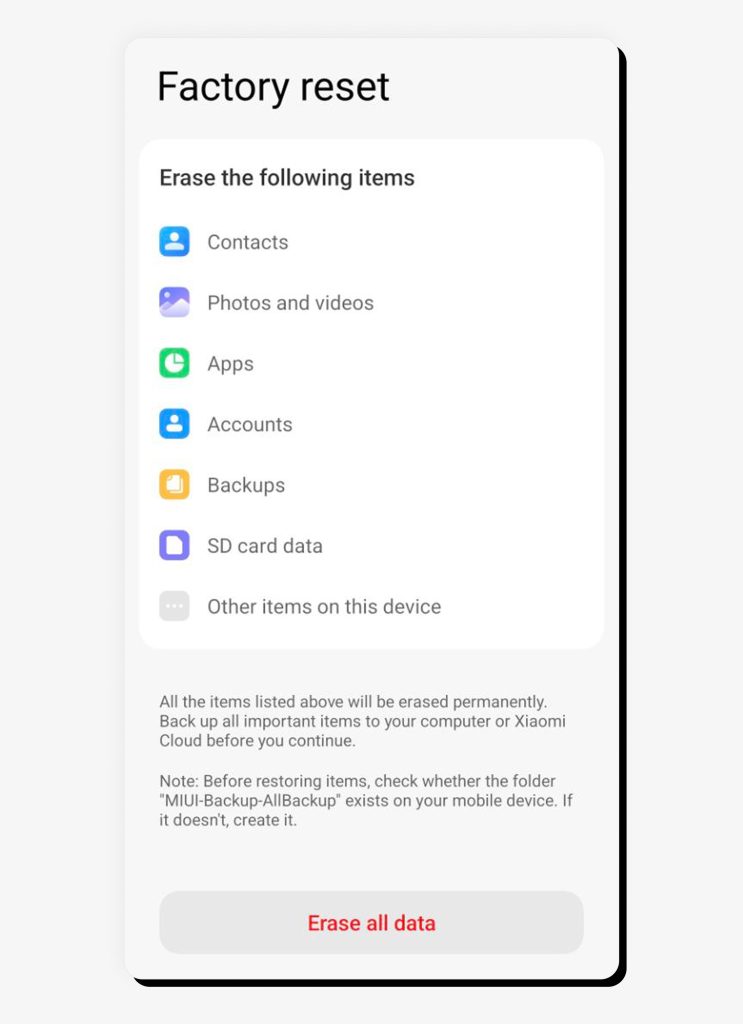
Factory reset your phone
If you’re having trouble deleting apps or you want to be absolutely certain your phone is no longer tapped, perform a factory reset. Just be sure you don’t unwittingly re-infect your phone by restoring it from a full backup that’s infected with malware. Only use the limited backup you previously created—or, even better, start from scratch and add your contacts manually.
Contact law enforcement
You can report phone tapping to law enforcement agencies, especially if you have definitive proof that your phone was tapped or if criminals stole your money. If you believe your personal data was stolen, you might also consider contacting credit bureaus to temporarily freeze your credit and talking to your identity theft insurance provider, if you have one. Note that many car insurance and home insurance policies include identity theft coverage.
How to protect your phone from being tapped or tracked
Use these tips to prevent your phone from being tapped in the first place:
1. Never sideload apps
Sideloading (installing apps from unofficial sources) is an easy way to introduce malware on your phone. Only install apps from Google Play and the Apple App Store.
2. Update your OS and apps
Keep your operating system and apps up to date, as updates often include security patches that can help prevent malware.
3. Use public WiFi, NFC, and Bluetooth with caution
Unsecured networks are easy entrance points for phone tappers. If you must use public WiFi, make sure you’re enabling a VPN first. Only pair your phone with known Bluetooth devices, and keep NFC turned off in public places unless absolutely needed.
4. Review app permissions and disable location sharing
Routinely review app permissions to make sure unknown apps can’t access your camera, mic, or other features. Disable location sharing as much as possible.
5. Be wary of text message and email links
Phishing and smishing are popular tactics where scammers spoof emails and texts to make it appear as though they came from legitimate sources. When you click the links, the website will look legit, too, but can install malware that taps your phone. Instead of clicking links, type website URLs directly into your browser.
6. Set a strong password, use biometrics and 2FA
Create a strong password with two-factor authentication, then use biometrics such as your fingerprint and face ID to make it nearly impossible for someone to access your phone.
7. Install a reputable antivirus
Antivirus software can help block online threats and detect and remove malware if it does get installed.
8. Consider using a VPN
A VPN masks your IP address and location, making it more difficult to track you. It can also help protect you if you’re using public WiFi networks.
9. Don’t jailbreak your phone
Jailbreaking or rooting your phone makes you more susceptible to malware, especially if you’re doing it to sideload SDKs (apps you can’t get from the official stores).
10. Be careful with what you share
Criminals are adept at researching you and using the information they find to guess your passwords and security answers so they can access your accounts—especially dangerous if they have tapped your phone. People-search sites make it easier for scammers by publishing your personal information online.
Share as little as possible on public platforms like social media, and opt out of people-search websites to make it difficult for criminals to access your accounts and steal your identity.
FAQs
How to know if someone is tracking your phone?
Rapid battery drain, excessive data usage, and unrecognized call forwarding numbers are all clues that someone is tracking your phone. Check phone settings like call forwarding, app permissions, battery usage, and installed apps to spot anything unfamiliar, then remove suspicious access and secure your accounts.
How to check if your phone is tapped by police?
There is no reliable way to tell if your phone is tapped by law enforcement. That’s because legal wiretaps take place on the carrier’s network, not on your phone itself.
Is my phone being monitored?
The best way to tell if your phone is being monitored is to keep an eye out for excessive battery and data usage, unnecessary apps and permissions, weird call background noises, unexplained overheating, and other odd behaviors.
How to tell if your phone is bugged?
Your phone might be bugged if it’s running out of battery quickly, overheating for no apparent reason, having poor call quality, forwarding calls to unknown numbers, or opening apps on its own, among other things.

Mark comes from a strong background in the identity theft protection and consumer credit world, having spent 4 years at Experian, including working on FreeCreditReport and ProtectMyID. He is frequently featured on various media outlets, including MarketWatch, Yahoo News, WTVC, CBS News, and others.