 Published February 23, 2026
  read
read
Is GOV+ legit? What it is and how to tell if GovPlus is safe to use
Is GOV+ legit, or is it just another website trying to look official? The name alone makes many people assume it’s a government service, but it isn’t. It’s a third-party service provider that charges a service fee to help people complete and manage government paperwork.
So is it safe? Is it worth the money? And should you be concerned about sharing sensitive information like your Social Security number? In this guide, we’ll break down how GOV+ works, what real users are saying, and whether it’s a legitimate service or something you should avoid.
What GOV+ is and what it does
GOV+ is a private company that helps you deal with government paperwork online. They provide support with birth certificate requests, Social Security card replacement, passport-related paperwork, address changes, and TSA PreCheck renewal. You get guided step-by-step instructions on how to complete the forms, reminders on when to file submissions, and a place to store your documents online.
This convenience comes at a cost. GOV+ charges a service fee for using its platform, and you must still pay the official government fees separately. It does not replace the government agency or control how quickly your application is processed.
GOV+ is NOT a government website
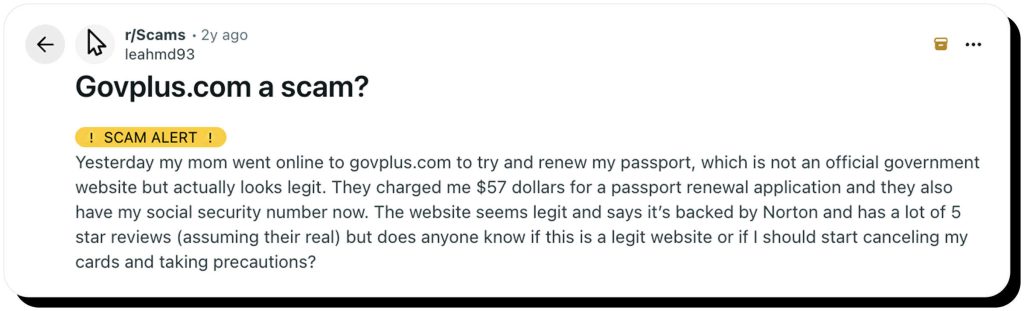
You might be wondering: Is GovPlus legit? The answer depends on what you expect from the platform. On its website, the company clearly states that it’s not connected to a federal or state agency.
GovPlus® is a private online software technology company not affiliated nor endorsed by any Government or State agency. We do not charge for any forms; however, we charge for use of our software in assisting you with completing the form. We are not a financial, accounting or law firm and do not provide legal or financial advice.
So why the confusion?
Because of its name and branding, some users assume GOV+ is a government service. It isn’t. The company positions itself as a paid platform that helps users complete paperwork.
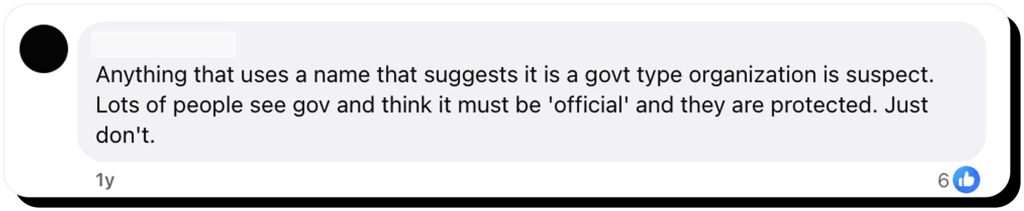
There’s also a simple way to tell the difference between a private company and an official government site:
- Official U.S. government websites end in .gov
- GOV+ operates on a .com domain
That distinction alone can help you avoid mixing up third-party services with official agencies.
How GOV+ works, step by step
GOV+ is fairly simple and intuitive to use, and here’s what to expect when you use the platform for the first time:
Step 1: Pick a service. Choose what you need help with, like renewing a passport, replacing a birth certificate, or updating your address.
Step 2: Enter your details. You provide the information required for that service. Some of it can be sensitive, like Social Security numbers (SSNs) or personal IDs.
Step 3: Review and check out. Take another look at your order before you pay, including the service fee and optional add-ons. This is where most people get confused.
Step 4: What GOV+ does vs. What you must do yourself. GOV+ guides you, fills forms, and organizes documents, but you may still need to print documents, mail them, or attend meetings in person, depending on the task.
Step 5: Confirmation, tracking-style updates, and reminders. You’ll get confirmation of your request, tracking-style updates, and reminders to help you stay on top of the process.
Is GOV+ legit for passports and other services?
One of the biggest concerns users have is: Is GOV+ safe to use? That question becomes even more important when applications involve sensitive passport details or identity documents.
To evaluate the risk, it helps to look at three things: what data the platform collects, how it says it protects that data, and what risks naturally come with sharing personal information with any third-party service.
What data you may be asked for
As expected, GOV+ needs certain information to complete your request. This usually includes your contact info, date of birth, and address. The exact data you’ll have to provide depends on the type of request.
For some services, like passport renewals or ID replacements, they may also ask for sensitive info such as your SSN, government ID numbers, or scanned copies of documents.
Is GOVplus safe to use: What “safe” should mean here
Here is how we assess whether a service is “safe”:
- How they handle data: GOV+ promises that your personal information will be encrypted, stored securely, only shared when necessary, and deleted once no longer needed. These are all good practices.
- Payment safety: When using GOV+, your payment should go through a secure, encrypted payment system. This helps protect your financial information.
- How secure your account is: This one is mostly up to you. Remember to protect your GOV+ account with a strong password and multi-factor authentication (MFA).
Common-sense risk rule
Regardless of all the safety precautions, no website is 100% safe. Data breaches and information leaks happen all the time.
If you don’t feel comfortable sharing your SSN or ID documents with a private company, you can always use an official government website.
Read more:
Preventing Social Security scams: safeguard your SSN from sophisticated identity theft
GOV+ fees explained (and why people call it a scam)
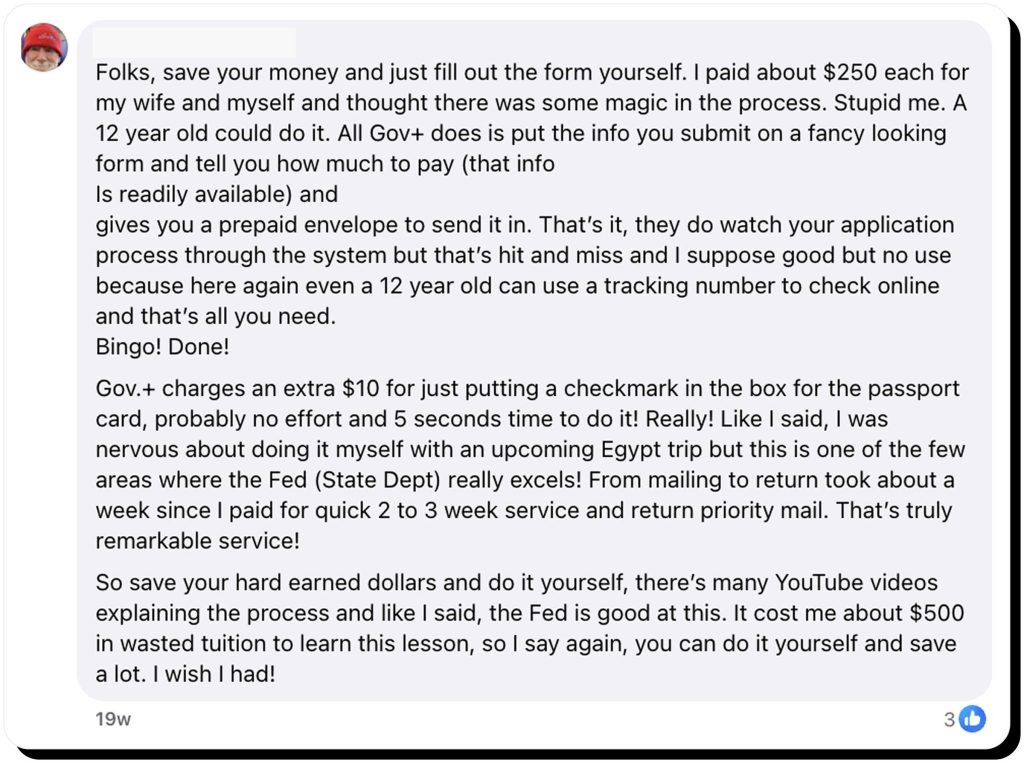
This is a common sentiment people express regarding GOV+ fees. Some may even call it a scam. It’s important to understand that GOV+ charges a fee for its own services, and the government fee (for example, for a passport) is paid separately.
At checkout, pay close attention to the price breakdown:
- How much is the service fee? What is the actual government fee?
- Are add-ons included?
- Is it a one-time payment or a subscription?
GOV+ may be expensive, but it’s entirely legal; they transparently show the price breakdown, and there are no hidden fees.
Before you pay: 5 things to confirm at checkout
- Price breakdown: Look at the GOV+ service fee, the government fee, and the total.
- Repeating: Check if the payment is recurring or one-time.
- Refund rules: Some services may be non-refundable, so make sure you take a look at the refund policy.
- What you get: Check what’s included in the service. Will you get completed forms, reminders, document storage, or something else?
- Whether you need to do something: Will GOV+ file the paperwork on your behalf? Or do you still need to print, sign, and mail it yourself? This depends on the request.
GOV+ reviews and complaints
People are very vocal online about their experience with GOV+. Before signing up for the service, check out the GovPlus reviews and complaints yourself.
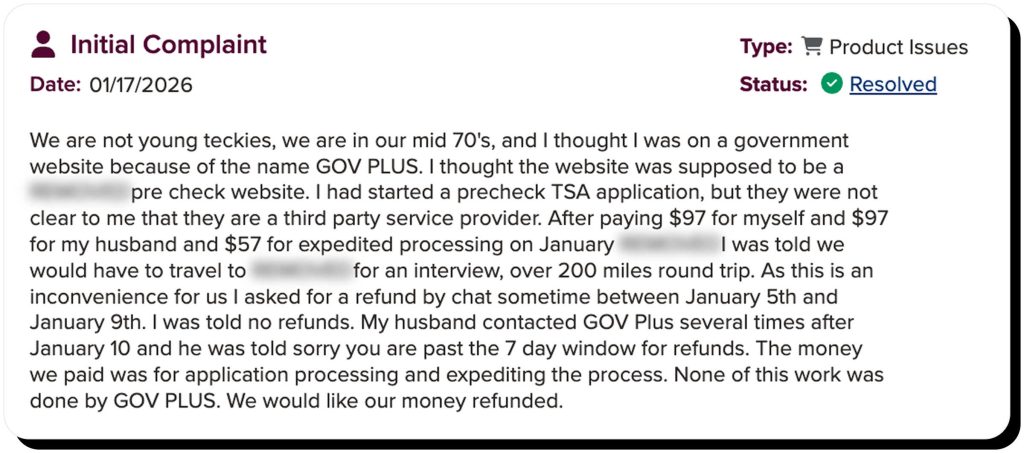
- The cost is the main concern. A lot of people didn’t realize that GOV+ is a private service and were surprised by the full price. Others said the whole process was delayed, couldn’t reach customer support, or had issues claiming a refund.
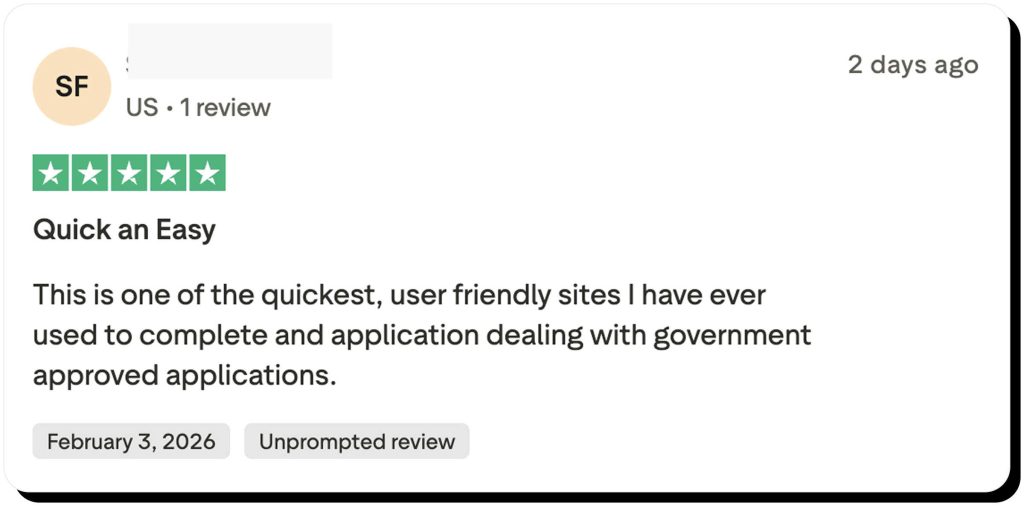
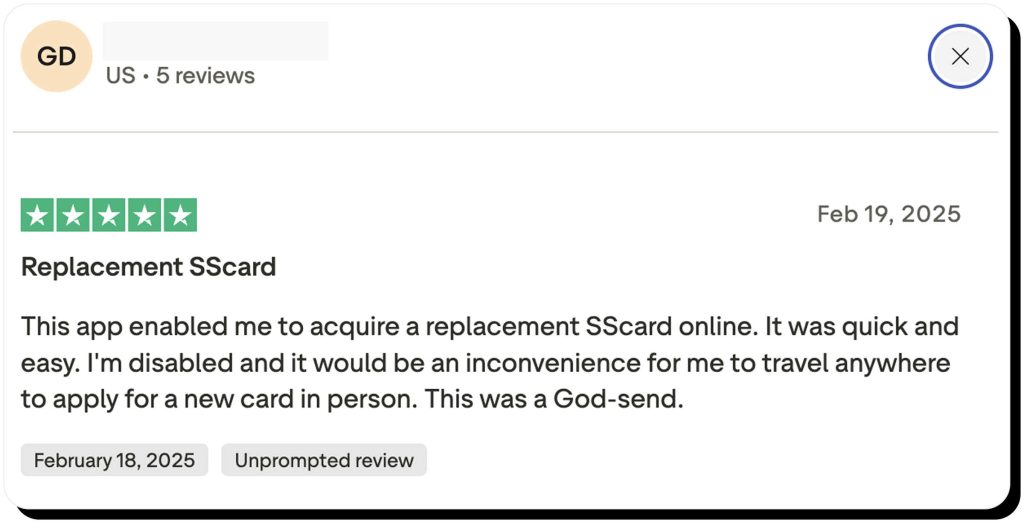
- Positive GOV+ reviews praise the convenience. People say the guided steps are easy to follow, and the reminders helped them file everything on time.
When doing your research, don’t just look at the star rating. Does the same issue keep showing up? Read multiple reviews and see if you can find a pattern. That’s more relevant than a single positive or negative comment.
So, is GOV+ a scam?
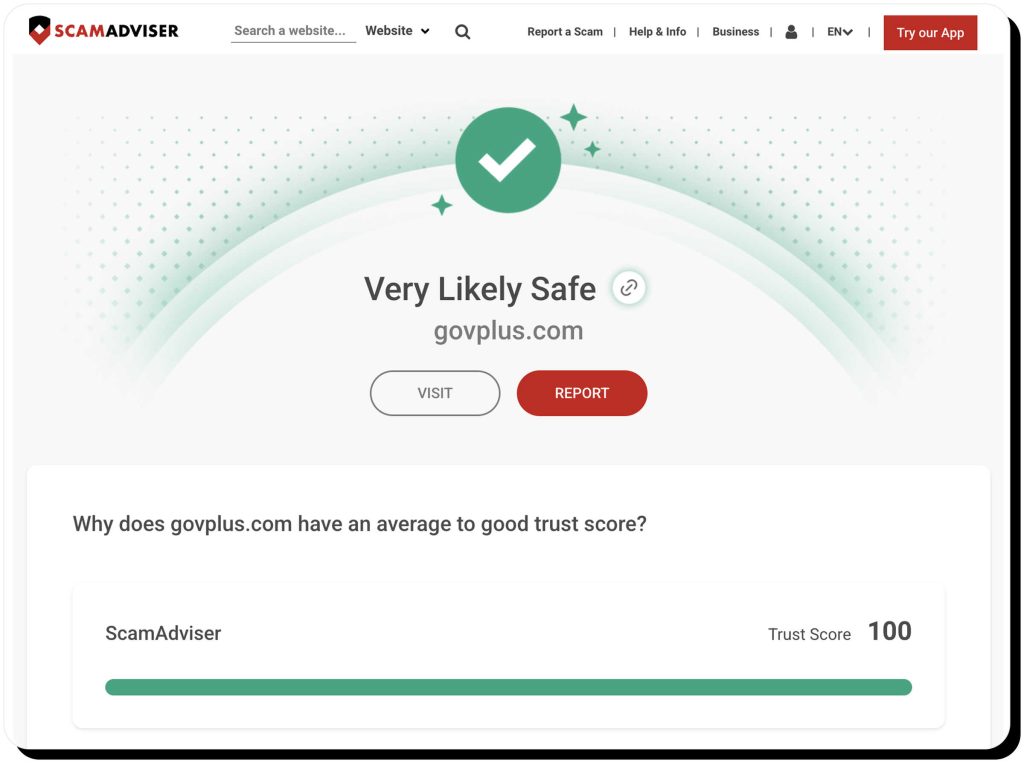
Verified reviews and scam detection sites (such as ScamAdviser and TrustPilot ) indicate that GOV+ is not a scam. It’s just necessary to understand what you’re paying for. GOV+ is a third-party service; hence, the government fee is paid separately.
It can be worth it if you don’t have a lot of time, need to drive far away to file paperwork, or struggle with mobility. Some people simply prefer having all the instructions and reminders.
If the form is simple and you know how to fill it out through the official government website by yourself, it may not make sense to pay for somebody else to do it.
So, is GOV+ a scam? Think of it as a paid convenience service, not an official government provider, and the value might be worth the cost.
How to avoid GOV+ lookalikes and government paperwork scams
Criminals often build fake websites that may look like GOV+ or official government websites. A few simple habits can help you stay protected:
- Start from the official website. Begin your application directly on the government agency’s official website. From there, you can decide if you want outside help, instead of landing on a third-party site first.
- Double-check the domain. Official U.S. government sites end in .gov. Scam or third-party sites may use .com, .org.
- Don’t be fooled by the logo. Government seals, security badges, and trust icons can be placed on any website. A professional look does not guarantee the site is official or secure.
- Use a credit card. When using a third-party service, pay with your credit card, as it will be easier to dispute unwanted charges.
- Turn on alerts for card charges. This one is always a good idea. Set up real-time transaction alerts with your bank or card issuer.
When in doubt, pause and verify the site before entering personal information or payment details.
What to do if you already paid or shared personal info
If you’ve shared your sensitive information or paid for the service before realizing it might not be safe, don’t panic. Here is what to do next.
If you just overpaid
There is usually a way to get your money back:
- Request cancellation or a refund. Contact the company’s customer support as soon as possible and ask about cancellation or refunds.
- Dispute the charge if needed. If you believe the billing was misleading or unauthorized, contact your credit card issuer or bank to start a dispute. Credit cards usually offer the strongest protection.
- Document everything. Take screenshots of the checkout page, save confirmation emails, and write down dates and timelines. This will help if you need to escalate the issue.
If you shared sensitive data
Sharing your personal information always carries the risk of fraud. Here is how to protect yourself:
- Change your password and enable MFA. Update your password for that account and turn on MFA if available. If you tend to use the same password on multiple accounts, change those too.
- Watch for suspicious messages. Be alert for unexpected emails, texts, or calls asking for more personal information.
- Consider a fraud alert or credit freeze. If you shared your SSN, consider reaching out to one of the three main credit bureaus and placing a fraud alert. You can go the extra mile and freeze your credit altogether.
How Onerep can help reduce your exposure
Once your personal information is exposed online, it will likely appear on data brokers and people-search sites. Details like your name, address, phone number, and relatives allow fraudsters to target you with social engineering scams.
Onerep helps you limit how widely available your personal details are. Our automated service finds and requests the removal of your personal information from many data broker and people-search sites. Shrinking your public digital footprint is the best way to protect yourself from fraud.
FAQs
Is GOV+ legit for passports?
GOV+ reviews show it’s a real third-party service that helps you prepare passport paperwork. You’ll have to pay for the passport to be issued in addition to the GOV+ fee. It’s not the government and does not issue passports.
Is GovPlus a secure platform?
GovPlus uses industry-standard protections for accounts, payments, and data. It’s up to you to decide how comfortable you are sharing your sensitive information with a third party. Some people feel safer using the official government site.
Is GovPlus an official government website?
No, it isn’t. GovPlus is a private company not affiliated with the government. Official US government websites always end in .gov, while GOV+ uses a .com domain.
What are the pros of using GOV+?
GOV+ offers step-by-step guidance and makes the whole process simpler. It can be great if you feel overwhelmed by government paperwork and have limited time.
Why does GOV+ charge extra fees?
GOV+ is a third-party service that charges service fees for convenience features like guided completion, document prep, and reminders. These are separate from official government fees.
Can I get a refund from GOV+?
GOV+ refunds depend on the service and how much work has already been completed. Check the terms before you pay and contact support quickly if you want to cancel. You can also try to dispute the charge with your card issuer.

Mark comes from a strong background in the identity theft protection and consumer credit world, having spent 4 years at Experian, including working on FreeCreditReport and ProtectMyID. He is frequently featured on various media outlets, including MarketWatch, Yahoo News, WTVC, CBS News, and others.