 Last updated April 9, 2026
  read
read
How to remove your data from Kentucky Court Records
KentuckyCourtRecords.us is a people-search website that compiles and displays publicly available information from a variety of government and third-party sources. It’s not an official government website and has no affiliation with the Kentucky Judicial Branch or any court system.
How to opt out of Kentucky Court Records
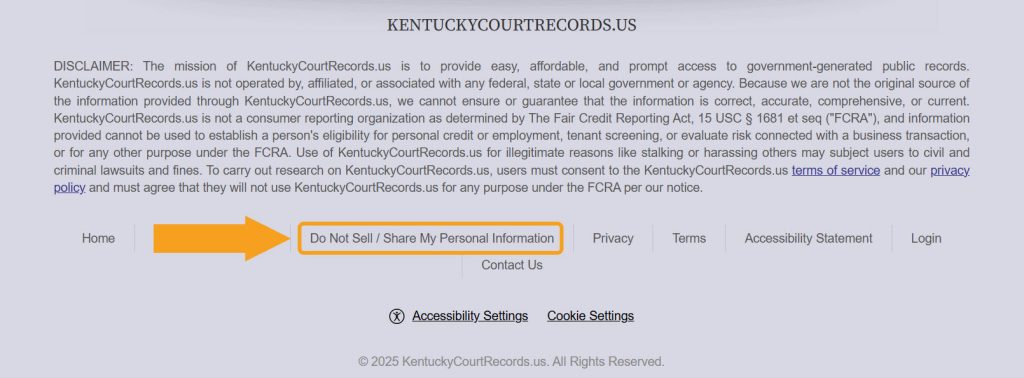
Step 1: Go to the Kentucky Court Records site, scroll all the way down, and follow the “Do Not Sell/ Share My Personal Information” link.
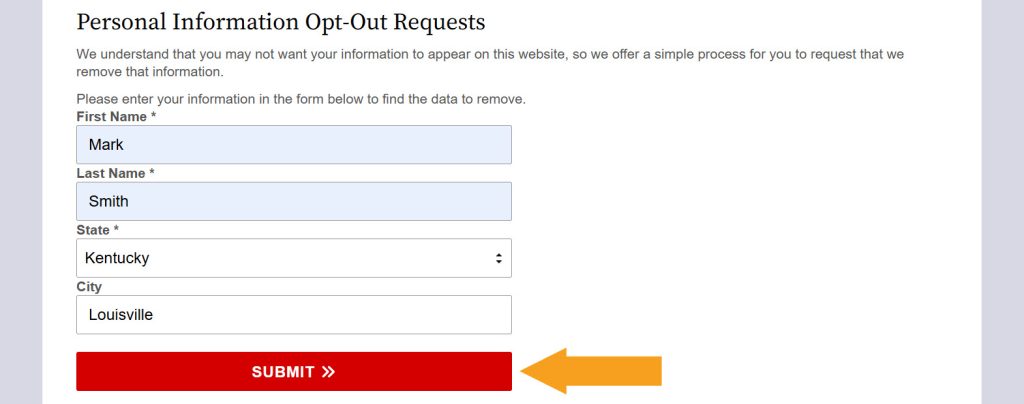
Step 2: To look up your record, fill out the “Personal Information Opt-Out Requests” form and submit it.
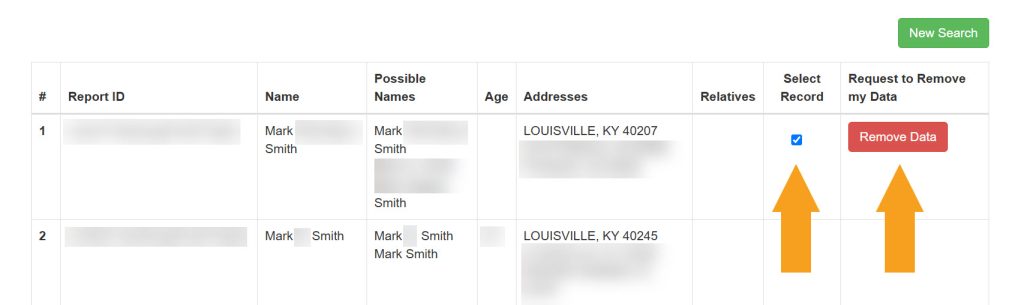
Step 3: If you’re prompted to confirm that you aren’t a robot, check the verification box. When the search results load, find a matching record and select it. Then, click the removal button.
Step 4: Type the email you use for removal requests and click the “Submit” button.
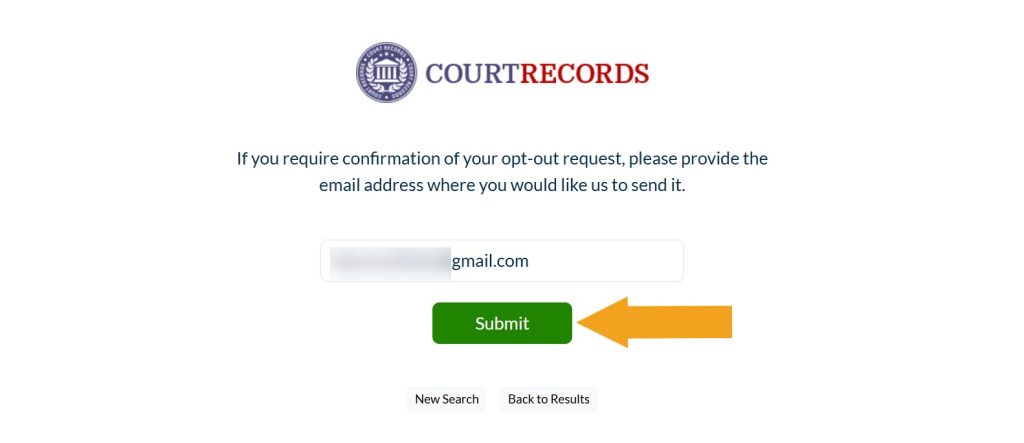
Your opt-out request has been sent—you should see an on-screen confirmation. You should also receive an email confirmation when your data is removed.
How to contact KentuckyCourtRecords.us
KentuckyCourtRecords.us customer service is available via phone at 833-963-2494.
Your info is still exposed on other people-search sites
Although you have opted out of KentuckyCourtRecords.us, other sites are still sharing your personal information. Follow these guides:
- How to remove yourself from Whitepages.com
- How to remove yourself from ThatsThem.com
- How to remove yourself from OfficialUSA.com
- How to remove yourself from PeopleLooker.com
- How to remove yourself from NumLookup.com
Go through this list and send opt-out requests manually to each data broker, or subscribe to Onerep to remove records automatically from 316 sites with just a few clicks.




Dimitri is a tech entrepreneur and founder of Onerep, the first fully automated data removal service. Top cybersecurity CEO of 2021 by The Software Report.