 May 8, 2024
 read
Opt out of PeopleSmart.com
- By Dimitri Shelest Founder and CEO at Onerep

Dimitri is a tech entrepreneur and founder of Onerep, the first fully automated data removal service. Top cybersecurity CEO of 2021 by The Software Report.
Read more - Checked by Alena Shymanskaya Content Manager at Onerep

Alena is an experienced content writer with a specialized focus on data brokers and the intricacies of personal data management.
Read more
- Removal difficulty: Medium
- Profile is removed within: 4 weeks
- Manual submission: around 15 min
- Removal requirements: email, CAPTCHA
 Why trust this guide

We know all the ins and outs of the data broker removal:
Founded in 2015, we pioneered automated removal from people-search sites. Our service uses precise opt-out algorithms tailored for each website. When a site changes its algorithm, we detect the change immediately, and our team updates the process. These updates are promptly reflected in the Onerep DIY data broker removal guides. With 16 million records already removed from hundreds of sites for our customers, you are accessing the expertise of the #1 team in the industry with this guide.
What is PeopleSmart?
PeopleSmart.com is a people search site that shares personal information on the web. It is associated with another massive people-search site called BeenVerified. BeenVerified currently manages removals for PeopleSmart.com. Removing your information from BeenVerified.com will remove your data from PeopleSmart.com. You will need to fill out an opt-out form.
How to remove your information from PeopleSmart.com?
In short:
- Follow PeopleSmart’s opt-out link beenverified.com/app/optout/contact-search
- Look up your profile
- Сlick the “Proceed to Opt Out” button
- Submit your email
- Verify your request via the link sent to your email
Step 1
Navigate to PeopleSmart.com.
Step 2
Scroll down the page to click on the “Do Not Sell My Personal Information” link.

Step 3
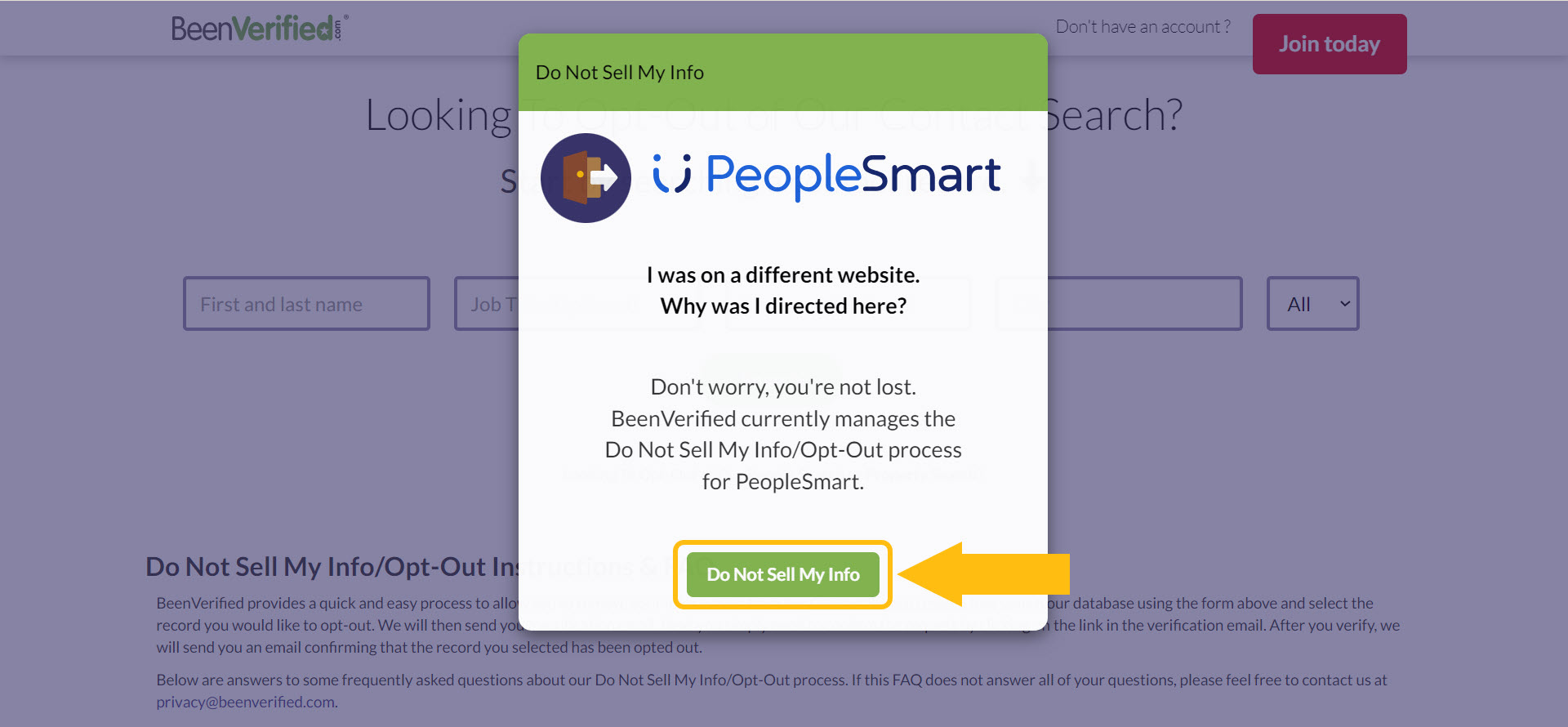
You will get redirected to BeenVerified.com. BeenVerified currently manages opt-out requests for PeopleSmart. Click on the “Do Not Sell My Info” button to proceed with the removal process.
Step 4
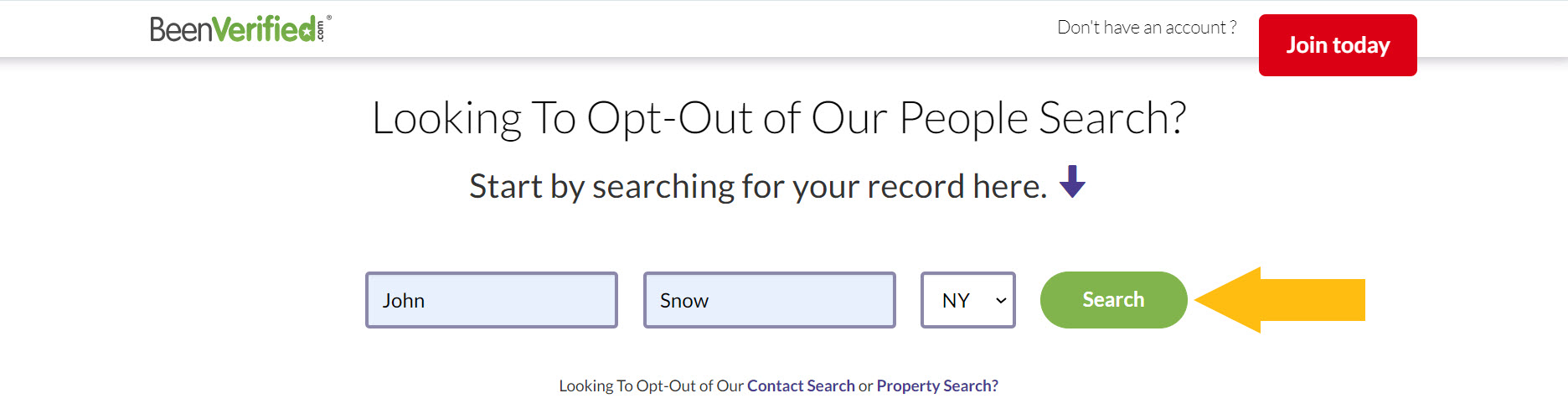
Enter your first and last name, select your state and click “Search”.
Step 5
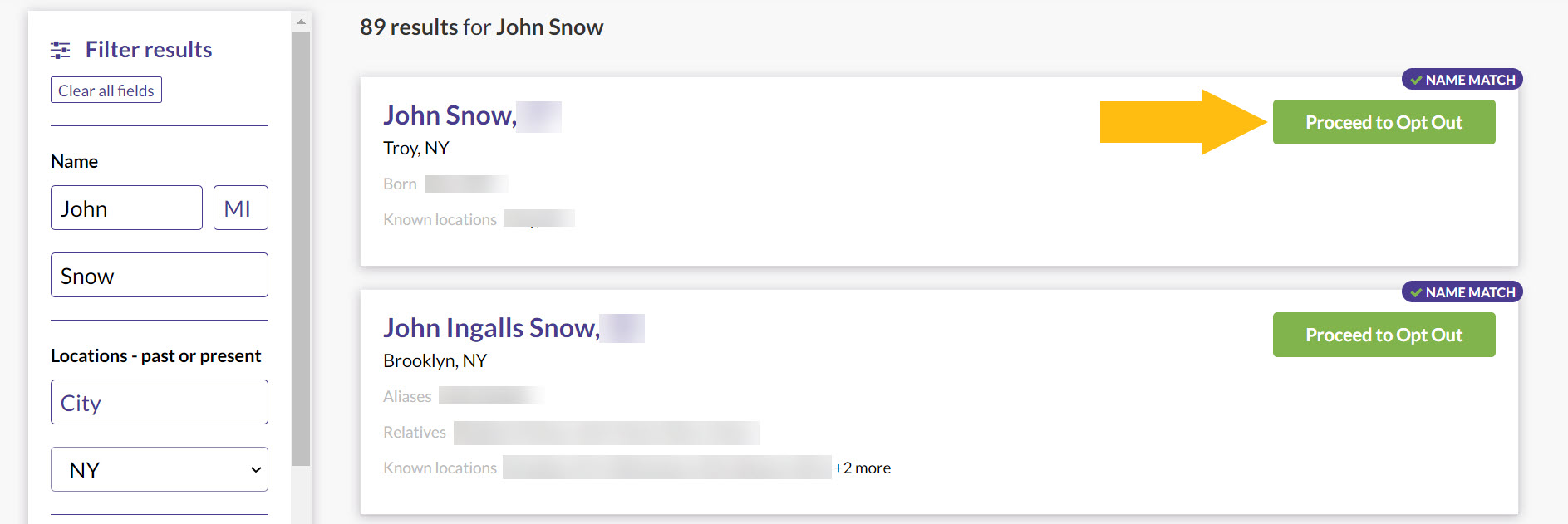
Locate the record you’d like to remove and click on the “Proceed to Opt Out” button next to it.
Step 6
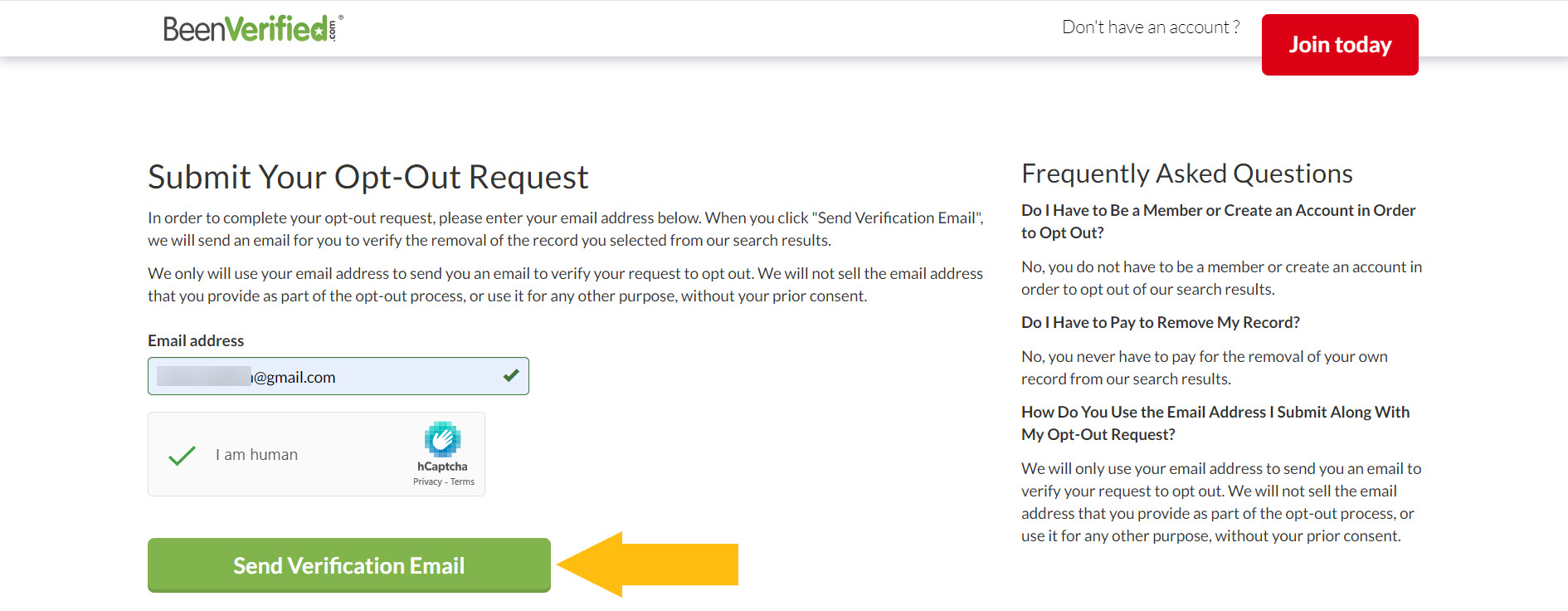
Enter an email address you use for opt out requests, perform the CAPTCHA and click the “Send Verification Email” button.
Step 7
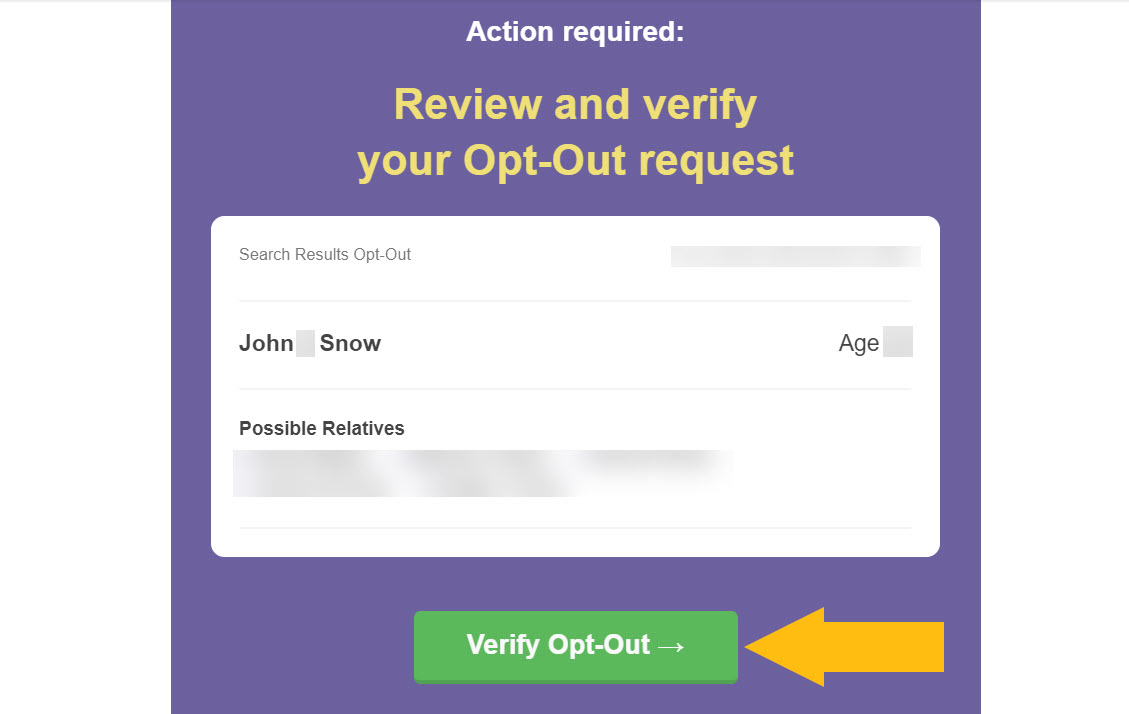
Check your inbox to find a verification email from BeenVerified. Click on the “Verify Opt Out” button.
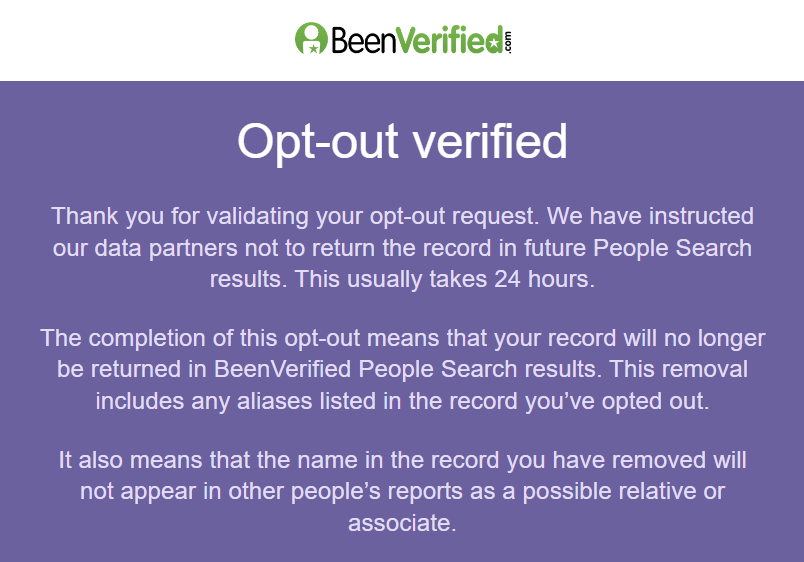
Your opt-out request has been confirmed.
How to contact PeopleSmart directly
You can reach out to PeopleSmart with questions and concerns via email at [email protected] or via phone at 1-267-846-5087 from 6 am to 11:30 pm EST. Alternatively, use their live chat option.
Your data is still exposed on other brokers
Opting out of PeopleSmart.com takes you in the right direction. However, it isn’t enough to keep your personal data private.
We recommend that you opt out of these five next:
- How to remove yourself from PeekYou.com
- How to remove yourself from Radaris.com
- How to remove yourself from Whitepages.com
- How to remove yourself from PeopleFinders.com
- How to remove yourself from CheckPeople.com
Go through this list and send opt-out requests manually to each data broker, or subscribe to Onerep to remove records automatically from 320 sites with just a few clicks.
Why remove yourself from PeopleSmart
Even though PeopleSmart.com doesn’t attract loads of regular visitors, it exposes many personal details that can be used by scammers and identity thieves. Such details include full names, phone numbers, emails, locations, job titles, employment background, and other data. PeopleSmart’s massive database contains 100+ million business contacts, 100+ million email addresses, 10+ million companies, and 20K job titles.
Who sees your data on PeopleSmart
Sources: Similarweb PeopleSmart report
About PeopleSmart
- Headquarters: New York, NY
- Number of employees: 10-50
- Website URL: peoplesmart.com
- Contact email: [email protected]
- Phone number: 1-267-846-5087
More opt-out guides
- NeighborWho opt out
- SignalHire opt out
- DNB opt out
- ContactOut opt out
- BackgroundCheck.run opt out
- UniCourt opt out
- PeopleLookup opt out
- InfoTracer opt out
- StateRecords.org opt out
- Acxiom opt out
- PrivateReports opt out
- CheckSecrets opt out
- InstantPeopleFinder opt out
- AnyWho opt out
- 411.com opt out
- AbsolutePeopleSearch opt out
- ZoomInfo opt out
- OpenGovUS opt out
- RealtyHop opt out
- NDB opt out