 Published December 18, 2025
  read
read
PropertyRecord.com provides contact info, property tax/assessor records, deeds, court records, and other personal details. It retrieves data from multiple public sources and commercial aggregators, then compiles it into reports. To opt out of PropertyRecord.com, submit an online request via the site.
PropertyRecord.com removal steps
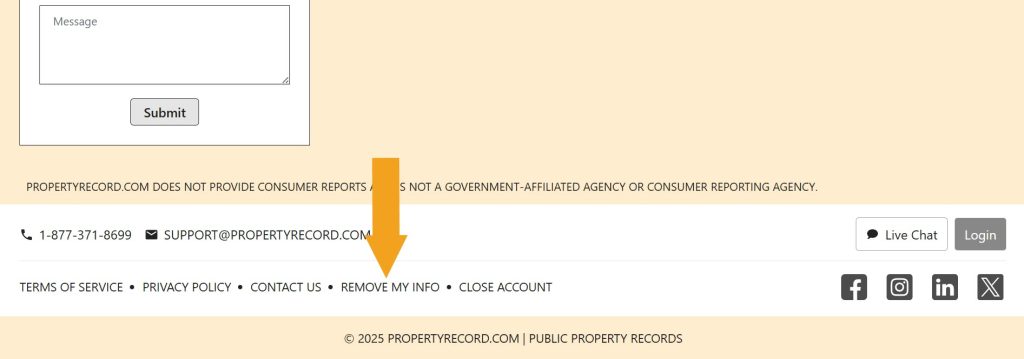
Step 1: Go to PropertyRecord.com, scroll down to the footer, and follow the “Remove my info” link.
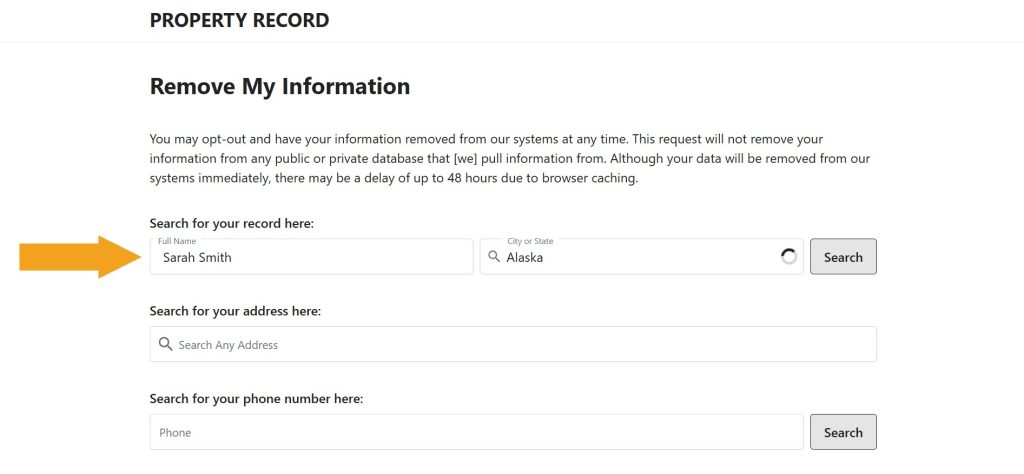
Step 2: Look up your profile: search using your name, address, or phone number.
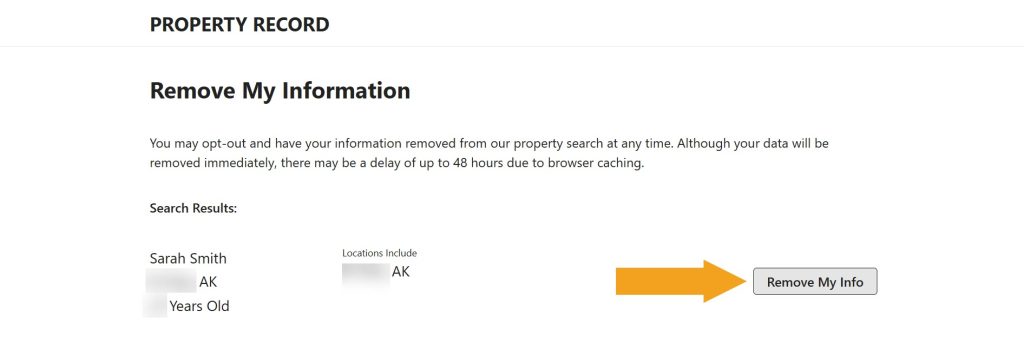
Step 3: Find your profile among the results and click the “Remove my info” button.
You’re all done! You should see an on-screen confirmation. Come back in a couple of days and run another search to make sure your info has been removed.
How to contact PropertyRecord.com
Reach out to PropertyRecord.com via:
- email at [email protected]
- phone at 1-877-371-8699
- a live chat on the contact page
PropertyRecord.com quick links
Your data is still exposed on other brokers
Although you have opted out of PropertyRecord.com, other data brokers are still sharing your information. We recommend that you remove yourself from these 5 next:
- How to remove yourself from PeopleLooker.com
- How to remove yourself from ThatsThem.com
- How to remove yourself from PeopleFinders.com
- How to remove yourself from Whitepages.com
- How to remove yourself from PeekYou.com
Go through this list and send opt-out requests manually to each data broker, or subscribe to Onerep to remove records automatically from 316 sites with just a few clicks.




Dimitri is a tech entrepreneur and founder of Onerep, the first fully automated data removal service. Top cybersecurity CEO of 2021 by The Software Report.