 May 8, 2024
 read
ZabaSearch.com opt out
- By Dimitri Shelest Founder and CEO at Onerep

Dimitri is a tech entrepreneur and founder of Onerep, the first fully automated data removal service. Top cybersecurity CEO of 2021 by The Software Report.
Read more - Checked by Alena Shymanskaya Content Manager at Onerep

Alena is an experienced content writer with a specialized focus on data brokers and the intricacies of personal data management.
Read more
- Removal difficulty: High
- Profile is removed within: 4 weeks
- Manual submission: around 20 min
- Removal requirements: email, identity verification
 Why trust this guide

We know all the ins and outs of the data broker removal:
Founded in 2015, we pioneered automated removal from people-search sites. Our service uses precise opt-out algorithms tailored for each website. When a site changes its algorithm, we detect the change immediately, and our team updates the process. These updates are promptly reflected in the Onerep DIY data broker removal guides. With 16 million records already removed from hundreds of sites for our customers, you are accessing the expertise of the #1 team in the industry with this guide.
ZabaSearch.com is a people-search engine that posts your personal information online. It provides two types of lookup – people search and reverse phone search. ZabaSearch.com is powered by Intelius.com and is a sub-site of PeopleConnect, a network of data broker sites that includes TruthFinder, Intelius, and US Search. To remove yourself from Zabasearch, use PeopleConnect’s opt-out form. Removing your personal information is free and takes around 20 minutes.
Why should you remove yourself from Zabasearch?
Data brokers and people-search sites scour public records, government databases, social media sites, marketing services, and numerous other publicly open sources to collect as much of your private info as possible, combine it into individual listings, and then publish it on their websites. A basic listing usually contains your location history, phone number, political affiliation, family members, income level, and bankruptcies and liens. While the Do’s and Don’ts pages on data brokers prohibit using the sites for any nefarious purposes, these companies can’t actually check why someone is looking up your personal details and what they are up to. Starting from unsatisfied customers and vindictive former partners to cybercriminals and fraudsters – anyone can get hold of your private info, having to pay only a small fee.
Even such basic personal information as your home address and phone number can be used against you – for stalking, harassment, and doxxing. While having your income level, credit score, and occupation exposed puts you at greater risk of financial scams, SSN scams, and even identity theft.
The good news is that data broker sites usually allow you to opt out and have your information removed. The bad news is that you have to go to every single site and submit separate opt out requests for each one. Moreover, many websites have a unique opt out process with their own requirements. With over 100 data brokers on the web, the process is long and tedious.
You can opt out of Zabasearch and other people-search websites in two ways – the automatic one and the manual one.
How to submit a ZabaSearch opt-out request?
Quick Summary:
- Go to ZabaSearch.com
- Click the ‘Suppress My Data’ link in the footer
- Enter your email address to receive a verification email
- Follow the verification email link
- Submit your date of birth
- Submit your legal name
- Find and select a matching listing
- Click ‘Continue’ on the verification page (or verify your identity if necessary)
- Click ‘Suppress’ in the Desired Behavior dropdown and then ‘Save’
- Verify that your identity is suppressed
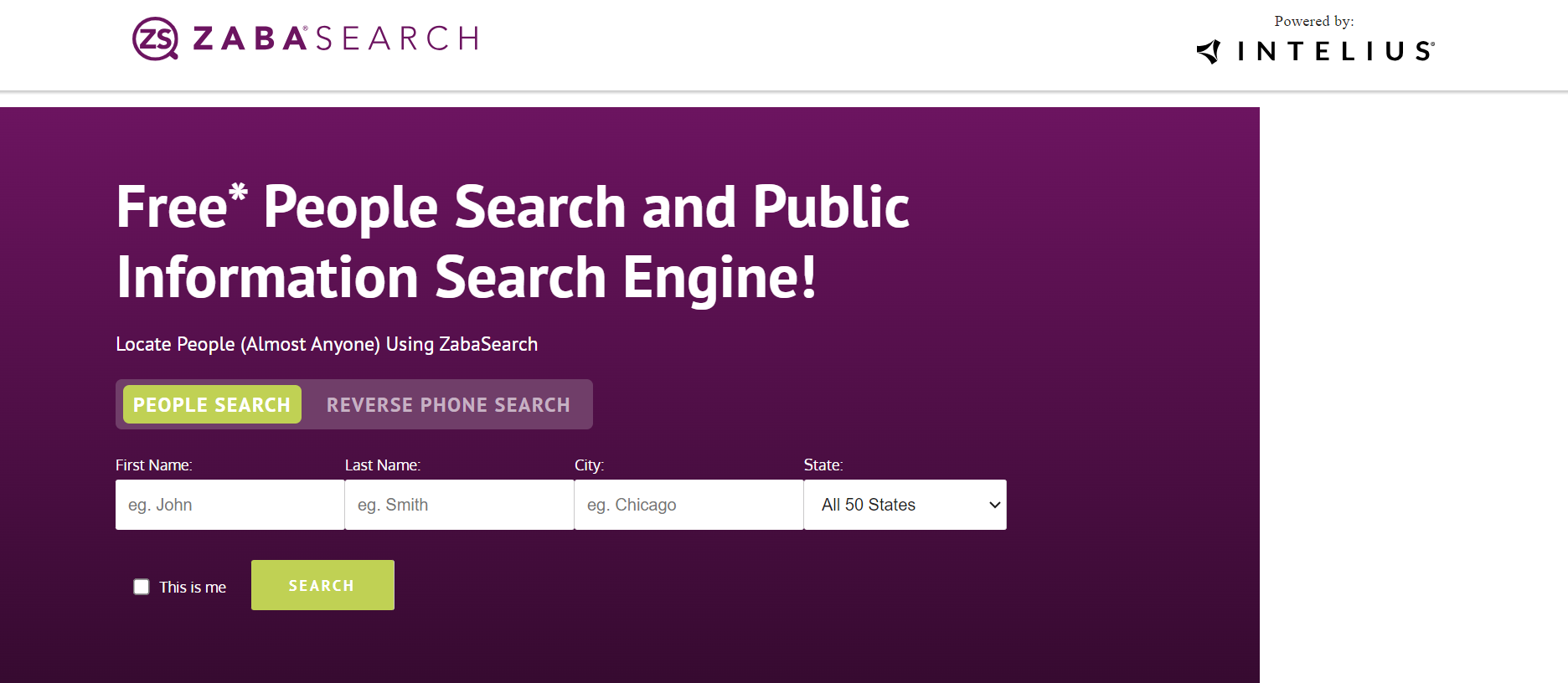
Step 1: Go to ZabaSearch.com
To start the record removal process, navigate to Zabasearch’s website.
Step 2: Follow the ‘Suppress My Data’ link in the footer
Scroll the page all the way down to the footer and click the ‘Suppress My Data’ link. You will be redirected to PeopleConnect Suppression Center.

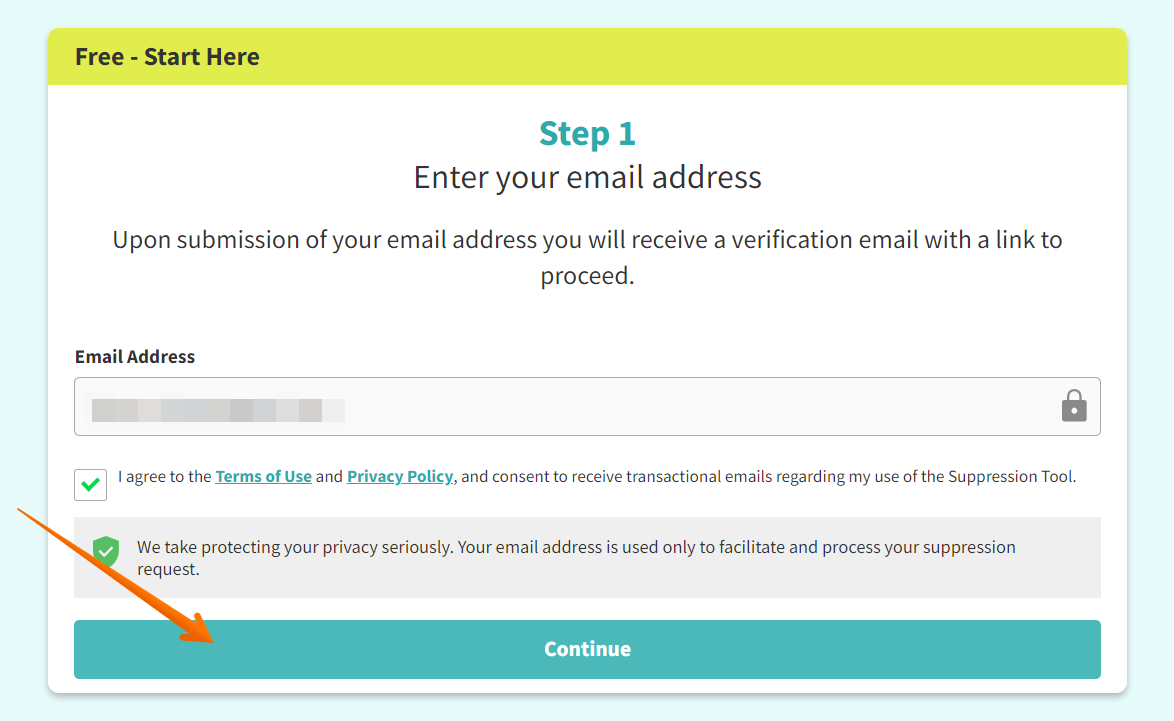
Step 3: Submit a valid email address
Enter your primary email address and check the box to agree to the Terms of Use and Privacy Policy. Next, click the ‘Continue’ button.
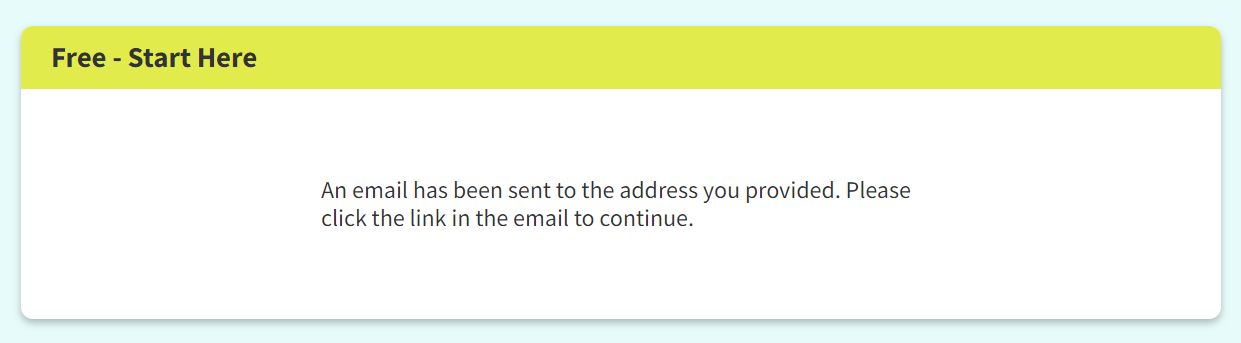
An onscreen message will state that an email has been sent to the address you provided and prompt you to click the link in it to continue.
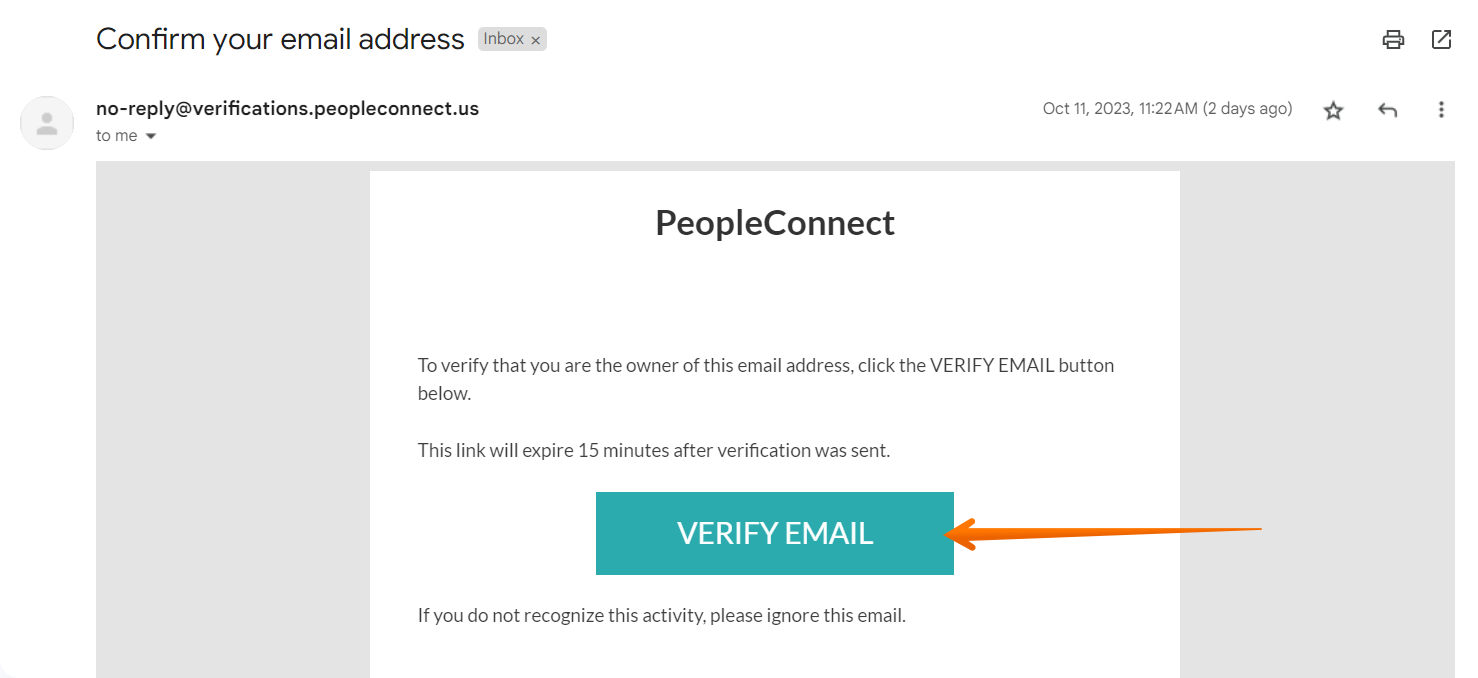
Step 4: Follow the email confirmation link
Go to your email inbox, open a message from PeopleConnect, and click the verification link. If you don’t receive the email confirmation message, check your spam folder.
Step 5: Submit your DOB
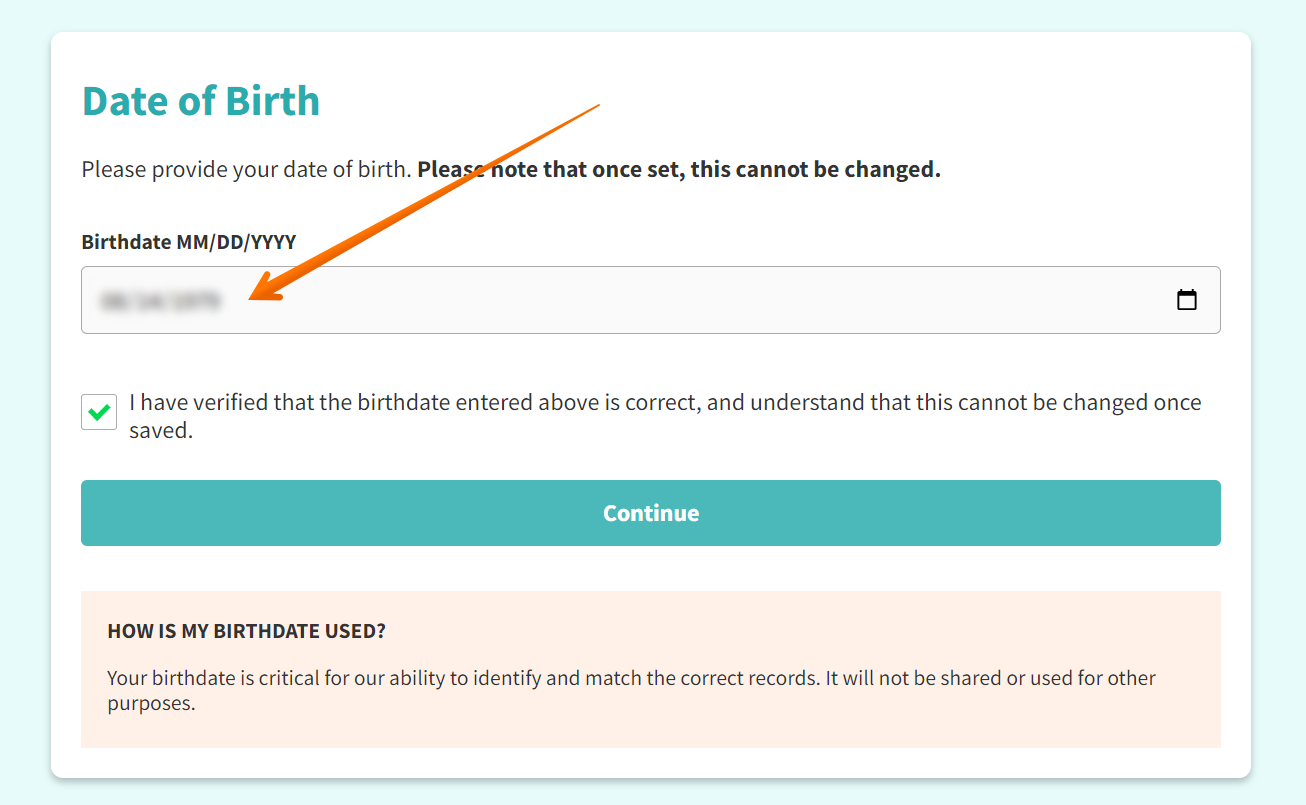
Fill in your birthdate and check the box verifying that the date you entered is correct. Then click ‘Continue.’
Step 6: Submit your full name
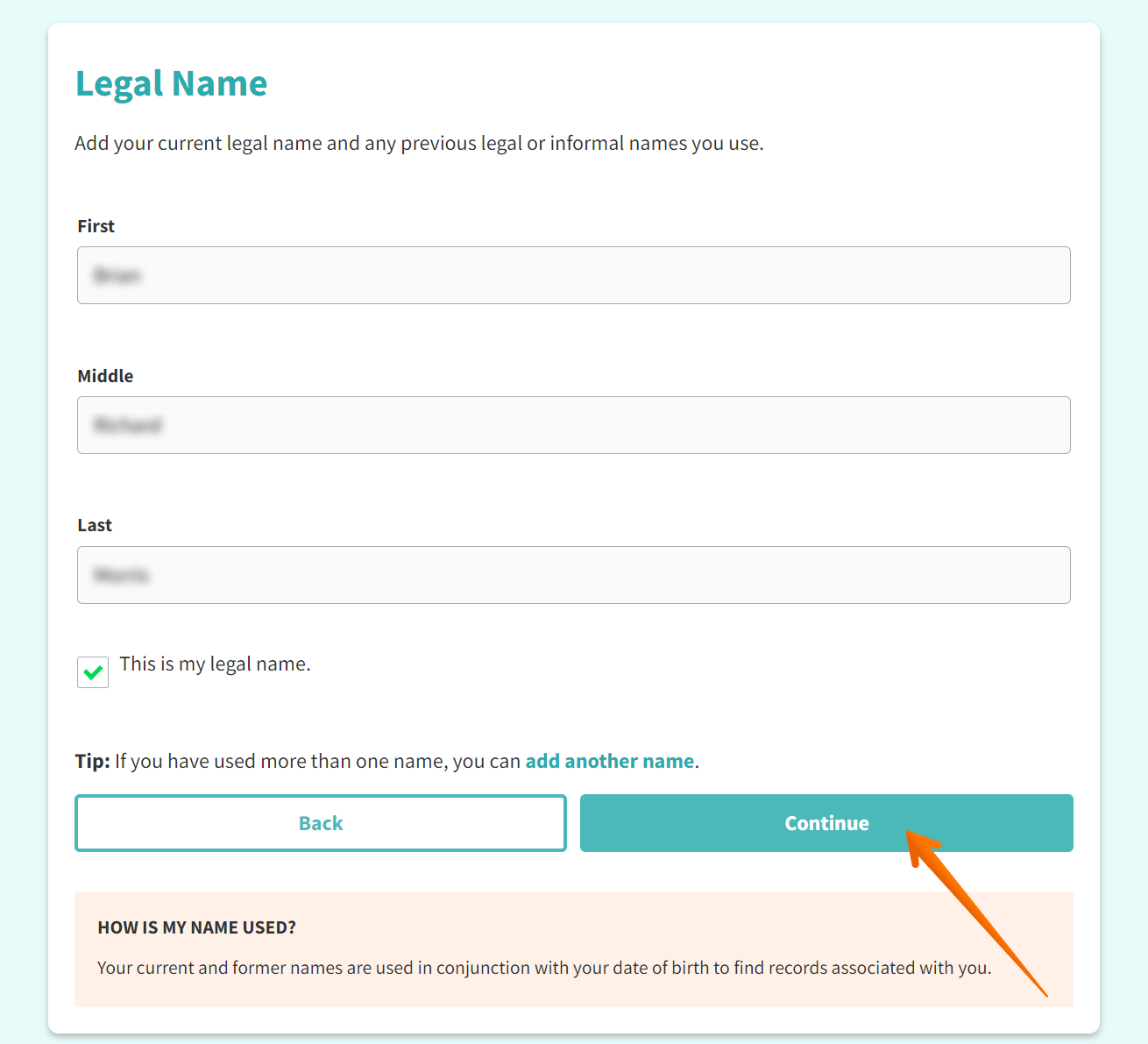
Fill in your first name, middle name, and last name, then check the box confirming it’s your legal name. If you’ve ever changed it, you can enter the previous one as well by clicking the ‘add another name’ link. Then click the ‘Continue’ button.
Step 7: Locate and select a matching listing
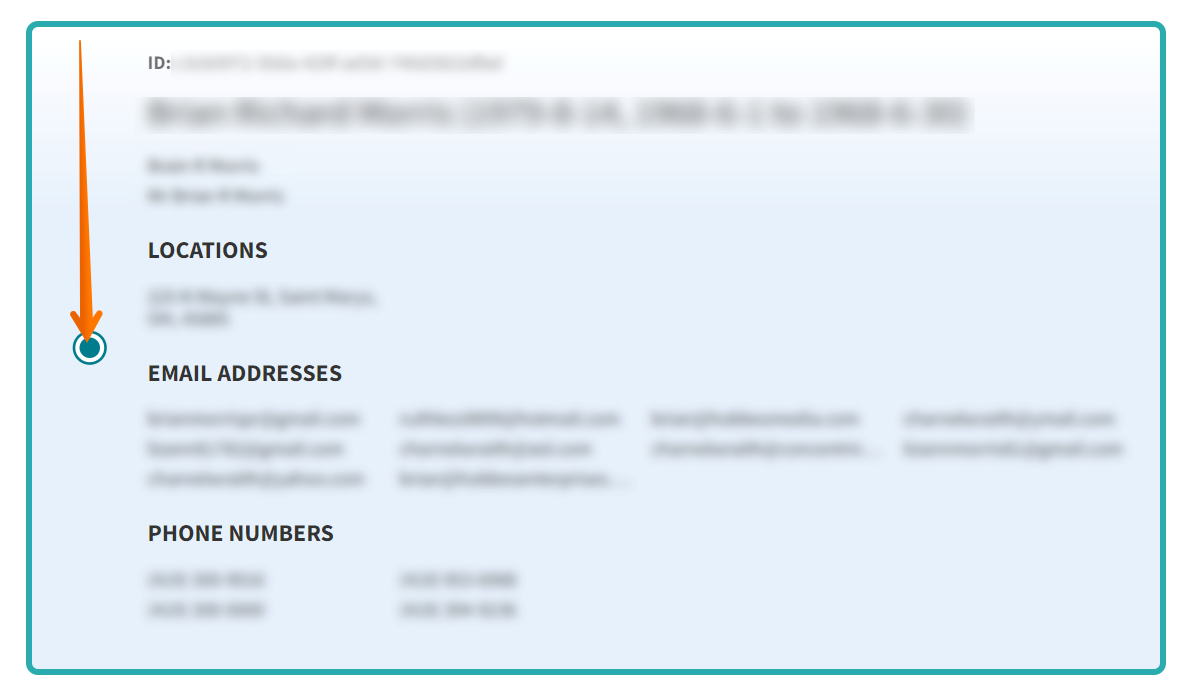
Check the search results and pay close attention to locations, email addresses, and phone numbers. Choose the listing that matches your personal information. Then scroll down and click the ‘Continue’ button.
Step 8: Verify your identity
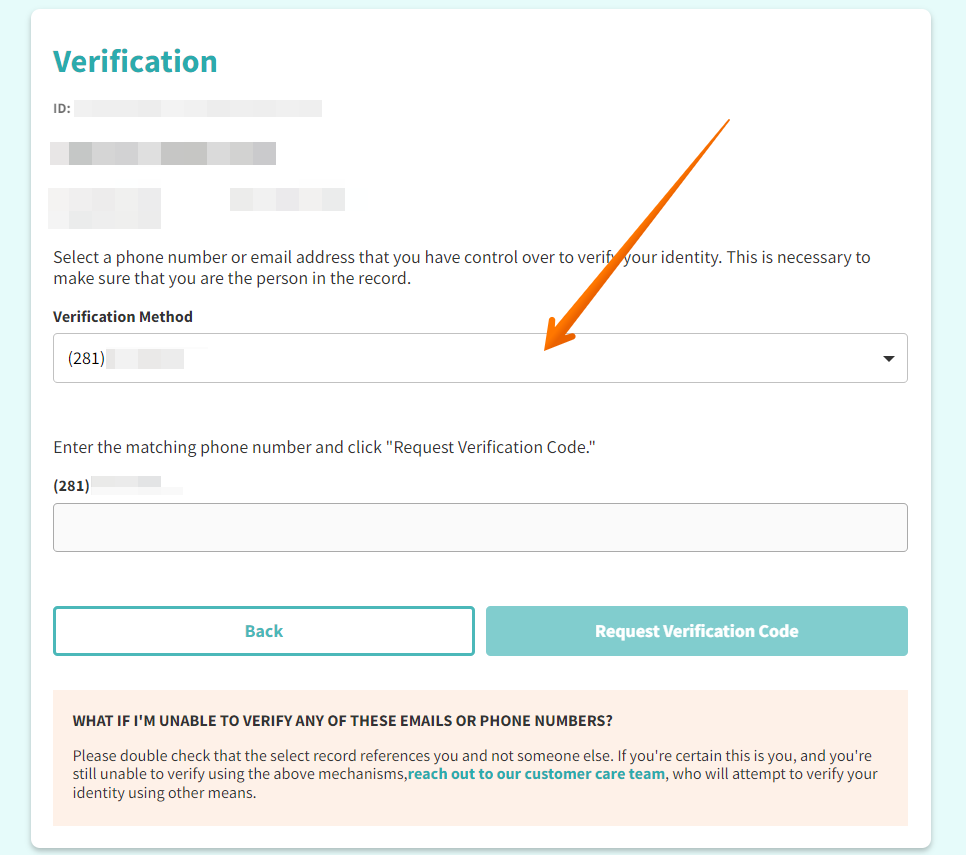
If the verification page displays your identity as verified, click ‘Continue.’ If it doesn’t, verify your identity via the email or phone number that are listed in your PeopleConnect record. If you don’t have access to those contact details anymore, reach out to customer care at [email protected].
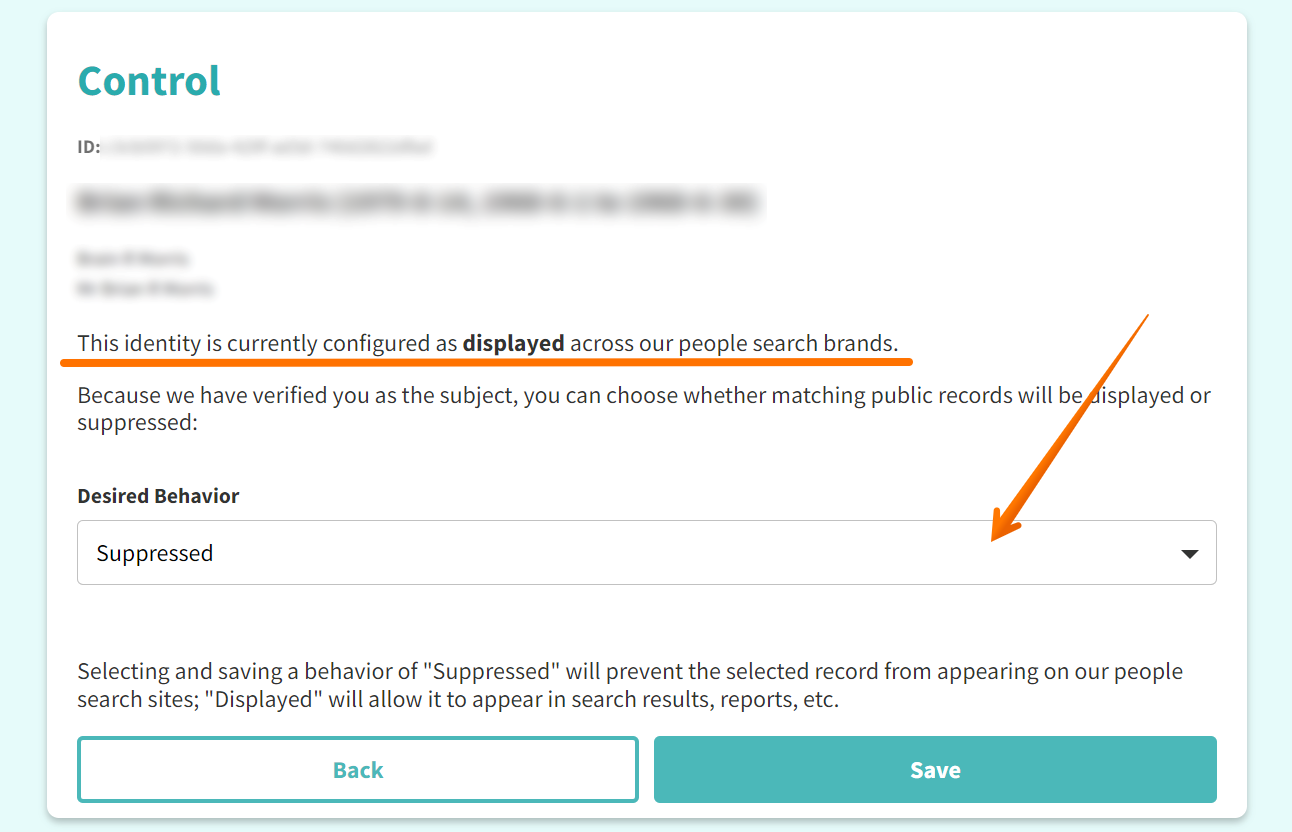
Step 9: Suppress your record
The appearing page shows whether your identity is currently displayed or suppressed on Zabasearch and other PeopleConnect’s sites. Choose ‘Suppressed’ in the drop-down under ‘Desired Behavior.’ Then click the ‘Save’ button.
Step 10: Confirm your identity is suppressed
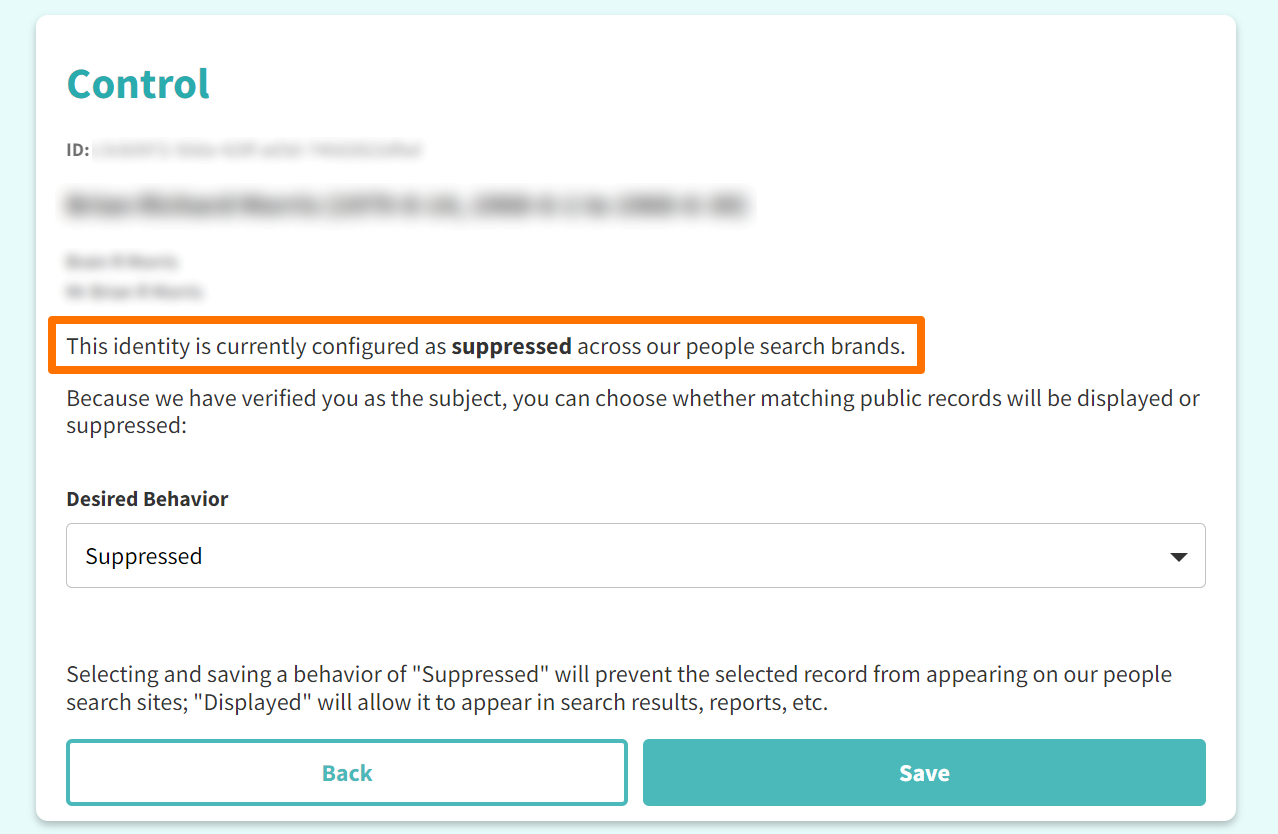
To complete your Zabasearch opt-out process, make sure that your identity is displayed as suppressed.
Note that data brokers and people-search sites often update their databases and re-upload information, so your record might reappear after a while. We recommend going back to Zabasearch after some time and checking if your information is still down.
Federal Judiciary requests
In case you are a Federal Judge or a senior, recalled or retired Federal Judge, you can send an email to PeopleConnect with the request to opt out and have your record removed per The Daniel Anderl Judicial Security and Privacy Act. You need to provide a screenshot of your record or provide your full name, primary email address, birth date, and city and state. Send your opt-out request to [email protected].
Your data is still exposed on other brokers
Although you have completed the Zabasearch opt-out, there are many other people-search websites exposing your data.
We recommend that you do these five first:
- How to remove yourself from MyLife.com
- How to remove yourself from Nuwber.com
- How to remove yourself from Spokeo.com
- How to remove yourself from ClustrMaps.com
- How to remove yourself from FastPeopleSearch.com
Go through this list and send opt-out requests manually to each data broker, or subscribe to Onerep to remove records automatically from 320 sites with just a few clicks.
Frequently asked questions about ZabaSearch
How do I opt out of ZabaSearch?
To remove yourself from ZabaSearch, you need to use the PeopleConnect Suppression Center. Go to their opt-out form, submit your email, and follow the link sent to that email address to confirm it. Then submit your DOB and legal name to find your record. When you locate it, select it, verify your identity if necessary, and request to have your data suppressed in the ‘Desired Behavior’ dropdown.
What is Zabasearch?
ZabaSearch.com is a people-finder site that shares personal information online and provides free search. A basic Zabasearch listing exposes a person’s address, age, legal name, and phone numbers. However, Zabasearch doesn’t have its own database and pulls data from Intelius, one of the largest data brokers in the industry.
How does ZabaSearch get its information?
On its website, ZabaSearch states that it’s a leading provider of public data about people and their connections to others. However, Zabasearch pulls all of its data from a website called Intelius.com. Intelius is a data broker that gathers data from public records databases, including court records, country records, state records, criminal records, property records, and census bureaus. Moreover, Intelius collects information from social media profiles, marketing companies, and other data broker sites.
More opt-out guides
- NeighborWho opt out
- SignalHire opt out
- DNB opt out
- ContactOut opt out
- BackgroundCheck.run opt out
- UniCourt opt out
- PeopleLookup opt out
- InfoTracer opt out
- StateRecords.org opt out
- Acxiom opt out
- PrivateReports opt out
- CheckSecrets opt out
- InstantPeopleFinder opt out
- AnyWho opt out
- 411.com opt out
- AbsolutePeopleSearch opt out
- ZoomInfo opt out
- OpenGovUS opt out
- RealtyHop opt out
- NDB opt out