 Published October 28, 2025
  read
read
1Password breach: what happened in 2023-2025 and how to stay protected
1Password, a password manager trusted by experts, businesses and individuals, has made headlines several times in recent years. While the platform was never directly hacked, those incidents raised legitimate security concerns.
In 2023, 1Password was indirectly affected by the Okta data breach. In 2024, researchers discovered a vulnerability in its macOS app. And in 2025, users reported targeted phishing attacks that sparked new worries about a potential 1Password breach.
This article breaks down what happened, what the real risks are, and how you can protect your accounts and sensitive information.
What is 1Password and how does it work?
1Password is a password manager used by both individuals and enterprises. It’s usually considered more secure than many other password-keeping tools because it uses two layers of protection — a Master Password and a Secret Key.
Unlike competitors such as LastPass, which also suffered a major data breach in 2022 and relies primarily on the Master Password, 1Password requires both credentials to decrypt any stored information.
The account-specific Secret Key has 34 characters and is stored on your device only. This means that even if a remote attack were to target 1Password’s systems, the encrypted vault data stored on their servers would remain useless without both the Master Password and Secret Key.
1Password breach linked to Okta: was 1Password hacked?
How did the 1Password data breach 2023 unfold?
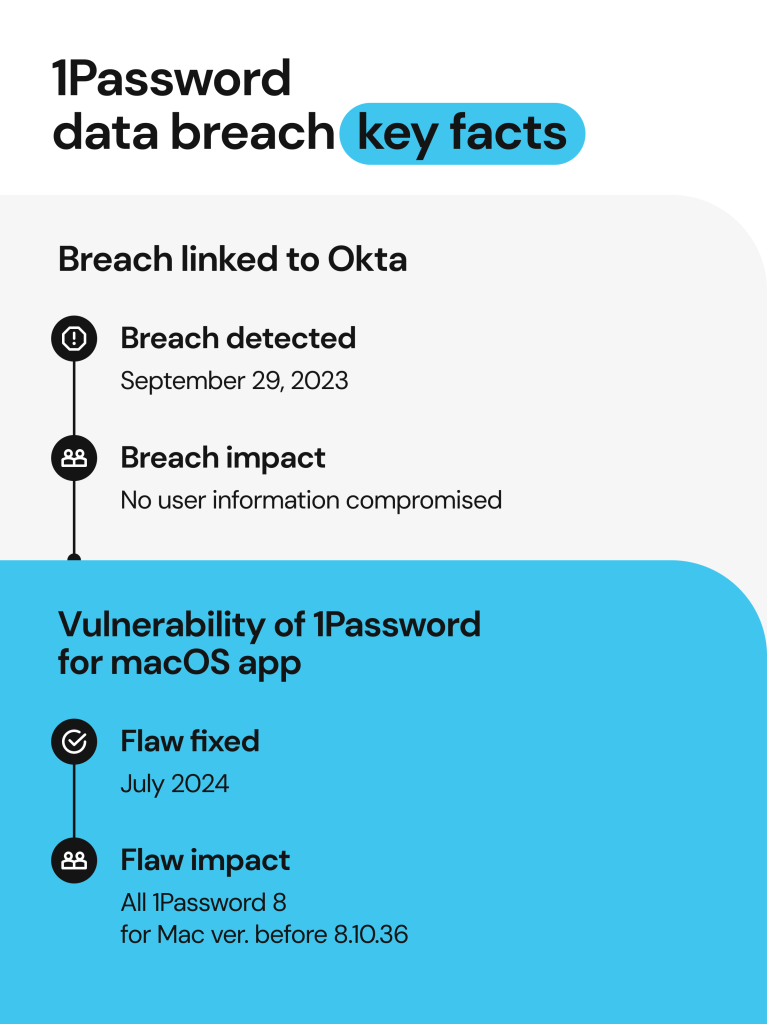
On September 29, 2023, 1Password detected a threat actor in its Okta space. The scammer tried to get a list of accounts with administrative permissions, and the request was emailed to an IT worker.
This incident was connected to the Okta data breach, which was unknown at the time. Threat actors hacked into Okta’s customer support system and stole the HAR files.
What are these files exactly? When you log in to a website, it issues an authorization token and sends it over as a cookie. So, if you refresh the page, you are still logged in thanks to that cookie. A HAR file contains all the session details, as well as tokens and cookies. If someone steals it, they can hijack your online session without having to log in.
So, a threat actor used the stolen cookies to get into 1Password’s Okta tenant. Once in, they tried to access the IT employee’s user dashboard, added a new IDP for Google, and requested the admin report.
How 1Password responded
We immediately terminated the activity, investigated, and found no compromise of user data or other sensitive systems, either employee-facing or user-facing.
They also changed the credentials for the entire IT team and switched to physical MFA using YubiKey. In the following days, the company tightened MFA for admins, made login sessions shorter, and removed unused ID providers.
1Password reported the incident to Okta. They kept working together to clarify how the attacks played out.
Was user data compromised in the 2023 1Password data breach?
No, user information wasn’t compromised.
According to 1Password’s security incident report, scammers only got into the Okta space for employees. They didn’t access the vaults where passwords are stored.
Public fallout
Strong cybersecurity doesn’t make a company immune to third-party breaches, but it does determine how quickly an attack can be contained.
1Password detected and stopped the intrusion early, then publicly disclosed the incident soon after. Many users and security professionals praised the company’s transparency and swift response.
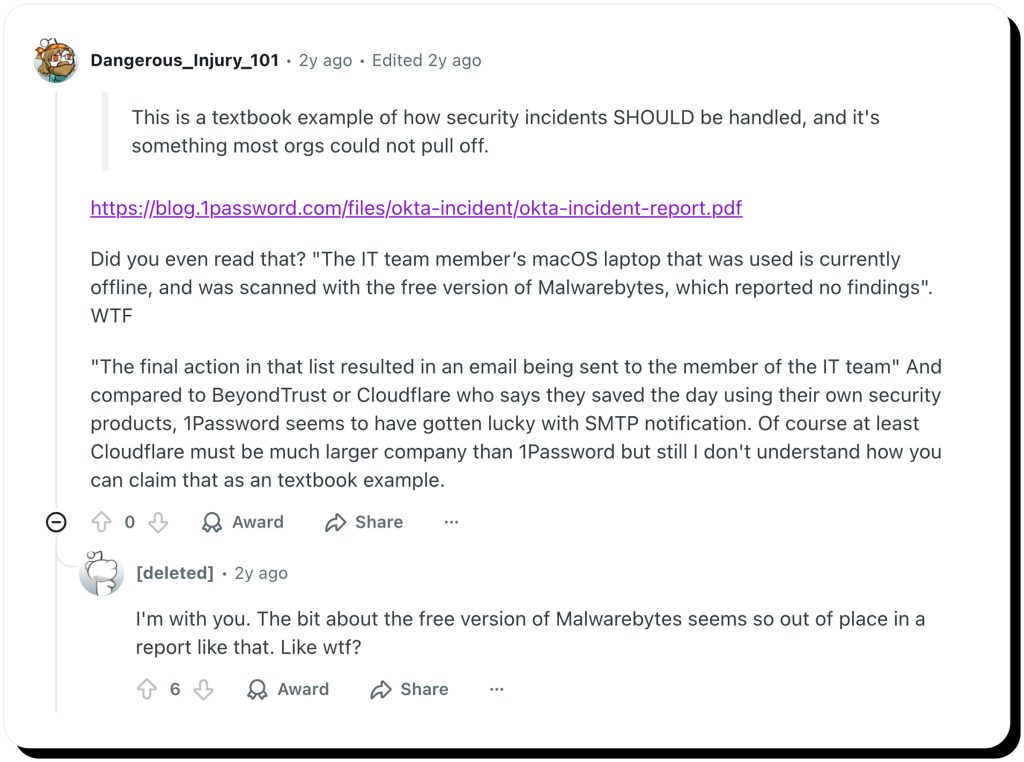
Still, reactions to the breach were mixed. Some Reddit users questioned parts of 1Password’s incident report, especially its initial reliance on a basic malware scan, while others argued that the company may have been more lucky than prepared. Yet overall, most agreed that 1Password’s layered security design prevented any real damage.
1Password app vulnerability: macOS flaw could expose vault data
What was the 2024 vulnerability?
1Password for macOS app versions before 8.10.36 (excluding version 7) contained a flaw that could expose a user vault if a MacBook was infected by malware.
This vulnerability was detected by Robinhood’s Red Team, a financial technology company that did an independent review of the app.
Without getting too technical, the vulnerability would allow a hacker to bypass certain built-in protections in macOS and take over a session linked with 1Password.
“To exploit the issue, an attacker must run malicious software on a computer specifically targeting 1Password for Mac. An attacker is able to misuse missing macOS-specific inter-process validations to hijack or impersonate a trusted 1Password integration, such as the 1Password browser extension or CLI,” 1Password revealed on their website.
What 1Password did
In August 2024, 1Password fixed the oversight and released version 8.10.38 of the macOS app. They also submitted a common vulnerabilities and exposures (CVEs) report to the MITRE. MITRE is an independent organization that manages a global list of cybersecurity vulnerabilities.
1Password’s CTO, Pedro Canahuati, thanked Robinhood for bringing up the issue ahead of presenting their findings at DEF CON 2024. This way, the vulnerability could be fixed before being potentially exploited. 1Password stated that there are no signs that threat actors took advantage of the vulnerability while it was undetected.
What users should keep in mind after the 1Password security breach
1Password data has strong encryption and is generally considered secure. But, even a well-thought-out security configuration can be undermined by local malware. This is a reminder of how important it is to protect your devices with antivirus software and stay away from jailbroken systems.
2025 phishing attacks exploiting 1Password’s reputation
Fake “1Password breach” emails: how the scam works
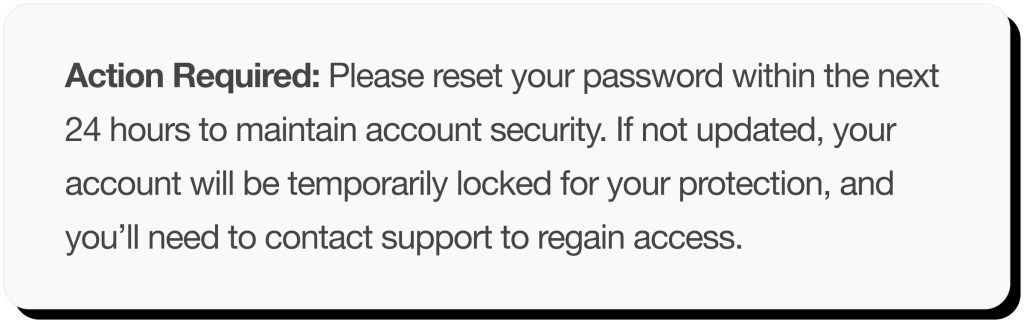
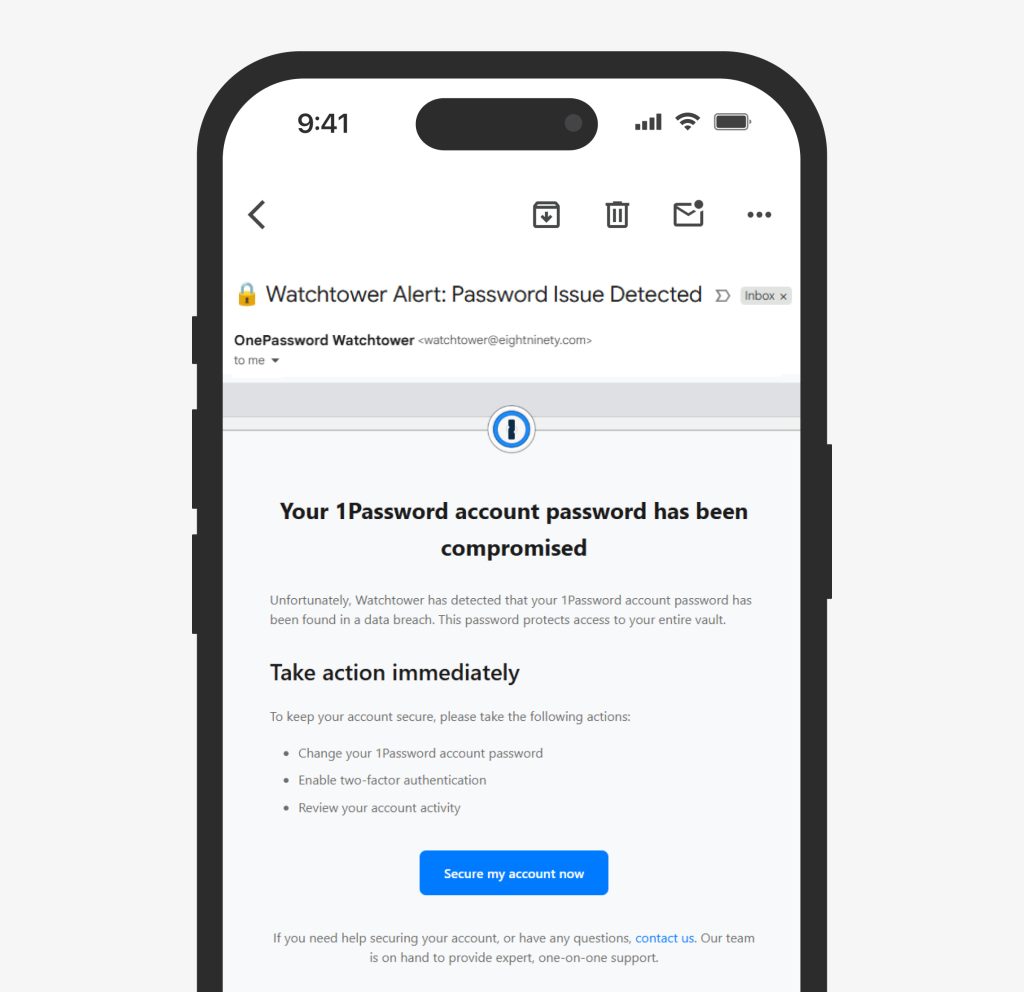
In March 2025, some users received a faux email titled “Action Required: Reset your password” or “Your 1Password account has been compromised.”
The message looked like it was coming from Watchtower, which is 1Password’s legitimate breach-monitoring tool. But, the sender’s address looked odd, and the domain was wrong (it wasn’t @1password.com).
The email was a warning about a security issue after a recent 1Password data breach, and it instructed the user to reset their password.
There was also a link to a fake 1Password website with lookalike domains (e.g., onepass-word[.]com, password-proxy-redirect[.]com), where you would be asked to enter your password and Secret Code.
For some Reddit users, these phishing emails came to an email address used just for 1Password. This raised concerns about another 1Password security breach. Still, the company denied any new incidents.
Read more:
Fake data breach letter IDX: how to know if it’s real or a scam?
Google Gmail warning: should you worry?
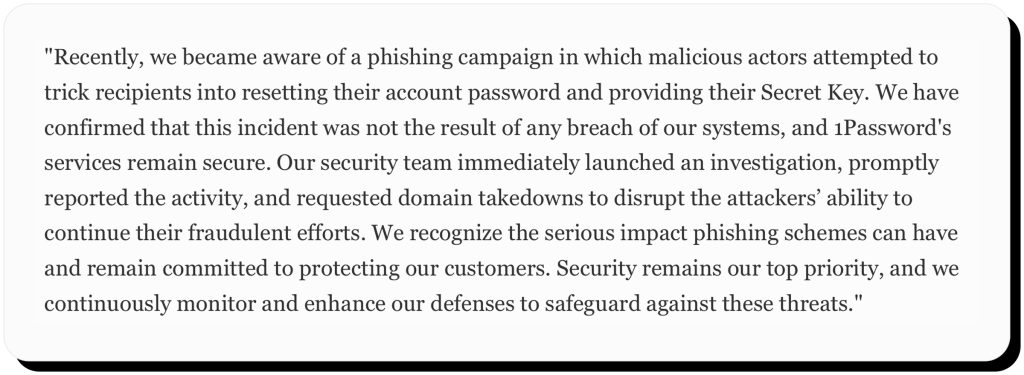
1Password’s official statement
We have confirmed that this incident was not the result of any breach of our systems, and 1Password’s services remain secure.
1Password investigated the phishing scams and requested the fake domains to be taken down.
Risks and consequences of 1Password-related breaches
- Supply-chain risk: We’ve seen third-party vendors become liabilities in many security incidents across industries (e.g. Ascension data breaches, Doordash incidents involving data of both customers and dashers, Truist security breach that affected over 4.2 million people). You might think this wouldn’t happen with cybersecurity firms like Okta, but the 1Password breach shows otherwise.
- Device compromise: As we dissect the cybersecurity defenses of different platforms, it’s easy to miss the importance of personal security. Keeping your devices malware-free helps your apps safeguard your (and others’) personal information.
- Social engineering: It’s hard for scammers to break into your 1Password vault and decrypt your data. Tricking you into revealing your Master Password and Secret Key is much easier. That’s why the main threat to most users’ personal data will always be phishing.
- Reputation impact: 1Password has managed to get through cybersecurity incidents unscathed. Yet, users trust password managers less with every new security incident, and have started turning toward offline tools like KeePass.
How to protect your data if you use 1Password
Check if your account has been affected
1Password posts official security notices in the app or on its website. Head over to your account notifications and see if you’ve received any. Do a manual search instead of clicking on any links you might receive via email, as they could be phishing.
You can also check whether your information has appeared in a 1Password data breach or any other security incident using a data breach monitoring tool such as HaveIBeenPwned.com or through Onerep’s subscription plans.
Strengthen your 1Password account
App version updates often contain important security upgrades. Keep your 1Password apps up to date, especially the macOS version, after the 2024 vulnerability.
If you haven’t already, enable MFA on your 1Password account. Physical keys, like YubiKey, are safer than app-based authorization, which is still safer than SMS codes.
Watchtower is a breach notification tool offered by 1Password. Make sure to review all Watchtower alerts and update all weak or reused passwords.
Practice device-level security
Even the best software can’t protect you if your device itself isn’t secure. A few simple habits go a long way:
- Keep everything up to date. Regularly update your operating system and browsers to patch new vulnerabilities.
- Use reliable antivirus protection. Choose a trusted security app and let it run in the background for extra peace of mind.
- Watch your browser extensions. Only keep the ones you actually use, and review their permissions from time to time.
- Avoid public Wi-Fi for sensitive tasks. Open networks can expose you to snooping or man-in-the-middle attacks—save those logins for a secure connection.
Recognize phishing and fake breach alerts
Phishing is still the biggest threat to personal cybersecurity. We’ve seen a rise in phishing attempts after the 2023 and 2024 1Password security incidents. But 1Password never sends urgent password reset emails.
If you receive a strange-looking, action-prompting email from your password manager (or any other platform), remember to check the domain ending (in this case, it should be @1password.com).
Instead of clicking on links within the email, type 1password.com manually or use the official app or account dashboard to investigate further.
Reduce your exposure beyond password managers
Another important aspect of personal cybersecurity is reducing your online visibility. Your personal information can be exposed through current and old accounts, as well as data brokers. Be mindful of what you post online, and be sure to remove your information from data brokers and people-search websites.
If you don’t want to spend time on manual removals, Onerep can do it for you. It scans people-search sites and data brokers to find where your personal information is exposed, then automatically sends removal requests on your behalf.
Once those listings are verified as deleted, Onerep continues to monitor privacy-breaching websites to make sure your data doesn’t reappear. This ongoing process helps lower your risk of targeted scams, phishing, and identity theft.
Frequently asked questions
Is 1Password actually safe?
No platform is 100% safe, but 1Password has solid cybersecurity measures in place. Their strong encryption and a unique security system (password + secret key) might be able to fend off attacks. Plus, the platform was never directly hacked in the past.
Can I check if my password has been leaked?
1Password security incidents haven’t revealed user data. So, you shouldn’t have to worry about your password being leaked.
You can check if your password was leaked in other data breaches using tools like HaveIBeenPwned or, as of recently, Onerep’s data breach monitoring tool.
What happens if 1Password gets hacked?
It would be hard for threat actors to misuse your data, even if 1Password gets hacked. 1Password servers store only encrypted vault data. Your passwords are encrypted on your device before being sent to 1Password. Without your account password and the unique secret key generated on your device, they are hard to decipher.

Mikalai is a Chief Technical Officer at Onerep. With a degree in Computer Science, he headed the developer team that automated the previously manual process of removing personal information from data brokers, making Onerep the industry’s first fully automated tool to bulk-remove unauthorized profiles from the internet.