 Published January 28, 2026
  read
read
Got an Instagram password reset email? How to secure your account following the alleged Instagram data breach 2026
In January 2026, Instagram users started receiving unrequested password reset emails. At the same time, reports surfaced about Instagram user data appearing on the dark web. The overlap raised critical questions: was there an Instagram data breach 2026? And why is someone trying to reset my Instagram password?
Below, we separate verified facts from speculation, explain what data may be at risk, and outline the steps you can take right now to secure your account and protect your personal information.
Was there a data breach on Instagram in 2026?
Why do people think there was an Instagram breach “today”
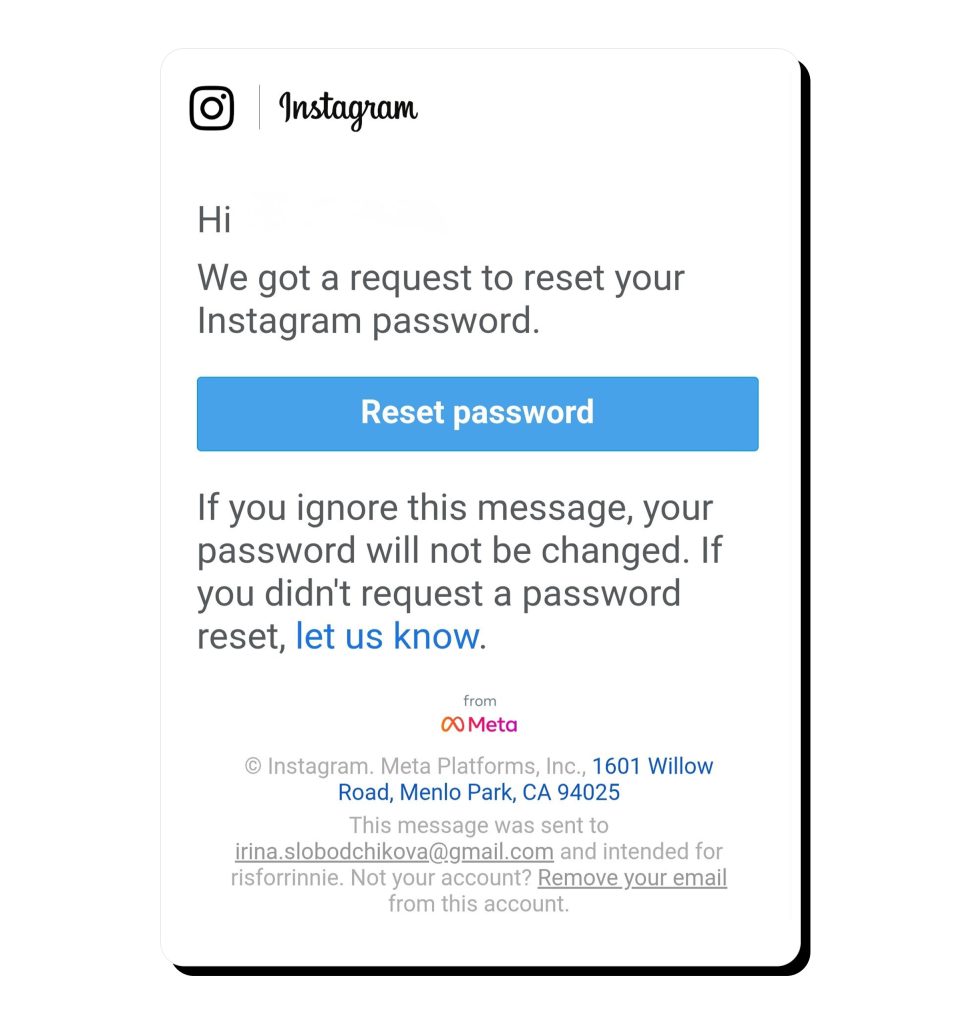
2026 started with a surge of Instagram password reset emails that led many users to suspect a potential Instagram data leak. This type of activity can indeed indicate a security issue, but it doesn’t necessarily point to a confirmed breach.
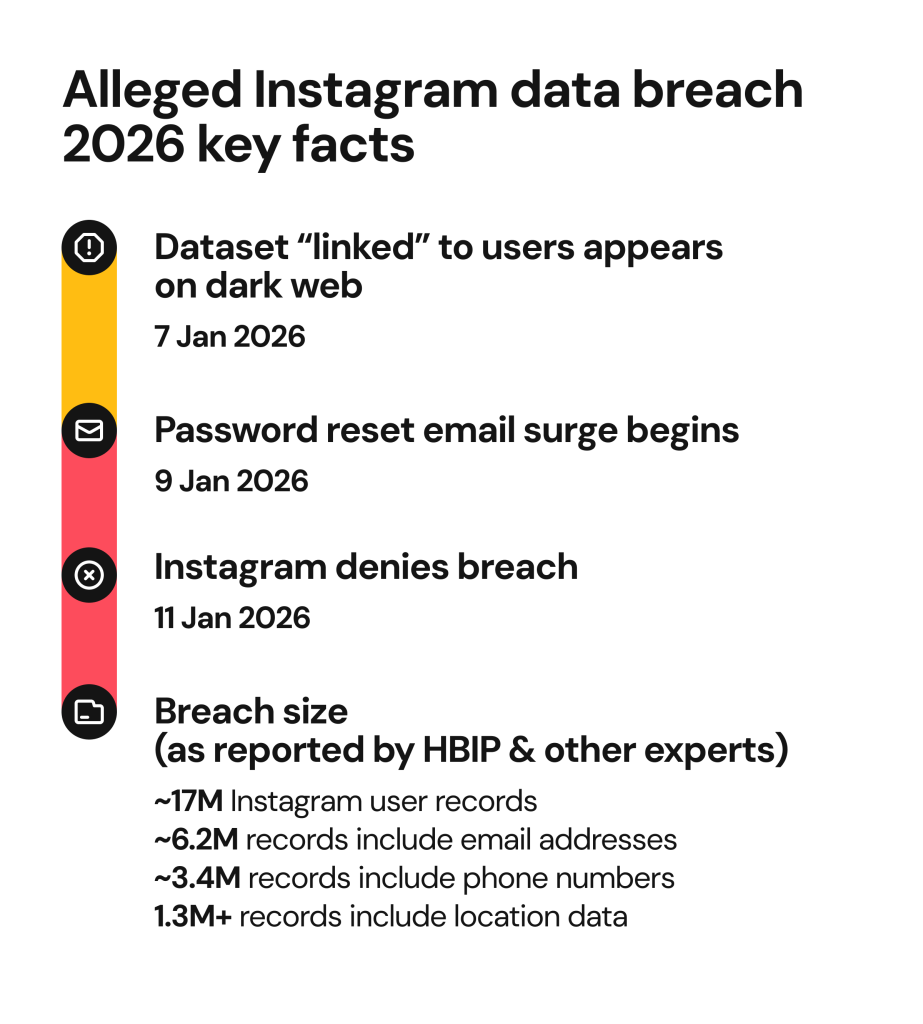
Around the same time, a threat actor using the alias “Solonik” posted an alleged Instagram data breach 2026 dataset on a dark web forum. According to Malwarebytes, which first reported on the incident, the data contained “the sensitive information of 17.5 million Instagram accounts.”
Instagram’s response: “No breach” (and what they did confirm)
We want to reassure everyone there was no breach of our systems and people’s Instagram accounts remain secure. People can disregard these emails and we apologize for any confusion this may have caused.
After the incident, everyone was anxious to hear Meta’s response and the company came forward, acknowledging the Instagram password reset email issue.
They confirmed they fixed a bug that allowed an external party to request password resets for some users, The notification also emphasized that there was no breach, and everyone’s Instagram accounts were secure.
The dataset: What’s alleged, what’s confirmed, and what’s unclear
So far, we know that the alleged Instagram data leak included usernames, full names, user IDs, email addresses, phone numbers, countries, and even location fields. Not all records included all the information. And, importantly, passwords weren’t included.
HaveIBeenPwned.com, a reputable cybersecurity platform that reports on known data breaches, revealed that the dataset contained 17 million rows of public Instagram information. Of those, 6.2 million included email addresses, and some also listed phone numbers.
Was Instagram really hacked in 2026?
It’s unclear whether this dataset included fresh information or if it was a product or previously scraped data. So far, there is no real proof to confirm a fresh intrusion into Instagram systems. Experts who reviewed the dataset believe it wasn’t related to the January incident, and it coincidentally came out around the same time.
Why you might be getting Instagram password reset emails
The simplest explanation: someone triggered a reset request
If you got a password reset email from Instagram, someone likely triggered it. Instagram’s password reset system allows anyone to do so using basic account identifiers, such as a username or email address.
As this information can often be found on people-search sites or compiled in large breach datasets (such as the MOAB), it’s easy to guess how fraudsters could have obtained it. They may have abused the system to trigger password reset emails in bulk or spray reset requests across millions of accounts. By triggering a password reset, scammers can also tell which accounts are active and tied to real users.
Instagram’s response to the incident favors this explanation. They stated there was a bug that allowed an external party to request password resets, but didn’t go into details.
The dangerous part: phishing, “alert fatigue,” and follow-up scams
An Instagram password reset email and an unconfirmed Instagram data breach don’t pose a massive risk as they are but what’s really risky is actually what may come after them.
When people get news about a data leak and then receive a legitimate reset email, they tend to expect further security updates. This, over time, creates a so-called “alert fatigue”. People may be tempted to interact with an Instagram security email without carefully checking whether it’s a real one.
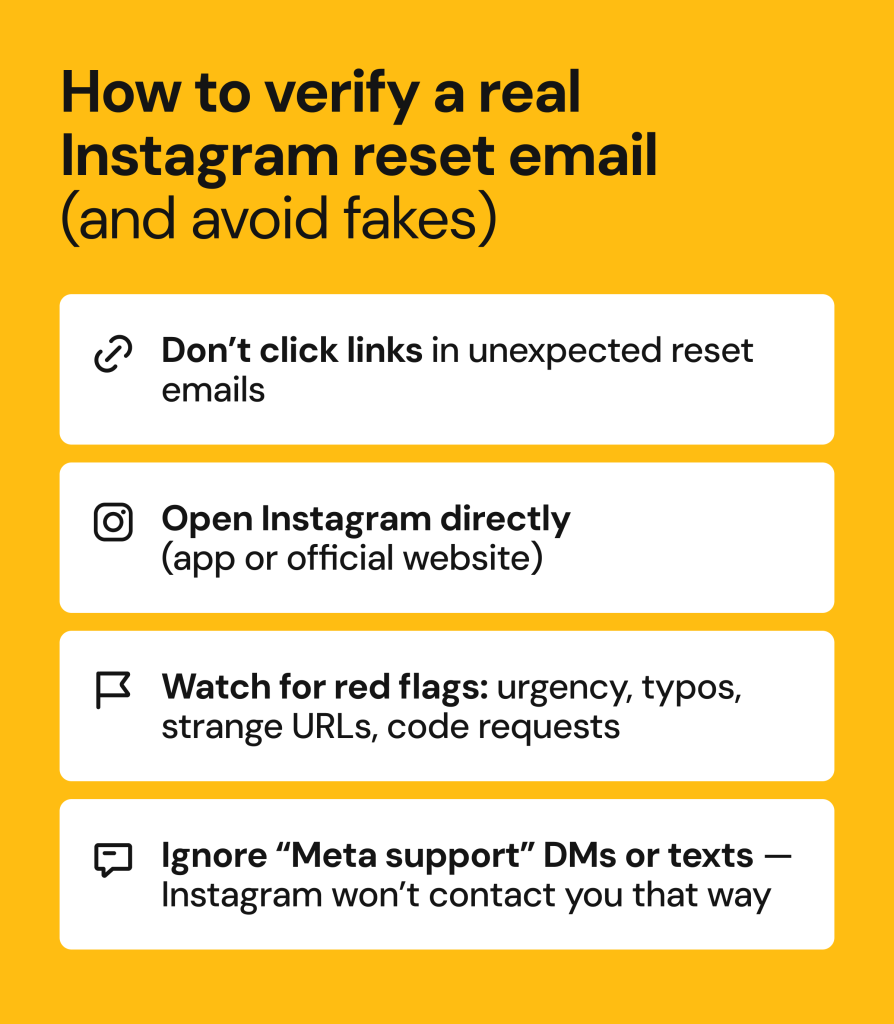
Scammers often exploit this confusion period by sending lookalike emails, texts, or DMs. These tend to warn users about an “urgent suspicious activity”, ask you to “confirm” or “secure your account”, and eventually divert to faux phishing pages that steal login credentials.
Not the first time? Instagram data breach history
When was the last Instagram data breach? To answer that, it helps to look at Instagram data breach history. Most events associated with the platform were, in fact, data scraping and security incidents related to third-party vendors, not an actual breach of Instagram systems.
2017: Instagram API bug used to scrape contact info (reported ~6M accounts)
Back in 2017, Instagram made headlines for a bug in its developer API. Threat actors took advantage of the vulnerability to scrape users’ email addresses and phone numbers. This incident affected approximately 6 million people, both famous accounts and regular users.
2019: Influencer/marketing database exposures (third-party)
Only two years later, in 2019, Instagram data was exposed through an unprotected database operated by Chtrbox. Chtrbox was an influencer marketing platform that collected a bunch of influencer account data, such as emails and phone numbers, follower counts, engagement metrics, locations, and estimated account values. The dataset was said to include approximately 49 million records, but Chtrbox later claimed the true number was closer to about 350,000.
2020–2021: Large scraped social profile datasets and misconfigured databases
Between 2020 and 2021, Instagram user data was leaked on a few occasions, as part of unsecured databases owned by third parties. These datasets often contained publicly available Instagram data and information pulled from other platforms. Hundreds of millions of people were affected, but Instagram’s systems weren’t actually breached.
2022–2024: “API scraping” narratives continue (often recycled)
In the past couple of years, rumors of “new” Instagram data breaches continued to circulate. These incidents more often involved repackaged data, but regardless of the source, the information could be reused for phishing, impersonation, and targeted scams.
Risks to users after Instagram leaks/scraping incidents
Why would fraudsters care about your Instagram account details? Various risks can come from leaks and scraping incidents.
- Targeted phishing and account takeover attempts. As a general rule, hackers are curious about you. They’ll use any information they can find to create targeted, personalized phishing scams. Messages that reference a real username, recent activity, or “security alerts” feel more legitimate and are more likely to get a response. Once you click a malicious link or enter your login credentials on a fake login page, tricksters could take full control of your account.
- SIM swap or SMS interception. Hackers in possession of your phone number may attempt a SIM swap fraud. This is where they trick your mobile carrier into transferring your number to a SIM card they control. The purpose? Intercept SMS-based login codes or password reset messages to get into your accounts.
- Doxxing or stalking. For high-profile accounts, sensitive information leaks can mean cyberstalking, doxxing or even swatting.
- Credential stuffing. If you tend to reuse the same password across multiple accounts, there’s a risk of credential stuffing. Scraped Instagram datasets don’t usually contain passwords, but attackers can still try known email-and-password combinations from older breaches to see what still works.
- Scams that use real Instagram details to appear credible. Your username, email, or phone number could be used to convincingly impersonate Instagram support, brands, or even acquaintances.
What to do now if you suspect your Instagram account is compromised
Don’t click password reset links you didn’t request
The password reset link some people received in January 2026 was indeed from Instagram, but it could’ve been a fake. So, as a general rule, don’t ever click on password reset links you didn’t ask for. The website could easily be a faux one, waiting to steal your login credentials. Instead, update your password inside the app.
Change your password (the safe way)
If you want to change your password, look for Settings and Privacy, then Security, and click on Password. The next step is to create a strong, unique password, and even better, use a trusted password manager. It’s also a good idea to also log out of other devices after changing your password.
Turn on 2FA (and avoid SMS if you can)
To make sure no one can access your Instagram account using just the login credentials, set up two-factor authentication (2FA).
For reasons we previously discussed (SIM-swapping or hijacking), it’s best not to receive the code via SMS. Choose a trusted authenticator app instead, such as Google Authenticator or Microsoft Authenticator.
Also, look into your account recovery options and backup codes. Save the codes in a secure location, in case you ever lose access to the Authenticator app or email associated with the account.
Check for signs of compromise
In situations like these, when everyone’s wondering whether there has been an Instagram data breach today, it’s a good idea to double-check how secure your account really is.
Here are some of the tell-tale signs of account compromise:
- Unfamiliar logins/sessions
- Freshly connected apps or services
- Repeated reset emails or unusual login alerts
Lock down your broader identity footprint
Even if your Instagram account remains secure, leaked or scraped data can pose a risk.
- Start by reviewing your online presence. Are you sharing too much information with your Facebook friends or Instagram followers? Keep sensitive matters private, and even better, lock down your social media profiles and make them available to select users only.
- Next, secure your primary email account. It’s the gateway to your social media, banking, and other accounts. Make sure you use a strong, unique password and enable 2FA.
How Onerep helps monitor email breaches and reduce your data exposure
Onerep is all about protecting your digital identity and proactively reducing the risk of cybercrime.
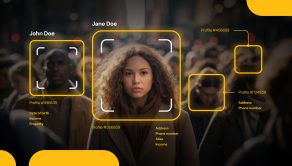
Personal information you give away, post, or others share about you is often collected by data brokers and people-search websites. If your phone number, email, or address is already circulating, removing it from data broker sites can reduce your risk of phishing, impersonation, doxxing, and other scams.
Onerep scans 317 data broker and people-search websites for your exposed information, takes it down and ensures it stays hidden by continuously monitoring these privacy preaching websites and removing your data over and over again in case it reappears.
Our users can also take advantage of the Onerep data breach monitoring tool, which alerts you to data exposure as your email address and other details appear in any new data breaches so you can act fast and take steps to protect yourself.
FAQs
When was the last Instagram data breach?
The latest widely reported incident involving Instagram user data circulating on the dark web was in January 2026. This data was likely scraped, which means that it was already publicly available or leaked in previous breaches. A real breach of the Instagram internal system appears less likely.
Why are Instagram accounts getting hacked recently?
Most recent incidents weren’t real hacks or data breaches. Fraudsters often take information that was scraped or leaked by third parties and use it for phishing or password reset attempts.
Why is Instagram telling me my account was compromised?
Instagram tends to flag multiple login attempts and other unusual behavior. These notifications can be triggered by password reset spam or suspicious activity, not a direct breach.
Why is someone trying to reset my Instagram password?
Attackers may be looking to spam you and prepare the grounds for phishing attacks. Many people experience alert fatigue and overall confusion when cybersecurity incidents happen. This doesn’t mean your account is hacked, but it’s a reminder to protect your online identity.
Should I change my password if I got a reset email?
Yes, you should, but not via the reset email link. Head over to the Instagram app settings and create a strong, unique password. While you’re at it, also enable two-factor authentication, preferably using a dedicated authenticator app.

Mikalai is a Chief Technical Officer at Onerep. With a degree in Computer Science, he headed the developer team that automated the previously manual process of removing personal information from data brokers, making Onerep the industry’s first fully automated tool to bulk-remove unauthorized profiles from the internet.