 Published February 12, 2026
  read
read
Is mobile banking safe and secure in 2026? Risks, myths, and protections
Mobile banking apps are increasingly popular for managing finances on the go – in fact, the American Banking Association states that 54% of U.S. customers use them. Since scammers often target apps with such widespread adoption, it’s natural to wonder if mobile banking is safe and secure.
The short answer is yes; mobile banking is safe when you download trusted apps from official app stores. Make sure your banking app is published by a legitimate institution and follow best practices such as strong passwords and biometric login to enhance the app’s security.
Is mobile banking secure in 2026?
Yes, mobile banking is considered secure, as the banking industry heavily invests in security features designed to keep you (and your money) safe.
Here’s how mobile banking apps are kept secure in 2026:
- Consumer protections (FDIC & regulations): The Federal Deposit Insurance Corporation automatically insures deposits of up to $250,000. If your bank fails, the FDIC will reimburse deposits into checking, savings, money market, and other accounts. You can see what’s covered and what’s not covered on the FDIC’s website.
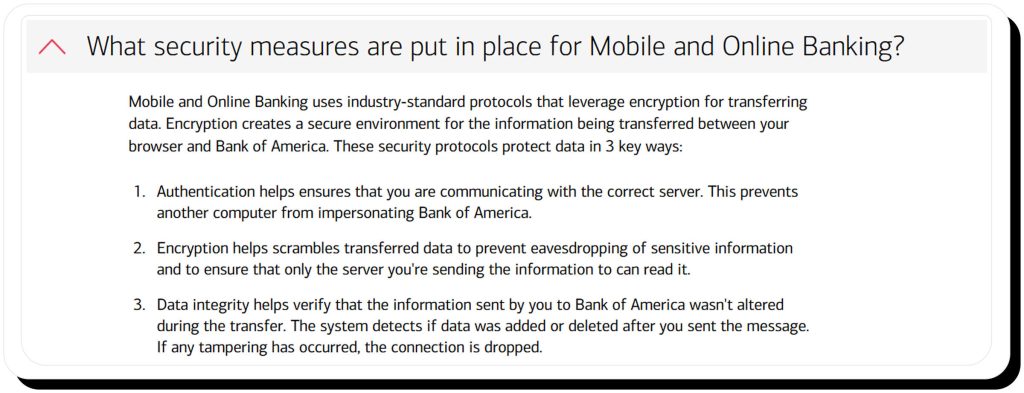
- Encryption: Data is encrypted in transit (when moving) and at rest (in the database), which means it can’t be read if intercepted without an encryption key.
- Zero-trust principles: Many banks follow zero-trust security models, meaning access isn’t based on login alone. Apps continuously assess device signals, location, and behavior, and may require reauthentication or restrict features if activity looks suspicious.
- Hardware-backed security: Smartphones can store banking app credentials and keys separately from the OS and app to prevent unauthorized access. Examples include Android’s Trusted Execution Environment (TEE), Apple’s Secure Enclave, and Google’s Titan M chip.
- Biometrics and passcodes: Facial recognition, fingerprints, and passcodes help keep others from accessing your mobile banking apps, especially when paired with hardware-backed security.
- Fraud monitoring: Banks continually monitor transactions for fraud, such as a costly purchase made in a location the customer doesn’t frequent. If potential fraud is detected, they can restrict account activity and alert customers until the transactions are verified.
- Regulation E and zero-liability policies: The Electronic Fund Transfer Act, aka Regulation E, limits your liability for fraudulent transactions and requires banks to reimburse you if fraud is properly reported. Some banks strengthen this protection with zero-liability policies – in other words, you typically won’t lose money over a fraudulent charge.
No digital platform is truly risk-free, of course, and banks can experience data breaches. However, those often involve third-party vendors rather than mobile apps themselves.
Banking apps vs. mobile browsers
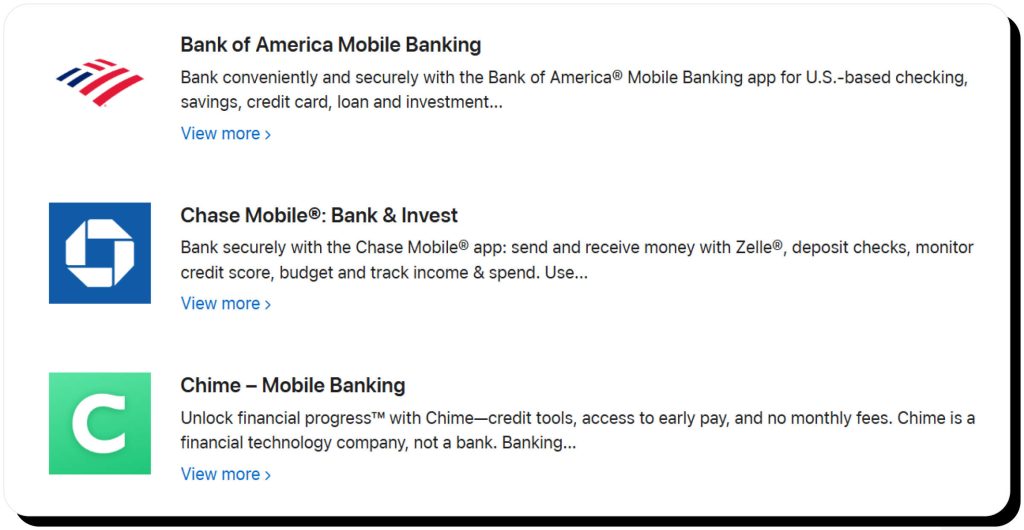
Official mobile banking apps are safer than online banking through a mobile browser. That’s because mobile banking apps are verified by app stores, independent from browser add-ons, and integrate with device-level security features like biometrics. Browsers, on the other hand, are more vulnerable to risks like malware, malicious links, and spoofed websites that steal banking credentials.
What are common mobile banking risks?
It’s important to note that since mobile banking apps are secure, most scammers target users instead of the apps and banks themselves. That makes user attacks the biggest risks for mobile banking.
Phishing, smishing, and vishing
These scams are a form of social engineering in which criminals use texts, emails, or voice calls to impersonate official bank communications. For example, you might receive a text that prompts you to click a link to review suspicious account activity. The link leads to a spoofed website that looks identical to your bank’s, making it easy for scammers to steal your login information.
Fake banking apps and app store impersonators
These scams are similar to phishing and smishing schemes where victims are sent a link, but instead of spoofing a website, they impersonate the official banking apps or even the app stores they’re downloaded from, giving victims a false sense of security.
Fake banking apps can also come from third-party, unofficial app repositories.
SIM swap attacks
In this sophisticated scam, criminals impersonate a victim and convince their wireless carrier to replace or activate a new SIM card mapped to their victim’s phone number. Then, they can intercept the victim’s SMS messages, including banking app messages, which allows them to reset passwords and gain access to the account.
Malware
Malware installed from other sources can tap your phone to spy on your activity and gain access to your mobile banking apps. For example, it can record keystrokes, take screenshots, or intercept one-time codes (OTCs), then send that information to scammers.
Outdated operating systems and unpatched vulnerabilities
Outdated operating systems and apps can have unpatched security vulnerabilities that make it easier for hackers to access your phone and your apps.
Lost or stolen devices
Lost or stolen devices are an easy way for criminals to access your mobile banking apps if the devices aren’t protected with biometrics or passcodes.
Common myths about mobile banking app security
There are plenty of myths about mobile banking security. Here are three common ones that are important to dispel.
Myth: Mobile banking apps are easier to hack
Fact: Mobile banking apps boast robust features such as hardware-backed security and biometric login, making them more difficult to hack than browser-based online banking.
Myth: Biometrics can be stolen
Fact: While biometrics have been stolen from centralized databases, mobile banking apps don’t store biometric data. Instead, biometric data is stored locally on your device, and banking apps simply ask your device to verify your identity. Thus, mobile banking apps can’t expose your biometrics because they can’t access them in the first place.
Myth: Banks can see everything you do on your phone
Fact: Legitimate banking apps don’t spy on your activity. However, they do collect location and device information for fraud prevention purposes. For example, if a large transaction is attempted on your phone 2,000 miles from your residence, the app might flag it as potential fraud.
How to make mobile banking more secure
Enhancing mobile banking security requires a three-pronged approach involving your device, your app and account, and scam prevention.
Device-level security
- Update your operating system and apps: Developers regularly release OS and app updates with security patches. Be sure to install them to avoid known vulnerabilities.
- Use a strong passcode: Strong passcodes that aren’t used anywhere else help keep your device safe from prying eyes. Don’t base your passcodes on personal numbers (such as birth years), as hackers can use public data brokers, AKA people-search sites, to find and guess those.
- Enable biometrics: Biometrics add another strong layer of security that can keep your device safe, especially if it’s lost or stolen.
- Consider antivirus apps: iOS devices don’t allow installing third-party antivirus software, but you can install trusted antivirus apps on Android to scan for malware and malicious message links.
- Enable device lock and remote wipe: Enable any features that allow you to automatically lock your device and remotely wipe it in the event it is lost or stolen.
- Don’t root or jailbreak your device: Jailbroken devices are more susceptible to malware and hacks.
App and account security
- Use 2FA and biometrics: If available, enable two-factor authentication and biometric login for your app. You should also use a strong password that you don’t use anywhere else.
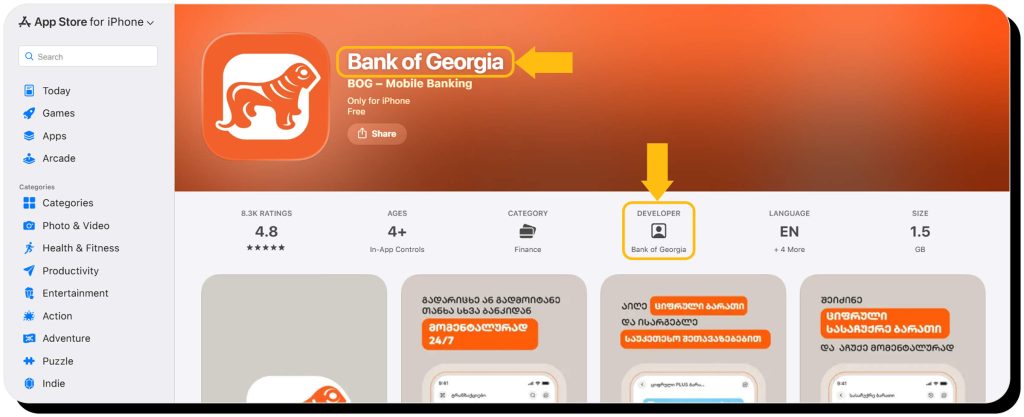
- Download from official app stores: Only download mobile banking apps from official app stores like the Apple App Store and Google Play. Be sure to verify that the publisher is your bank, and stick to known and trusted banking apps.
- Enable notifications: Enable notifications for your banking app so you’ll be alerted for each transaction. That way, you can instantly respond to suspicious activity.
Scam prevention
- Understand common scams: Familiarize yourself with how common scams like phishing, smishing, and vishing work so you can recognize red flags.
- Never click email or text links: Instead, open your app to see if there are notifications you need to respond to. Links can lead to malicious websites designed to steal your credentials. If in doubt, contact your bank directly.
- Use official communication channels: Never share personal or account information over the phone, chat, text, or email. Instead, look up and call your bank’s official number to verify any messages.
- Don’t respond to “urgent” messages: Scammers rely on pressure tactics to make you act quickly without thinking properly. Instead of immediately reacting to a warning call or text, contact your bank directly to verify legitimacy before taking action.
- Remove your personal info from people-search sites: These websites reveal your name, date of birth, address, estimated income, and other sensitive details that help scammers craft personalized phishing campaigns. You can opt out of people-search sites manually or use an automatic service like Onerep.
FAQs
Are banking apps safe?
Banking apps are safe when they are downloaded from official sources like Google Play and the Apple App Store, which take measures to verify publishers and scan apps for malware before making them publicly available. Be sure to regularly install updates, which include critical security patches designed to keep you safe.
How safe is online banking on a mobile phone?
Online banking on a mobile phone is not as safe as using an official mobile banking app. That’s because browsers are generally more susceptible to malware than apps, especially if you use third-party add-ons.
Is international mobile banking safe?
Yes, international mobile banking is generally safe, but it’s important to take precautions to prevent falling victim to scams: avoid public WiFi, enable transaction notifications, and closely monitor your accounts for signs of suspicious activity.
Is mobile data safe for banking?
Yes, mobile data is safe for banking, especially compared to public WiFi. That’s because cellular data is encrypted, difficult to intercept, and does not use shared passwords or guest access. Mobile data can even be safer than home WiFi unless your network is well-secured.
Is mobile banking safe on Android?
Yes, mobile banking is as safe on Android as it is on iOS, and the same precautions apply. The only difference is you can install a trusted antivirus app for an extra layer of security on Android (iPhones and other iOS devices have their own built-in protections).


Mark comes from a strong background in the identity theft protection and consumer credit world, having spent 4 years at Experian, including working on FreeCreditReport and ProtectMyID. He is frequently featured on various media outlets, including MarketWatch, Yahoo News, WTVC, CBS News, and others.