 Published February 16, 2026
  read
read
How to remove your name from the Internet: 2026 actionable guide
To remove your name from the Internet, you need to tackle both the pages you have direct control over and those managed by third parties. The first group includes social media platforms, blogs, forums, and other accounts you’ve ever created. Third parties include people-search sites, media outlets, public records, alumni directories, and professional associations. You can use Google’s “Results about you” tool to find pages you might have missed (and to remove those exposing your sensitive information from Google search results).
How your name appears online
Your name gets exposed online in two main ways: you put it out there, or a third-party site publishes it. As for the first option, think social media, professional platforms, blogs, forums, reviews, and any accounts you created using your real name. As for the third parties, the most common ones are:
- People-search websites. Also known as public data brokers, these aggregate your personal information from public records, social media, and other open sources, then compile it into so-called background reports and publish them. Such reports reveal your legal name, home address, previous locations, DOB, contact details, relatives, properties, assets, and other sensitive data—often for free.
- Public records. Government sites house information on properties, court filings, licenses, voter rolls, business registrations, and more. This information is typically required to be available to the public by U.S. laws. While this openness serves legal and civic purposes, it also allows third parties to collect and republish that information online.
- Media outlets. These range from news articles about local accidents or achievements to corporate announcements and interviews.
- Alumni and professional associations. Universities, colleges, and certification bodies frequently publish member directories, alumni profiles, event attendee lists, and board or committee rosters, many of which are publicly accessible and indexed by search engines. Even if you never actively shared the information yourself, your name may appear because membership is automatic (as with alumni groups) or required for licensing and professional credentials.
Step-by-step: how to scrub your name from the Internet
To remove your name from the Internet, you need to manage both the platforms on which you revealed it yourself and third parties.
Remove your name from social media accounts
You don’t have to leave social media completely to remove your name—you can just switch to an alias.
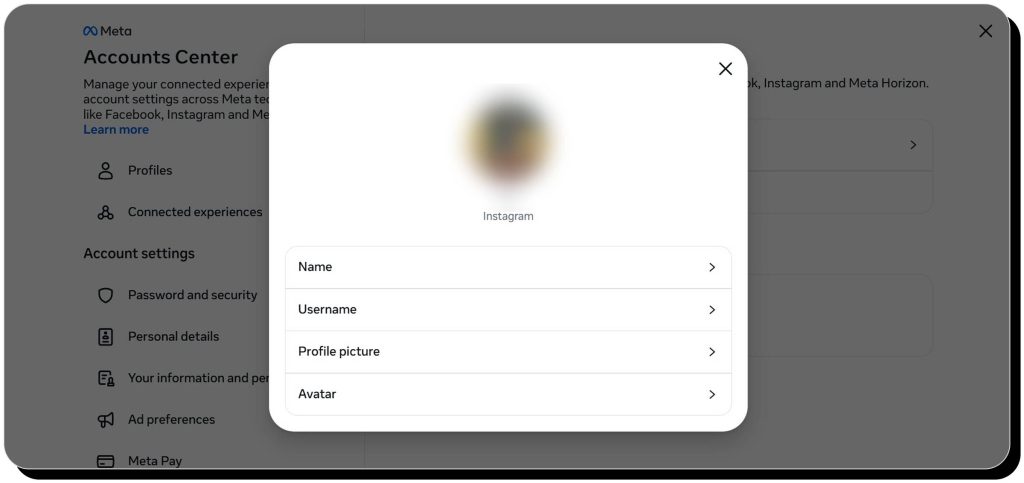
Every social media platform is different, but the option to change your username and bio is usually under “Edit Profile” or in the Account Center. Old username mentions probably won’t update, however, so these will act like broken links.
Review the content you’ve been tagged in and delete posts and comments that reveal your name (or ask those who posted it).
Opt out of people-search sites
The information on these websites can be surprisingly invasive (estimated income, religious affiliations, etc.).
Unfortunately, there’s no single federal law that regulates people-search sites. Moreover, they typically publish data that’s considered publicly available, so they are not obliged to remove it.
On the good side, most people-search websites have an opt-out process in place. It typically involves:
- Finding your records. You can Google your name in combination with other personal details (phone number, address)—top results are likely to be people-search websites. However, there are hundreds of people-search sites out there, and only dozens rank well on Google, so you’ll still need to visit as many as you can find manually and look yourself up. Alternatively, use Onerep to scan 317 public data brokers for your info.
- Finding the opt-out page. Typically, there are “Do Not Sell My Info” links in site footers or “Remove profile” links on record pages.
- Sending the opt-out requests. This typically requires submitting an opt-out form and verifying your request via email. If possible, create a dummy email account that doesn’t reveal your name and other identifying data just for opt-outs.
- Verifying the record is really gone. Many people-search sites send confirmation emails informing you that the record has been removed. However, don’t rely on those—open the websites and look yourself up to make sure.
Removing your data from all people-search sites out there is a time-consuming task. Instead of doing it manually, you can opt for an automatic service like Onerep that will handle the whole process for you.
Take your name off blogs, forums, and reviews
Think back to every platform where you left an opinion or participated in discussions. Take into account not only blogs and forums, but also online marketplaces and even maps—anywhere you could have left a review.
The easy road is to just change your account name (and make sure old content displays with the new name). If that’s not possible, you’ll have to delete posts and comments manually—or delete the account altogether.
Delete old accounts you’re no longer using
We’ve all got accounts that we haven’t touched in years. These include forgotten emails, gaming platforms, shopping sites, learning platforms, and any other service you signed up for.
It can be tricky to find them all, but you can start by logging into Google or Facebook/ Instagram and checking:
- What services you singed up for using that account.
- What services sent you registration confirmations.
If you ever kept a document with passwords or a password manager, check there as well.
Remove your name from alumni databases and professional associations
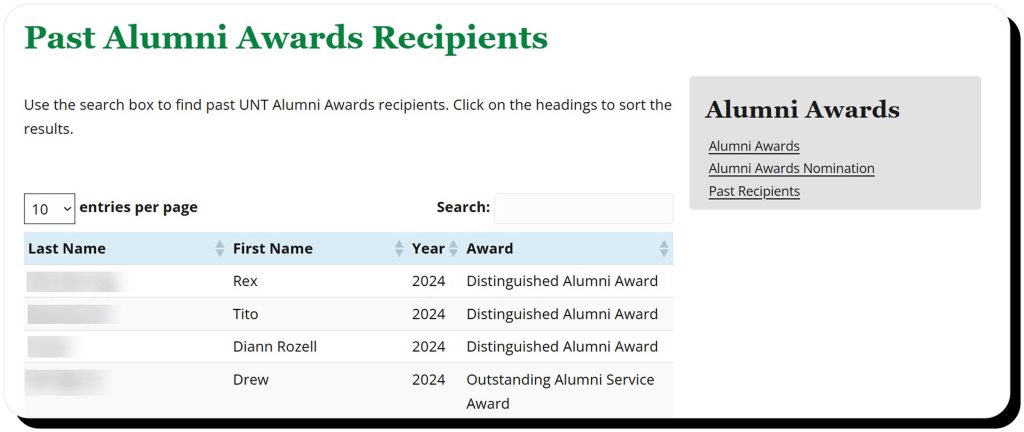
You can request that your name and personal data be taken off public-facing university and professional association directories. These organizations should have a page on their website dedicated to their privacy policies and how to send a formal request for data removal.
Keep in mind that they might have to retain some information about you in their systems for legal purposes. If an organization won’t remove your name, try reducing visibility: hide your profile from public view or limit it to members only.
Remove your name from public records
Removing public records is a tricky task: most must remain openly available by law. However, there are certain measures you can take under special circumstances:
- Have court records sealed or expunged. For certain cases, you may be able to have the records “destroyed” (expunged) or hidden (sealed). Expungement usually means the record is legally erased or treated as if it never existed, while sealing keeps the record intact but inaccessible to the general public. There’s a whole legal process for this—you can find more information in our guide.
- Have your name masked. If you’re a victim of domestic violence or stalking, or you work in law enforcement or as a public official, you may be able to have your name hidden on certain records. Start with the county clerk’s office and the local election office and inquire what changes can be made in your particular situation in your state.
In some cases, you’ll be able to redact non-essential data (full birthdates, Social Security numbers, financial account numbers, home addresses). Even though this won’t remove your name, it’s still a good option as it reduces the amount of personal info available and makes it harder for ill-wishers to piece your identity together.
Get your name out of the news
If you’re not a public figure, and the information is no longer considered “newsworthy,” then you might have a case for removal.
You’ll want to contact the managing editor of the publication or the outlet’s corrections desk. Note that outlets are more likely to anonymize you (e.g., replace your name with “a local resident”) than to remove the piece altogether.
Use Google’s tools
Google and other search engines don’t control what’s published on websites, but removing your name from search engine results is sometimes possible.
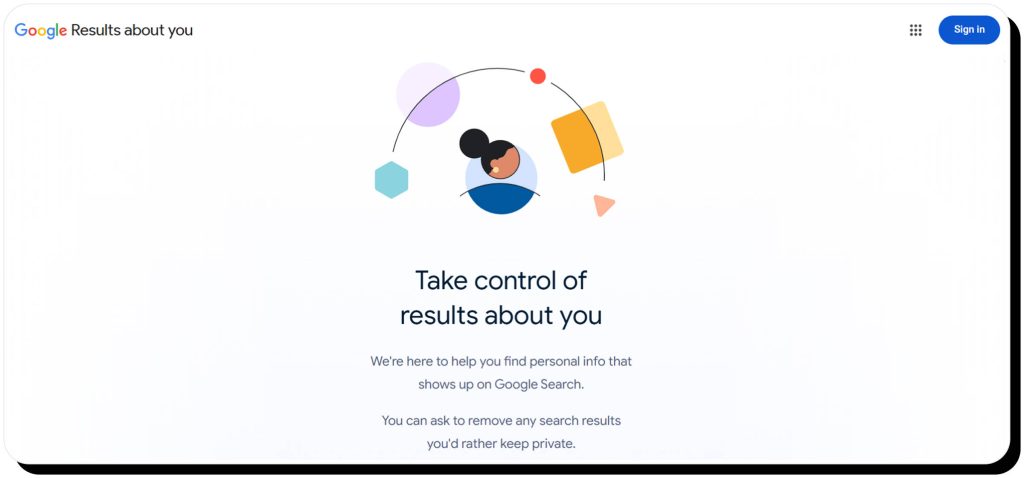
One helpful tool is Google’s “Results about you.” However, it’s more likely to remove pages that contain not only your name but other identifying details as well (phone number, address, etc.).
If a web page no longer contains your name, but Google still shows it in the search results, use the “Refresh Outdated Content” tool.
Can you completely remove your name from the internet?
Realistically, it’s highly unlikely to completely get your name off the Internet. Some information, like court records, simply cannot be removed for legal reasons.
That said, you can significantly reduce visibility and lower your online footprint. While your name won’t be completely erased, it still will be much harder to find through casual searches.
How to prevent future exposure of your name online
Removing your name from the Internet is not a one-time task—it’s a continuous process. While most action is at the start, you need to adopt the following habits to prevent future exposure:
- Use aliases wherever possible, including social media, online surveys, services, and forums.
- Adjust your privacy settings to restrict data visibility and make your name visible only to certain people.
- Use email addresses that don’t expose your legal name.
- Use address masking (PO boxes and registered agents) to avoid having your home address linked to your name.
- Monitor people-search sites as they frequently update their databases and republish information. If you don’t have the capacity to check each site manually, Onerep’s subscription includes continuous monitoring and rescanning of 317 data brokers.
- Periodically search for your name and set up alerts so you can catch new mentions early.
FAQs
How to remove yourself from the Internet for free?
Removing yourself from the Internet for free includes deleting social media profiles and any other accounts you’ve ever created (online marketplaces, streaming platforms, blogs, etc.), opting out of people-search sites, removing your info from alumni and professional associations, requesting updates or removals from media outlets, and redacting eligible personal details from public records (inquire with the county clerk).
How to remove my name from search engines?
To remove your name from search engines, you need to remove it from the websites that publish it. If a site can’t remove your name, try requesting that search engines remove those pages from their search results. However, that typically can be done if your name is published along with other personal data like home address.

Dimitri is a tech entrepreneur and founder of Onerep, the first fully automated data removal service. Top cybersecurity CEO of 2021 by The Software Report.